Update October, 2020: This post has been updated for our GeneratePress 3.0 release.
These days, the speed of your website is crucial. Search engines like Google rank you much higher if your site is fast and accessible.
Knowing that, it’s a no-brainer that you should choose a WordPress theme for your site which lives by those principles – fast and accessible.
As we continue to develop GeneratePress, speed and accessibility are two major factors behind almost everything that we do.
What Makes a WordPress Theme?
A WordPress theme is a combination of HTML, CSS, Javascript and PHP.
HTML is (should be) easy to keep clean and minimal. There’s no need to overcomplicate it, especially in a theme. If your theme does overcomplicate it, it can have a negative performance impact.
CSS can be very difficult to keep clean and minimal. This is where a lot of themes are bloated, as the CSS either isn’t written as cleanly as possible, or there are too many features that each require their own CSS.
Javascript can be very bad for performance if not done correctly. A lot of themes use jQuery, which means you’re loading their javascript along with the entire jQuery library. A fast WordPress theme uses vanilla javascript, and the javascript itself should be very minimal.
PHP is the dynamic aspect of your website that communicates with WordPress and is responsible for querying your content and outputting your actual website. The more PHP that has to initiate on every page load, the slower your website will be (especially if it’s poorly coded). This is where simple themes that try not to do too much will always outperform massive themes with too many options.
A fast and lightweight WordPress theme needs to focus on all of these areas. At GeneratePress, we take every part of this combination seriously.
HTTP Requests
An HTTP request is what happens when your browser requests and downloads a file from your server. This includes CSS files, javascript files, images and so on.
It’s important to keep these requests to a minimum. Each request makes your website take a little bit longer to load.
The size of each request is even more important. This is why you don’t upload massive images to your website, for example, as they hurt the load time of your pages considerably while the browser downloads them.
The same thing applies to your CSS and javascript from your theme.
This is where GeneratePress shines.
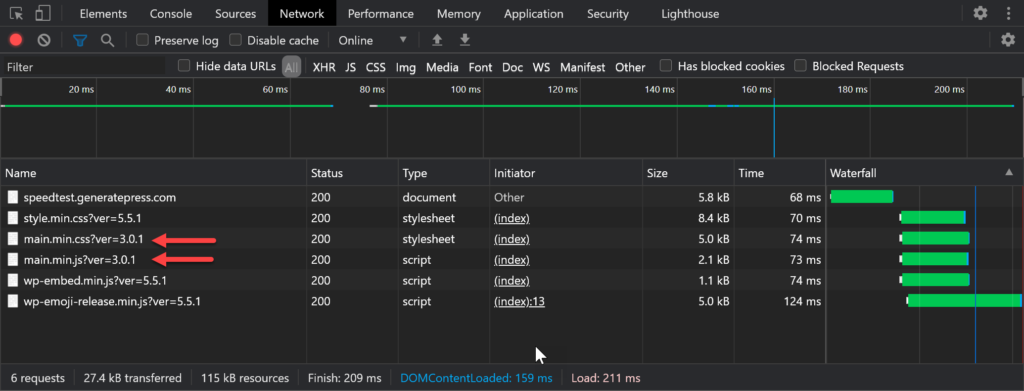
The entire main stylesheet for the theme is only 5.2kb.
The second request that GeneratePress makes is our main javascript file. This file is only 2.3kb!
So, the foundation of your website (the theme) is only adding two HTTP requests totalling 7.5kb in size.
The above filesizes are compressed by the server (most do this by default).
In the screenshot above, you’ll see that WordPress itself loads some scripts and styles:
- style.min.css – This has default styles for some of the core block editor blocks.
- wp-embed.min.js – This file handles automatic embeds from social media and other WP sites.
- wp-emoji-release.min.js – This file converts your characters to emojis if applicable.
If we remove these from the site, we can get a clear picture of what GeneratePress is contributing to your requests and page size by default.
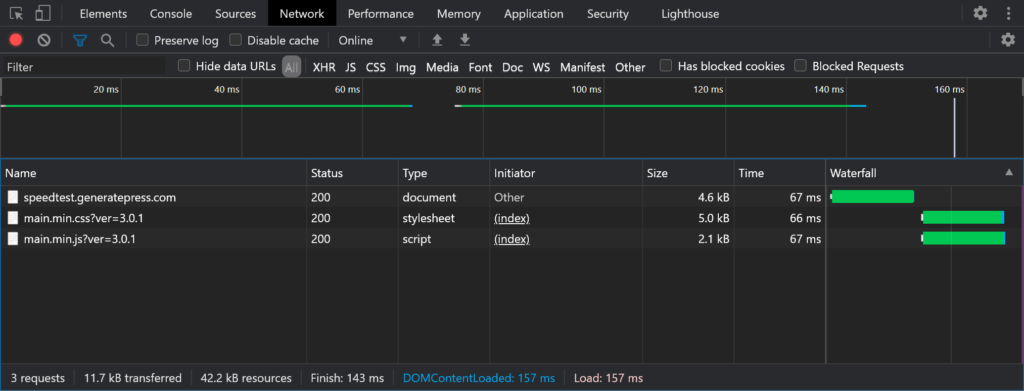
The results of this in Lighthouse?
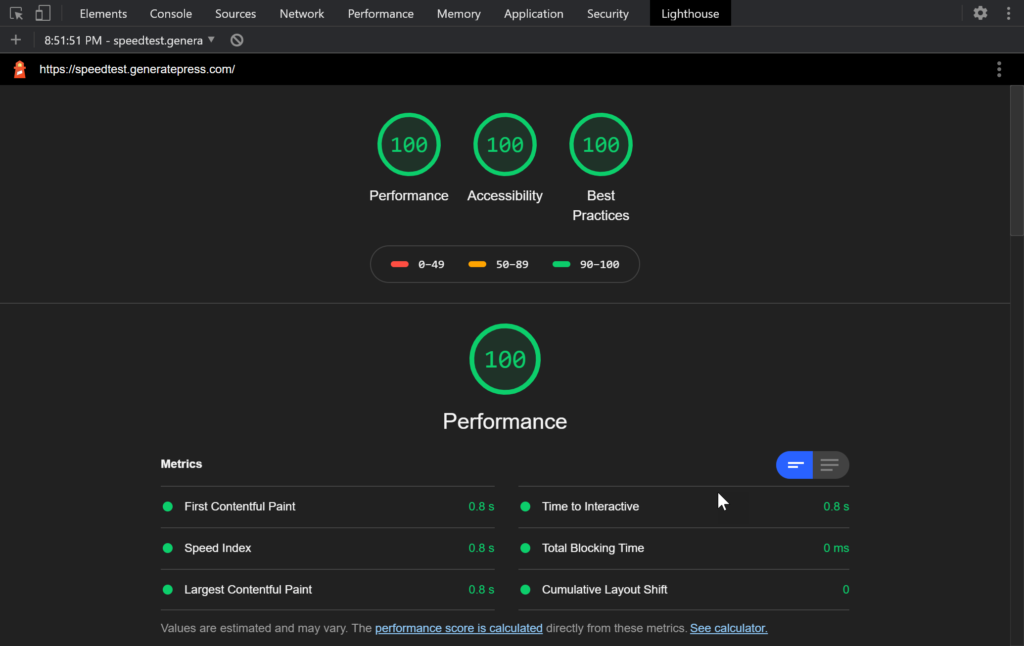
It’s important to note that this is a default WordPress and GeneratePress install. As you add to your website, it will naturally grow in size. However, it’s important to know what you’re starting out with when you begin building your website. No theme will become lighter as you start building your website, but we can control how lightweight your foundation is.
How To Test Your Theme
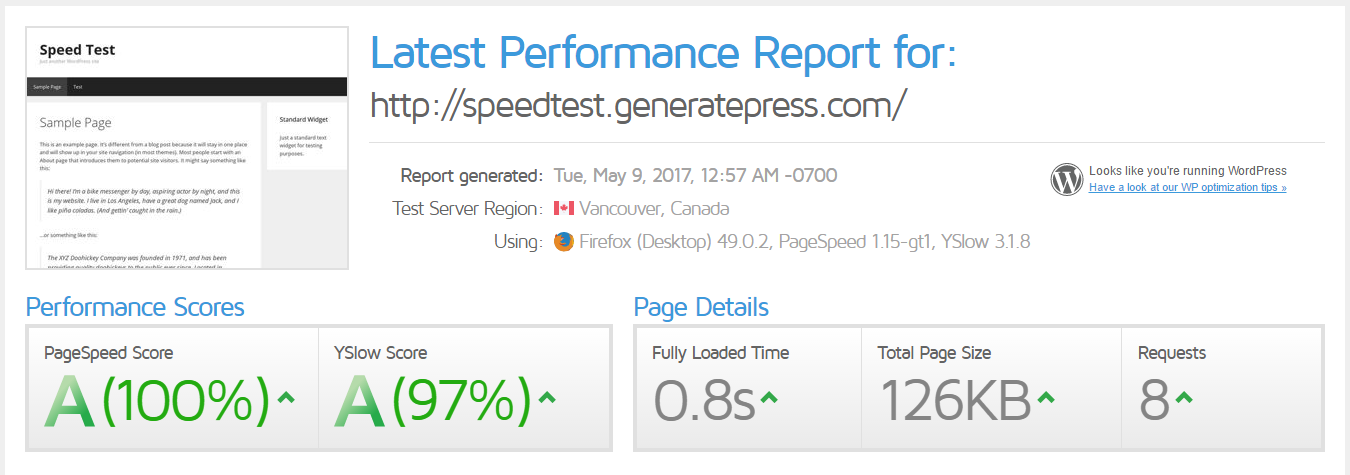
A lot of people use tools like Google PageSpeed Insights, Pingdom, and GTMetrix to test their theme performance. These tests are great, but you can actually test your WordPress theme performance directly in your browser.
As mentioned above, do this on a fresh WordPress install with your theme. This will tell you how light your website can possibly be, and then you can add to it from there.
All modern browsers have some sort of Developer Tools you can use. You can usually open them by right-clicking your site and choosing “Inspect”, although this may differ slightly depending on the browser.
- Developer tools in Chrome
- Developer tools in Firefox
- Developer tools in Safari
- Developer tools in Edge
The “Network” tab (shown in the first screenshot above) is where you can see the requests your site is making. Once opened, simply refresh the page and you’ll see every single request your website is making, along with the filesize of the requests.
This single test will give you a good idea of how lightweight your WordPress theme is. Fewer requests and lighter files mean better performance moving forward.
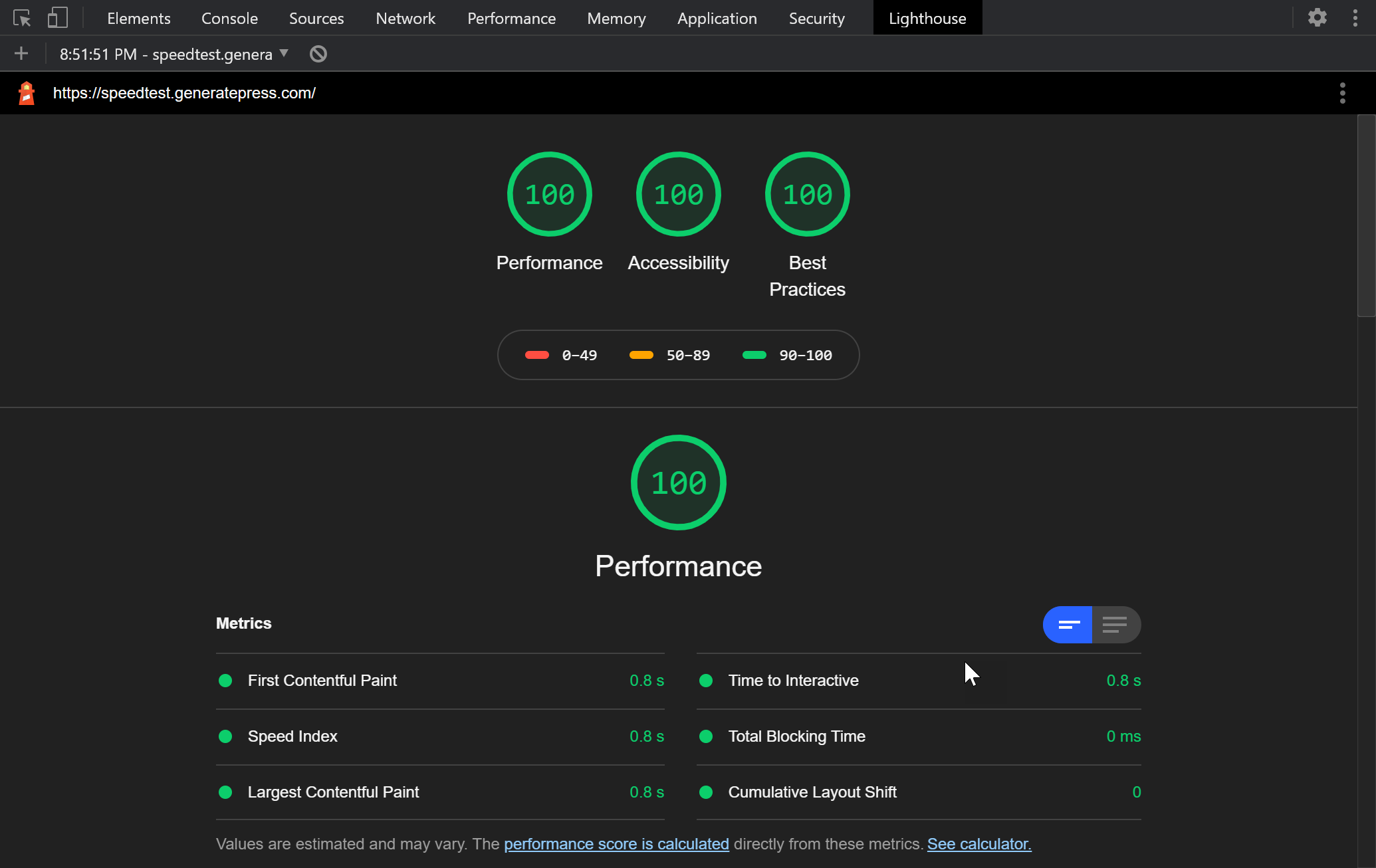
Chrome also has Lighthouse (shown in the second screenshot above). This is the same thing as Google Pagespeed Insights but inside your browser.
Further Optimization
As you build your site, it will become heavier. Everything you add will add more weight to your pages, and some options/plugins will add more HTTP requests.
This is where plugins like Perfmatters (paid) Autoptimize (free) come into play.
To learn how to best configure Autoptimize with GeneratePress, check out our Configuring Autoptimize article.
Is GeneratePress the Fastest WordPress Theme?
As we’ve shown in this post, we put a lot of effort into performance when it comes to GeneratePress. Is it the fastest WordPress theme? That depends on your definition of a WordPress theme. There are some “themes” out there that have next to no options and no styling that are certainly lighter. The issue there is once you take those barebones themes and turn them into something functional, you will likely lose any ground you’ve gained.
When it comes to fully-featured WordPress themes, we do believe that GeneratePress is the fastest theme you can choose for your website. Keeping GeneratePress lightweight is a journey we’ve been on for over 6 years, and we’ve managed to make the theme lighter and lighter, instead of bloating it over time. Speed and accessibility are the two main aspects of GeneratePress we will never stop working on.
If you’re skeptical, use the methods we outlined above to test GeneratePress vs. other themes and it should become clear.


Leave a comment