How to Build a New Site with GeneratePress AI, Step by Step
Building with GeneratePress AI is incredibly powerful. From months of testing and experimenting, here are ways to get started easily.
Building with GeneratePress AI is incredibly powerful. From months of testing and experimenting, here are ways to get started easily.
GeneratePress AI gives the AI you already use the power to build and maintain your WordPress site, with guardrails that keep publishing in your hands. GeneratePress.com itself was built 100% with it. If it can build our site, it can build yours.
We simplified how GeneratePress is sold. One plan now includes GP Premium, GenerateBlocks Pro, GenerateCloud and every future product, in 1, 10 or 100 site sizes. Already a customer? Nothing changes.
Need to show a booking page, calculator or landing page from another site without sending visitors away? With GenerateBlocks Pro Overlay Panels and a single iframe, you can open any embeddable page in a branded overlay.
Design Tokens give your site one source of truth for colors, fonts, and spacing. Here’s how to add them to Global Styles, or build on them from day one.
Find out about the new dashboard and general UI refresh brought to you with GenerateBlocks 2.5 and Pro 2.8.
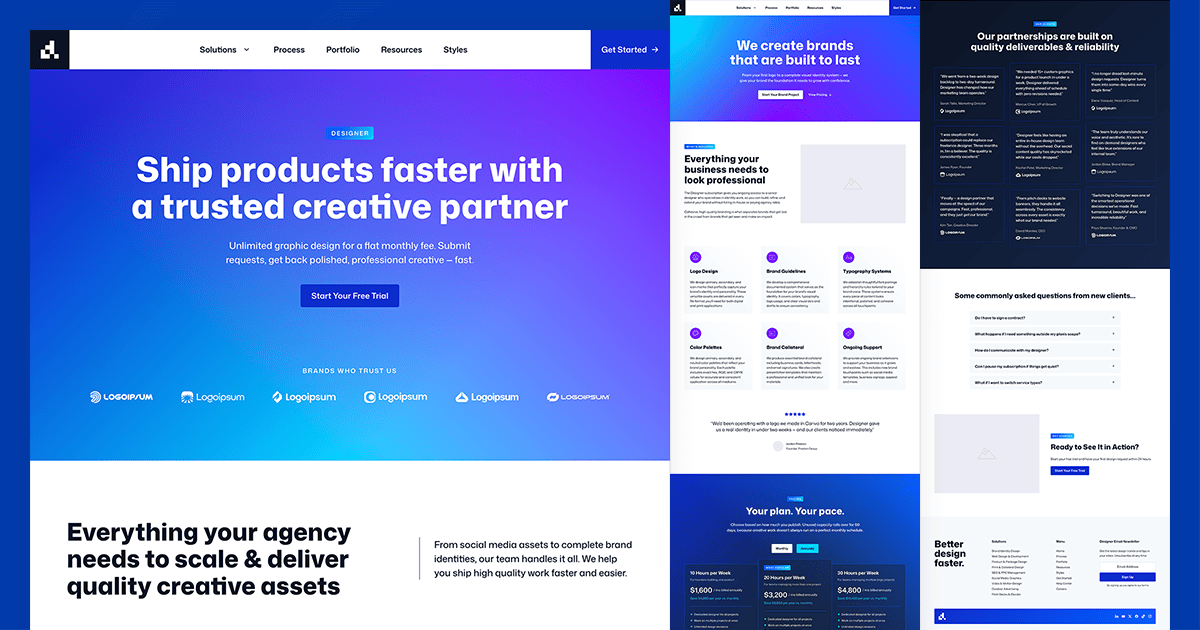
A polished, full-featured template for subscription design services, built to launch fast and customized even faster.
We’re building a complete FSE toolset, one deliberate layer at a time. Here’s what’s coming next with GenerateBlocks Pro 2.8 and GeneratePress Premium 3.0, and why it’s the real answer to WooCommerce customisation.
Editor Access offers new capabilities for agencies and developers. This framework for deciding when and how to implement Editor Access can help guide how and when to use this new feature.
GenerateBlocks 2.4 and GenerateBlocks Pro 2.7 bring new features to control the client editing experience.
We use optional 30-day affiliate cookies to credit the partner who referred you. They do not affect your price.