Archived topic
Settings questions from U-Star
10 replies · Started by ustar on August 5, 2019
Hello Generatepress!
I’m bought your Generatepress Pro just few days ago.
And i’m tying to rebuild my site with your theme. And something went wrong.
So, i hope, you could help me to fix some issues or give me some advices with my questions:
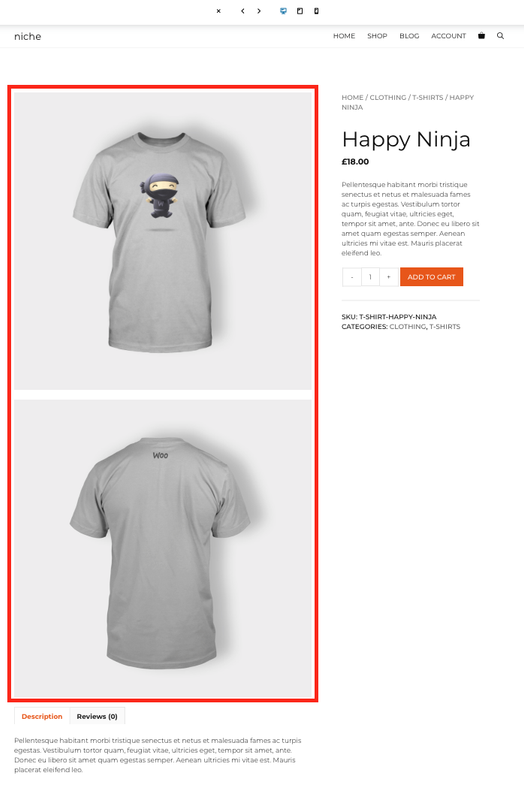
1. Single product page. How to set up image gallery for desctop screen like on your demo site «Niche»?
https://i.postimg.cc/x1xbcpdv/2019-08-03-20-40-27.png
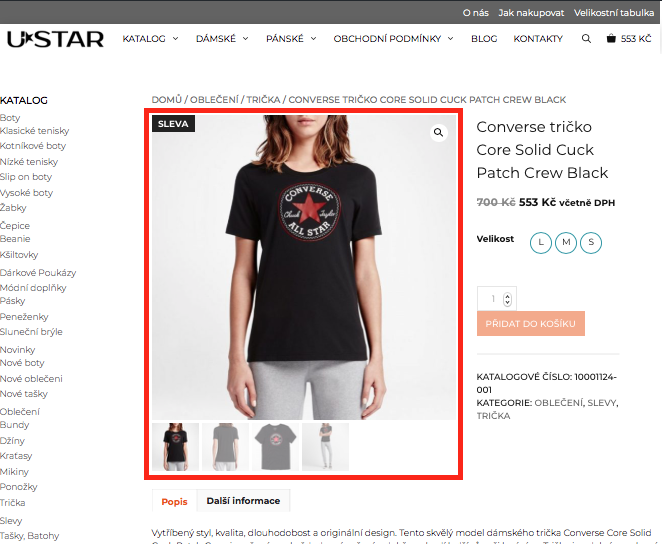
I've imported settings from «Niche», but still have standart image gallery like here:
https://i.postimg.cc/YSLjjpZ7/2019-08-03-20-44-13.png
I dodn’t find any settings for this.
2. How to set collapsed menu when subcategories doesn’t display befor you click on some marker?
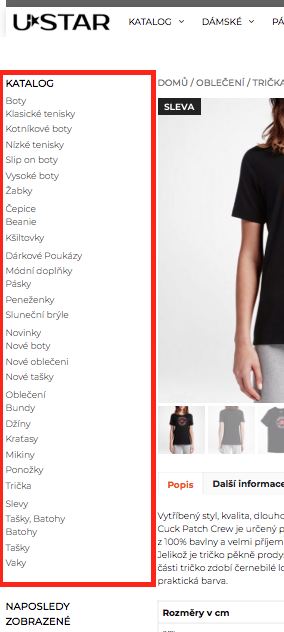
What i have now:
https://i.postimg.cc/gJqz6rKC/2019-08-03-20-47-51.png
What i’d like to have:
https://i.postimg.cc/brJ7NvVH/2019-08-03-20-49-14.png
Yes, all subcategories have parent category in the settings of products categories.
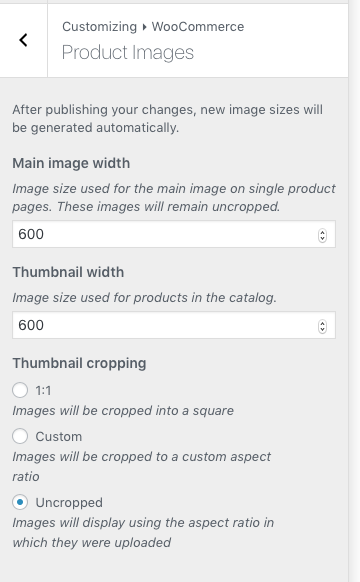
3. I have settings:
https://i.postimg.cc/Bv0RPpwv/2019-08-03-21-15-50.png
And all my products images are 600x600 pix.
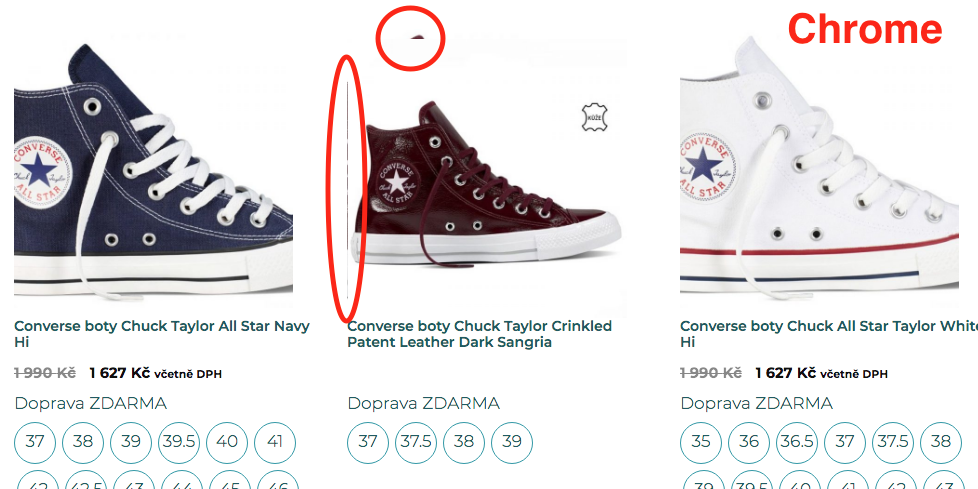
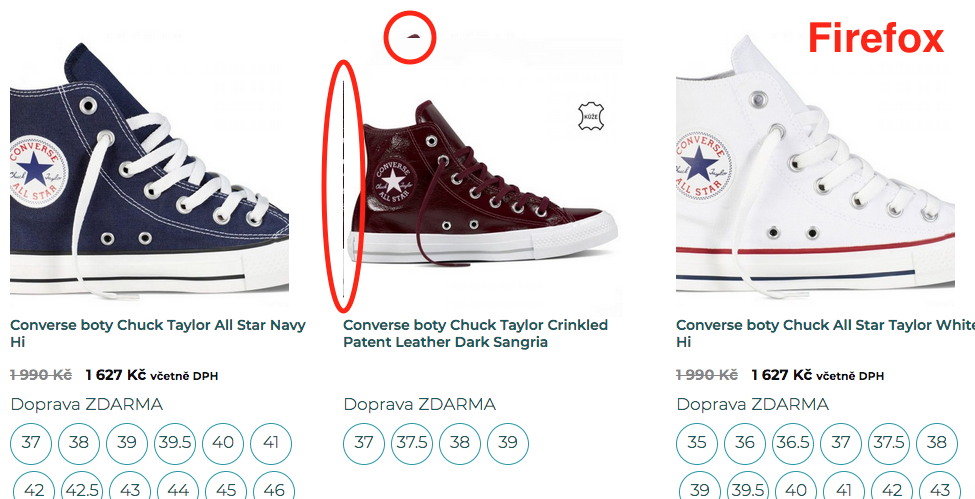
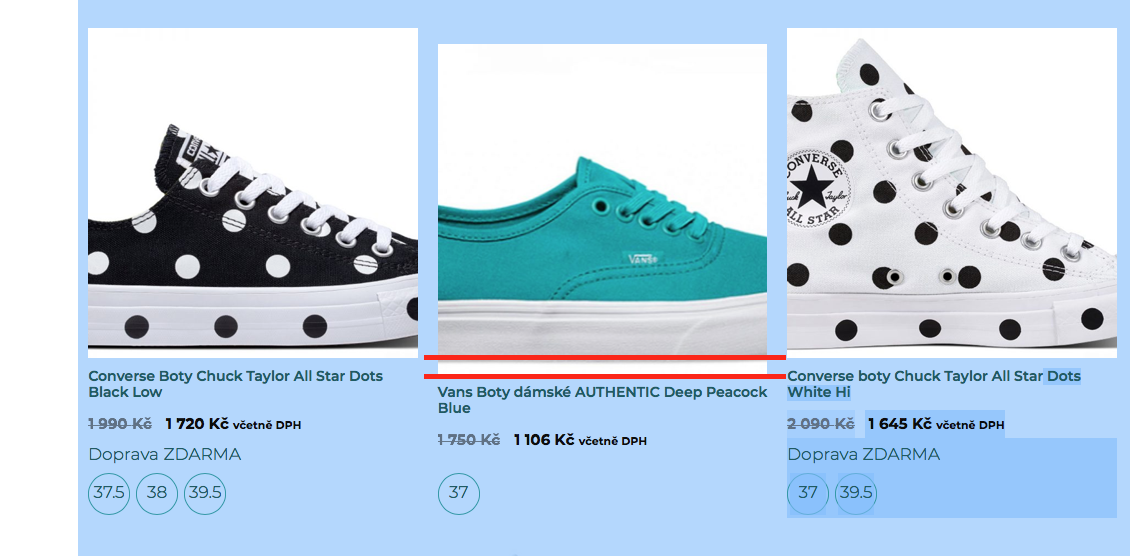
But on the category page (or catalog page) i have this issue, like part of the main image.
https://i.postimg.cc/gc1pkVdx/2019-08-03-21-51-33.png
4. How to hide left sidebar (categories and filters names) on category (catalog page) and search result page for mobile devices?
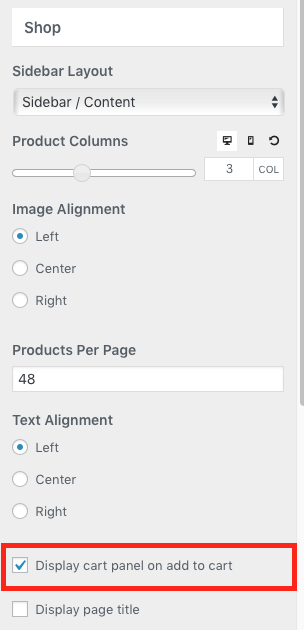
5. I have set:
https://i.postimg.cc/nhkN7B8Y/2019-08-03-23-09-02.png
But it works only on mobile devices. How to make it work on desctop also?
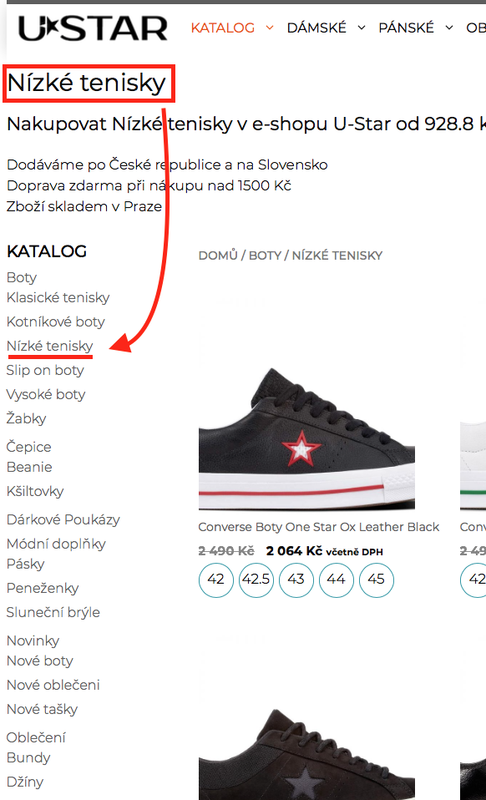
6. Is it possible to highlight choosen subcategory? For example with bold font or underline.
https://i.postimg.cc/YCpsp044/2019-08-04-22-14-15.png
7. Do you use some cache plugin or other fetures to improove site speed?
That’s all for this moment.
I’m really hope, that i’ll acheeve good result with you not only about design but also about speed.
This is main reason i choose your theme.
p.s. To access to my dev site i need your IP.
Best wishes, Sergey.
Hi there,
1. When you import the Site you must import the site content as it adds Hook Elements to the Site and CSS.
2. 4. and 6. What widget are you using to display the Categories?
3. Woocommerce crops those images, so i am not sure what the problem is there - is the issue the lines that are appearing on the side of the image?
5. That option works automatically on desktop and mobile - but it only works on the Shop / Archive pages NOT the single product.
7. We provide these optimization tips:
Hi, David!
Thanks for your qiuick answer!
1. Yes, i didn't import the demo content. That's why i had problems with product gallery. Now it works fine.
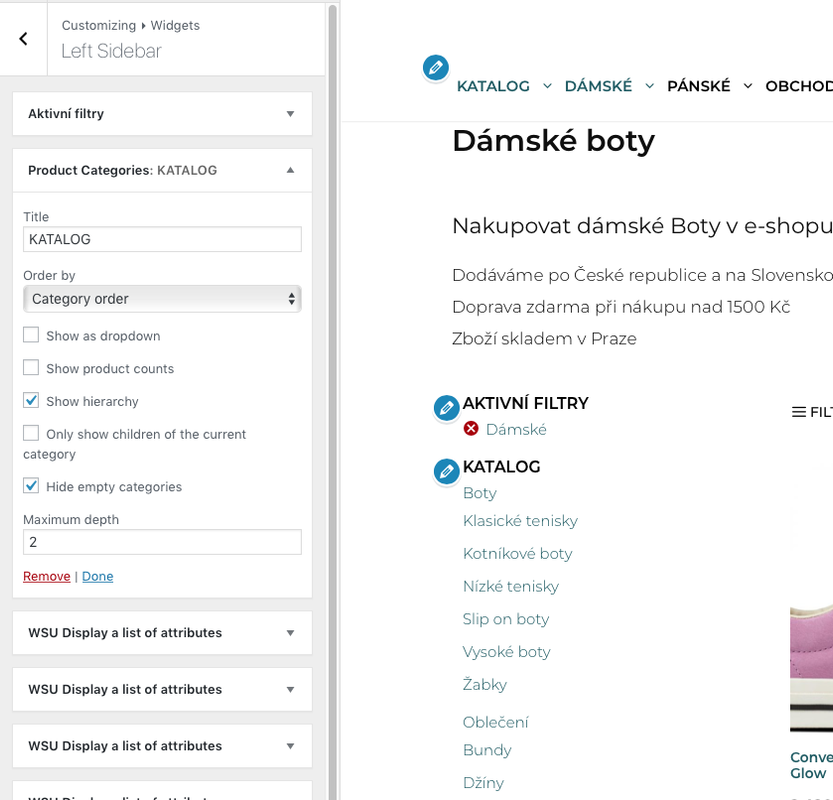
2. 4. and 6. I use Product Categories widget.
https://i.postimg.cc/V6C68vNH/2019-08-08-7-51-11.png
3. But i do not crop images in tne settings.
https://i.postimg.cc/Gp37VTXd/2019-08-08-7-57-13.png
And i noticed that images looks different in different browsers.
Chrome:
https://i.postimg.cc/dtxVLGTS/2019-08-08-7-59-31.png
Firefox:
https://i.postimg.cc/0QzsgBVk/2019-08-08-8-02-41.png
Safari:
https://i.postimg.cc/KzfgV4sS/2019-08-08-8-05-37.png
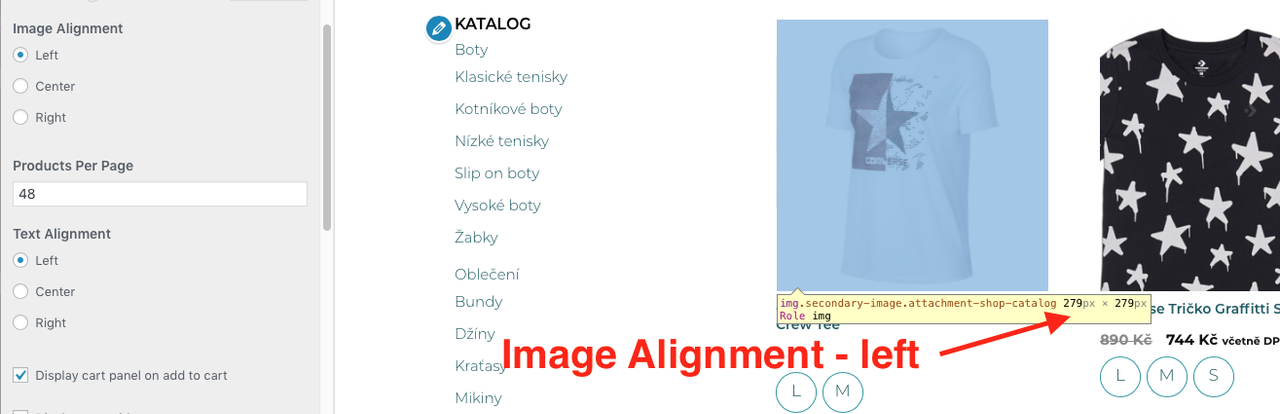
I noticed more, that product sizes depens from Alighnment settings.
Left Image Alignment:
https://i.postimg.cc/brGktpL7/2019-08-08-8-13-20.png
Central Image Alignment:
https://i.postimg.cc/sXLZybyw/2019-08-08-8-15-54.png
How it possible to fix?
5. Works correctly after i downloaded demo content. Thanks!
7. Ok.
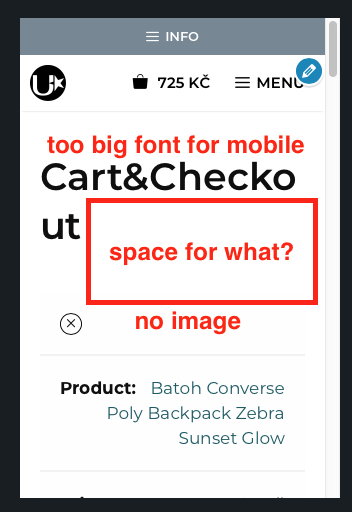
8. Should checkout page display image of choosen item on mobile devices? I only see the name.
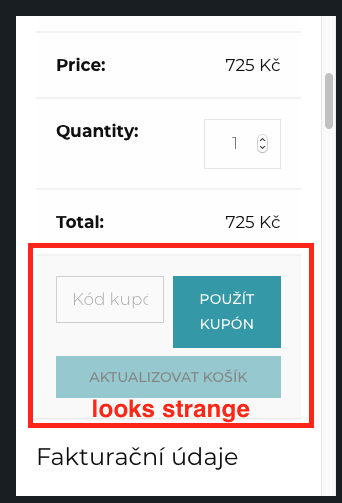
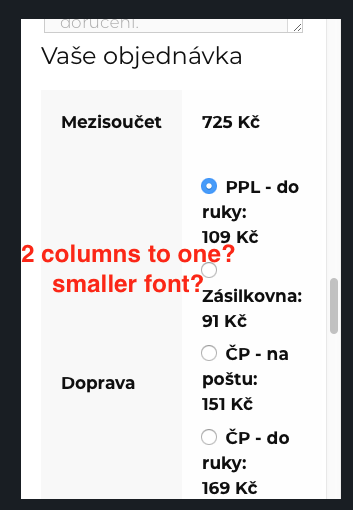
9. Is it possible to make delivery options in one column on the checkout page? As if more compact. Now it looks a little strange, especially on small screens (for example, iPhone 5).
https://i.postimg.cc/pV7Tqg2L/2019-08-08-8-45-36.png
https://i.postimg.cc/xdtjHZxY/2019-08-08-8-45-54.png
https://i.postimg.cc/NMngCHvz/2019-08-08-8-46-10.png
Thanks for your help!
Greetings, Sergey.
2. 4. and 6. Maybe this plugin will do that for you:
https://en-gb.wordpress.org/plugins/wpb-accordion-menu-or-category/
3. Do you have a second image displayed when hovering over the item? I get the impression that the 'line' you're seeing is from the hover image.
Do you need to set the image to 600px on the shop? This seems awfully big. If you right click and inspect the image the browser developer tools will show you the actual size of the image being displayed. Set the size to match this.
8. Yes - cart image is hidden by default in the standard woo templates.
9. I would need to be able to see the site to provide some CSS. Any chance you can open it up? I can't provide a static IP address.
2,4,6. Maybe, but i don't really want to add another plugin just for it. I afraid about every additional plugin will take resources and not good for speed.
3. Yes, sure. This is a part of main image.
About 600x600:
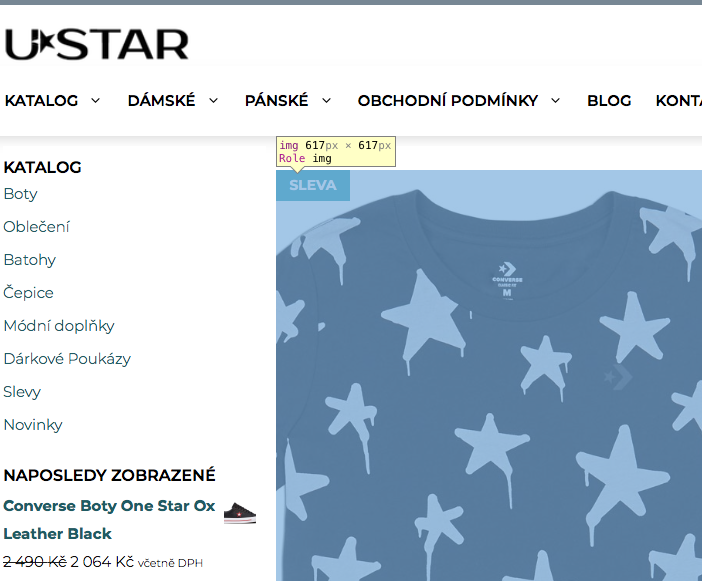
On the single-product page i see that image size is 617x617. Even more that 600x600.
https://i.postimg.cc/X7rZz1vf/2019-08-13-10-38-42.png
And when i'm changing Product Image Area Width in the Customiser/Layout/Woocommerce, nothing changes.
https://i.postimg.cc/SQCQY0jt/2019-08-13-10-45-48.png
8. OK.
9. This site is develiping now and closed for robots, because it is a copy of the live site. I can give an access for example for all ip in any subnet. Or create a TeamViewer session in time when you will be able to look. My time zone is CEST (Central European Summer Time) UTC/GMT +2 hours, but is not a problem, i will be onliene anytime you'll say.
2. 4. and 6. The standard cateory does not output the HTML required for that layout. It would need custom development outside of our scope. Or the plugin. Code is code, so plugin or custom development will probably carry the same small overhead. Benefit of the plugin is the developer will support
3. The Product Image Area Width defines the size of the container the image sits in. So if you increase the container size you will need to increase the product image size.
9. Sorry we cannot offer by any other means then this support forum due to the time it takes up. We can revisit this issue when site is accessible if you want
Hi, David!
Thank you very much for your answers.
2,4,6. OK.
3. Understood. But, here what i noticed:
I have no problem with hovered images only when i setting Image Alignment to the Center.
Images has size 330x330 and no problems with hover images.
But cards alignment looks strange.
https://i.postimg.cc/9M9Cn0Rj/2019-08-13-14-23-06.png
Every next row of products depens of the row above.
When i set just Left or right Image alignment,
Images size became 296x296 and problems with hover images appeares.
But in the same time products alignment looks fine.
https://i.postimg.cc/BvgVQGr1/2019-08-13-14-31-29.png
https://i.postimg.cc/Jhy4JMLS/2019-08-13-14-40-59.png
9. Thanks. i'll keep in mind your offer.
Regards, Sergey.
3. Without seeing the site its impossible to diagnose the problem. One thing to ensure with Woo is that all of your original images are of the same size and aspect ratio, check to see if that is the case.
Thanks, David!
I will check.
I'll return to this question after site will be published.
Best wishes, Sergey.
Glad to be of help.
Thanks, David!
Regards, Sergey.