Archived topic
Setting up standard pagination when using Generate Press with Generate Blocks
25 replies · Started by Chris on September 5, 2022
The Block Element - Loop Template and the GB Query Look - Inherit Query from Template, is designed to allow you to build your own custom archive pages, whether that be for the Blog, your Post Categories or other custom post types.
As it is an Archive page, the WP Query is already predefined.
What it cannot do is add pagination to a custom query loop block, as that would require a static page that does not support post pagination.
I was hoping to use this to replace WP Show Posts with Generate Blocks. WP Show Posts will (would) add pagination links to the bottom of the posts with some limited options, with the correct url structure. I may just have to go back to using that, though I know it's been officially replaced by Generate Blocks... unless I am misunderstanding you,
Chris
Can you share an example page where i can see what you have built with WP Show Posts ? And a little explanation as to what is specific for that query ?
For example:
https://consumer.press/shopping/
that is actually a static page using WP Show Posts with the parameters 'posts' and taxonomy-category 'shopping', with working pagination (urls formatted as /page/2/, /page/3/ etc...).
I'd like to use Generate Press/Blocks with custom parameters, but need to replicate the pagination the way that WP Show Posts did them, so those same paginated urls can be used.
It seems like if WP Show Posts could have both parameters and pagination (page/2/ type url formatting) on a non-archive page, GeneratePress/Blocks would be able to replicate that feature, no? That's what I thought the pagination feature added to 2.2 would allow for,
Chris
PS, an example of the settings in WP Show Posts with selected taxonomy and pagination:
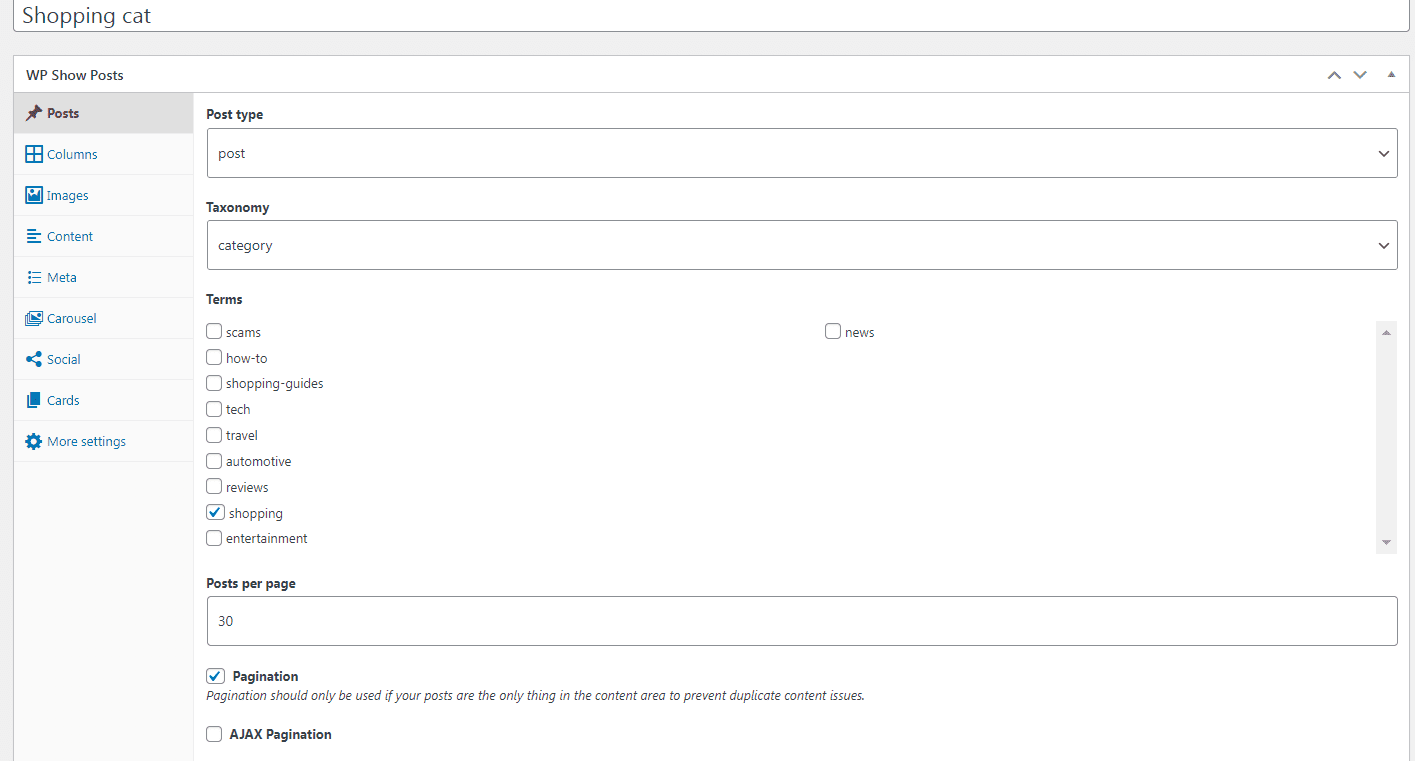
I assume you're using a redirect or the method provided here to replace the default category archives with static pages ?
Through a redirect
OK, so to use the Loop Template, you would remove the redirect so it displays the actual category archive. Then the pagination will work.
So... are you saying I can use Generate Blocks on archive pages (home/categories) with custom parameters? Or am I misunderstanding you?
If that is correct, can you point me to the documentation for putting Generate Blocks on archive pages? I haven't seen that,
Chris
What are the custom parameters? - the example you provided was just a Posts in a specific category ? No ?
Correct, that was the example with WP Show Posts, but I was hoping to use Generate Blocks to exclude a tag ("expired") and have the pagination work as I needed,
Chris
You can use a PHP Snippet to exclude posts with a specific tag eg.
function excludeTagId($query) {
  $tag_Ids = array( <code>33</code> );

  if ($query->is_main_query() && ! is_admin() && $query->is_category() ) {
    $query->set( 'tag__not_in', $tag_Ids );
  }
}
add_action('pre_get_posts', 'excludeTagId');
Change the 33 to the ID of the Tag term you want to exclude.
And this will remove those posts from the Main Query and your Category archives.
Then you can built all your Archive pages using either a single: Loop Template or Content Template.