
- This topic has 7 replies, 3 voices, and was last updated 8 years, 11 months ago by
Tom.
-
AuthorPosts
-
April 13, 2017 at 5:00 am #305371
Amit
I’ve just purchased Generatepress a day ago and excited to make an awesome looking site. One thing right now bugging me are the icons. First of all in the navigation menu, the down arrow icons were not showing and for that I added the following code in my child theme style.css
.dropdown-menu-toggle:before {
content: “\25be”;
}and that solved the drop down icons. Now when I set the search bar to display within Menu, the magnifying glass icon is not coming and something weird is showing up. Also the ‘Back to Top’ button is showing as box. What should I do about it. Since I am new to GP, please do guide in some detail as where to do it.
April 13, 2017 at 8:35 am #305464Leo
StaffCustomer SupportHi there,
Can you provide a link to your site?
Sounds like it could be this issue: http://stackoverflow.com/questions/26125030/font-awesome-icons-not-showing-in-chrome-a-maxcdn-related-cross-origin-resource
Let me know.
April 13, 2017 at 11:13 am #305536It’s travelgeeky.com. It is not chrome issue as only my site is facing this problem and not others.
April 13, 2017 at 11:18 am #305539Tom
Lead DeveloperLead DeveloperIt’s the issue Leo mentioned: https://www.screencast.com/t/xWSIs0kv8h
Adding that code to your .htaccess file will fix it.
April 13, 2017 at 6:58 pm #305682I’ve already added that code to .htaccess, but that is not working. Also, I am not using any CDN.
April 13, 2017 at 8:06 pm #305705Lead DeveloperLead DeveloperHmm, that code should work.
The origin of the issue comes from your URL in “Settings > General” not having “www” in it, yet the URL we’re redirected to when we visit the site does have “www”.
If you add www to your URL in settings, or redirect to the non-www URL when we visit the site, it will go away.
April 13, 2017 at 9:14 pm #305718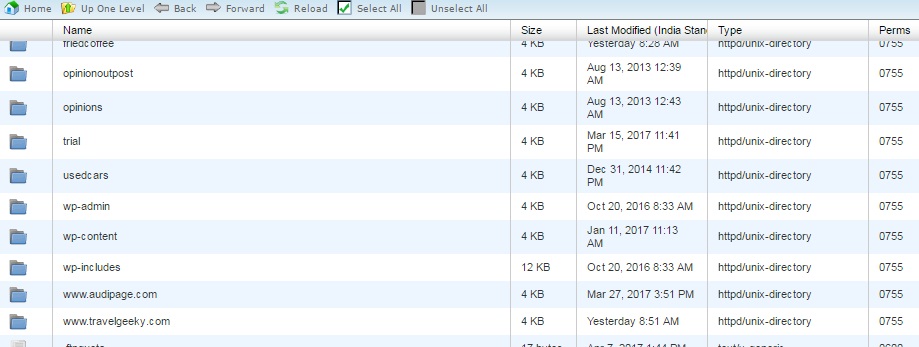
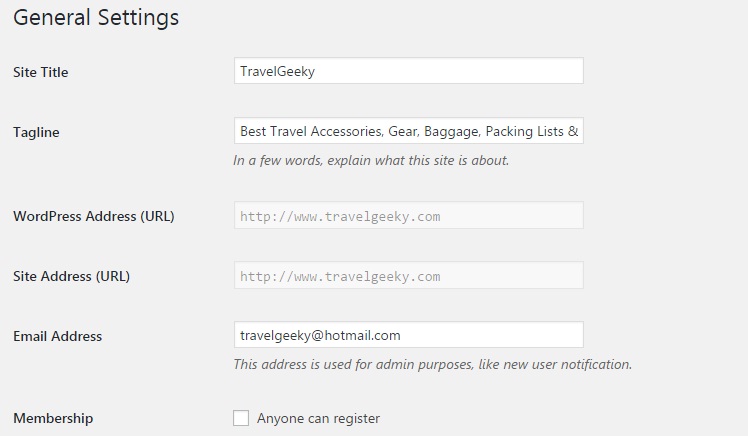
I’ve attached screenshots for General Settings as the site address column is greyed. Also I’ve attached the image of FTP folder of travelgeeky.
April 14, 2017 at 10:04 am #305957Lead DeveloperLead DeveloperYour second screenshot shows the URL with www.
When I go to your website, there is no www.
That’s where the issue is coming from.
You’ll either need to remove the www from your settings, or ask your hosting to set up a redirect so www is always used when you visit your site.
-
AuthorPosts
- You must be logged in to reply to this topic.
