Archived topic
No "Italic" option provided in "Font Weight" in Customizer > Typography
7 replies · Started by Sascha on January 12, 2022
I have activated the Google Font "exo" on a site and want to assign the "Italic" to the site-title.
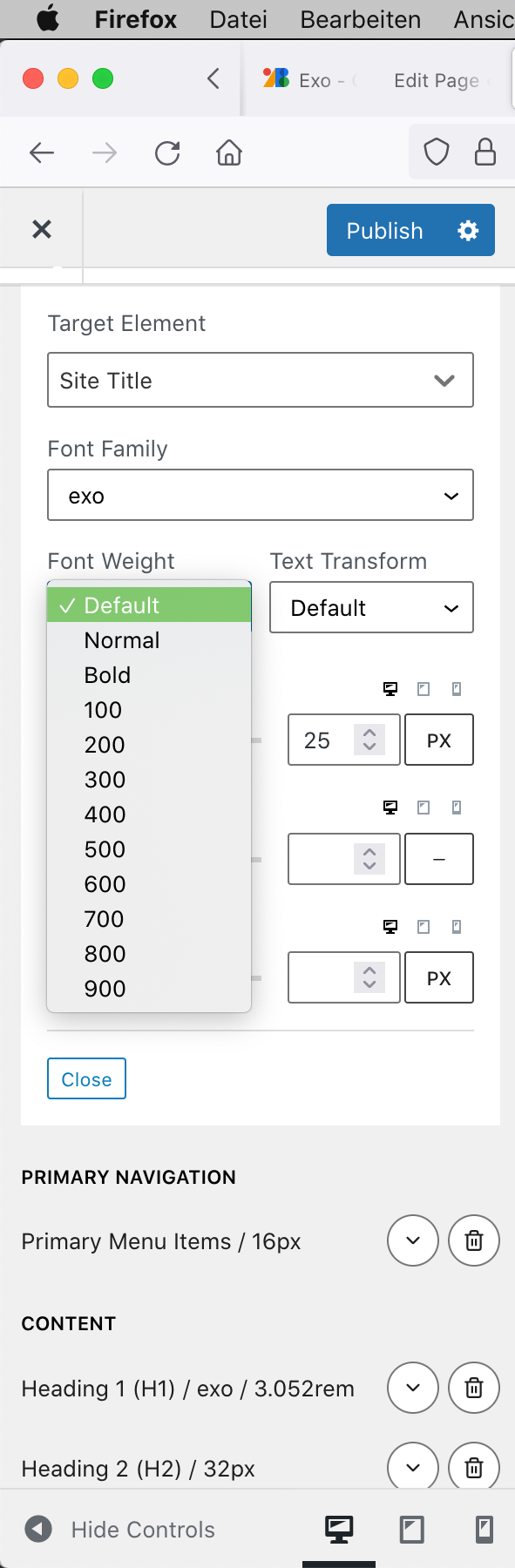
Unfortunately, after I have added "exo" via Font Manager, there is no "Italic" provided in Typography Manager, as you can see on this screenshot.
Could you please help me fixing or solving this?
Credentials below …
Thank you in advance and kind regards,
Sascha
Hi there.
at this time, unless a specific custom italic font is locally installed you will need a little CSS:
.main-title {
    font-style: italic;
}Hello,
thank you for your reply.
"unless a specific custom italic font is locally installed"
Well, both versions are installed for each weight:
regular
italic
500
500italic
600
600italic
700
700italic
900
900italic
from https://google-webfonts-helper.herokuapp.com/fonts/exo?subsets=latin inside the "fonts" folder I had created,
and the CSS is copied to the Customizer CSS.
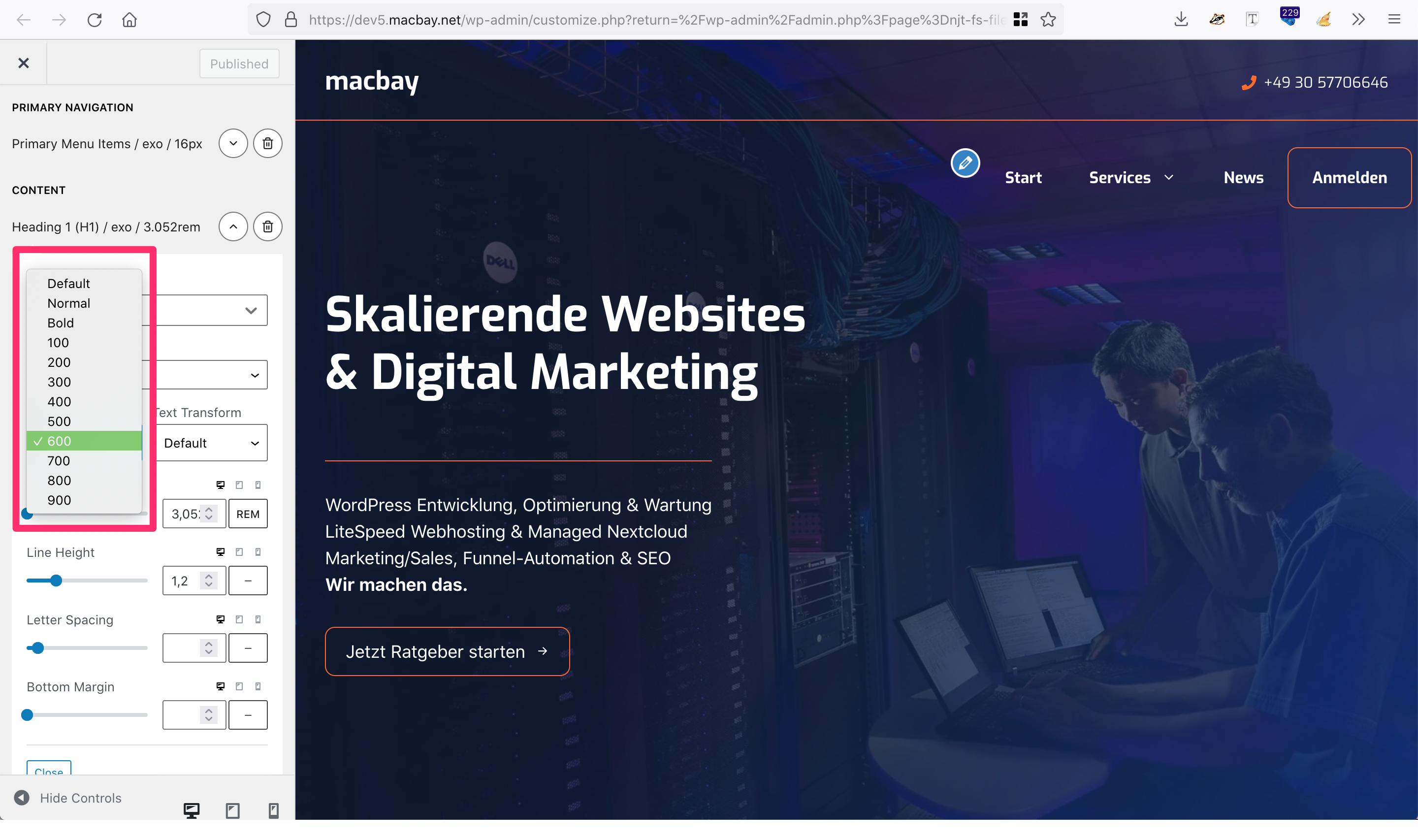
But still, when I try to make h1 600italic, I cannot choose the 600italic, only the "normal" 600, as you can see here:
http://media.macbay.net/_support/no-italic-in_gp_27B2CD39.png
I cannot remove the 600, because I need it for the page-title.
Currently, I feel pretty limited and need this flexibility without adding CSS, as I think that the Typography setting are already pretty comprehensive and great, but lacking at this basic parameter that is to easily whose between regular & italic.
What's the best workaround here? Also: Is this something that the GP-Devs are going to solve in future updates?
Thank you in advance and kind regards,
Sascha
What you have with your font is a Variant. Not a specific italic font as some font libraries provide.
For now you will need to use the CSS method:
Adding Italic as an option is something we may add to the typography options in the future.
Thanks, but it does not work:
Have you figured it out?
https://www.screencast.com/t/CTbzdhHi35
David's CSS will only work if you are using the default site title field:
https://docs.generatepress.com/article/site-title-tagline/
Your site title is currently using GenerateBlocks.
Hello,
I'm still having issues with the italic version of exo for GB headline-block.
How to apply the italic font-style for h2 globally via Customizer on this site?
I have tried to add this via CSS
.h2 {font-style:italic;}
but it does not work.
Thank you in advance and kind regards,
Sascha
The CSS should be:
h2 {
    font-style: italic;
}
there is no . before the h2 as your targeting a HTML Element tag and not a CSS Class.