- This topic has 6 replies, 3 voices, and was last updated 3 years, 1 month ago by
Leo.
-
AuthorPosts
-
December 25, 2022 at 4:41 pm #2473168
Leonardo
Hi!
I’m venturing (introducing) a little more with my code studies and would like to know if it’s possible to create a carousel of simple images with GP using HTML, CSS and JavaScript.
My question is whether there is any way to add javascript (or even php) with GeneratePress to build some solutions, like the one I quote above. The codes (HTML, CSS and JS) I have. I just don’t know how to add the JS…
Even more impressive would be if there is still the possibility of turning this carousel into a shortcode.
I know I could do this with a plugin, but I really want to learn more about programming and use it in conjunction with GeneratePress.
Thanks,
Leonardo M.
December 25, 2022 at 8:55 pm #2473273Fernando Customer Support
Hi Leonardo,
You can add scripts through Hook Elements: https://docs.generatepress.com/article/hooks-element-overview/
Adding PHP: https://docs.generatepress.com/article/adding-php/#code-snippets
PHP can also be added through a Hook Element depending on the code you’re running.
Adding CSS: https://docs.generatepress.com/article/adding-css/#additional-css
Creating a Shortcode: https://docs.generatepress.com/article/creating-a-shortcode/
December 26, 2022 at 8:03 am #2473849Hi!
I managed to create and make the test slide appear through HOOK with the HTML and CSS (the latter added inside the customizer).
However, I couldn’t get the JavaScript to work. I didn’t quite understand how I should link it (or if it’s possible to do that).
What I did was the following:
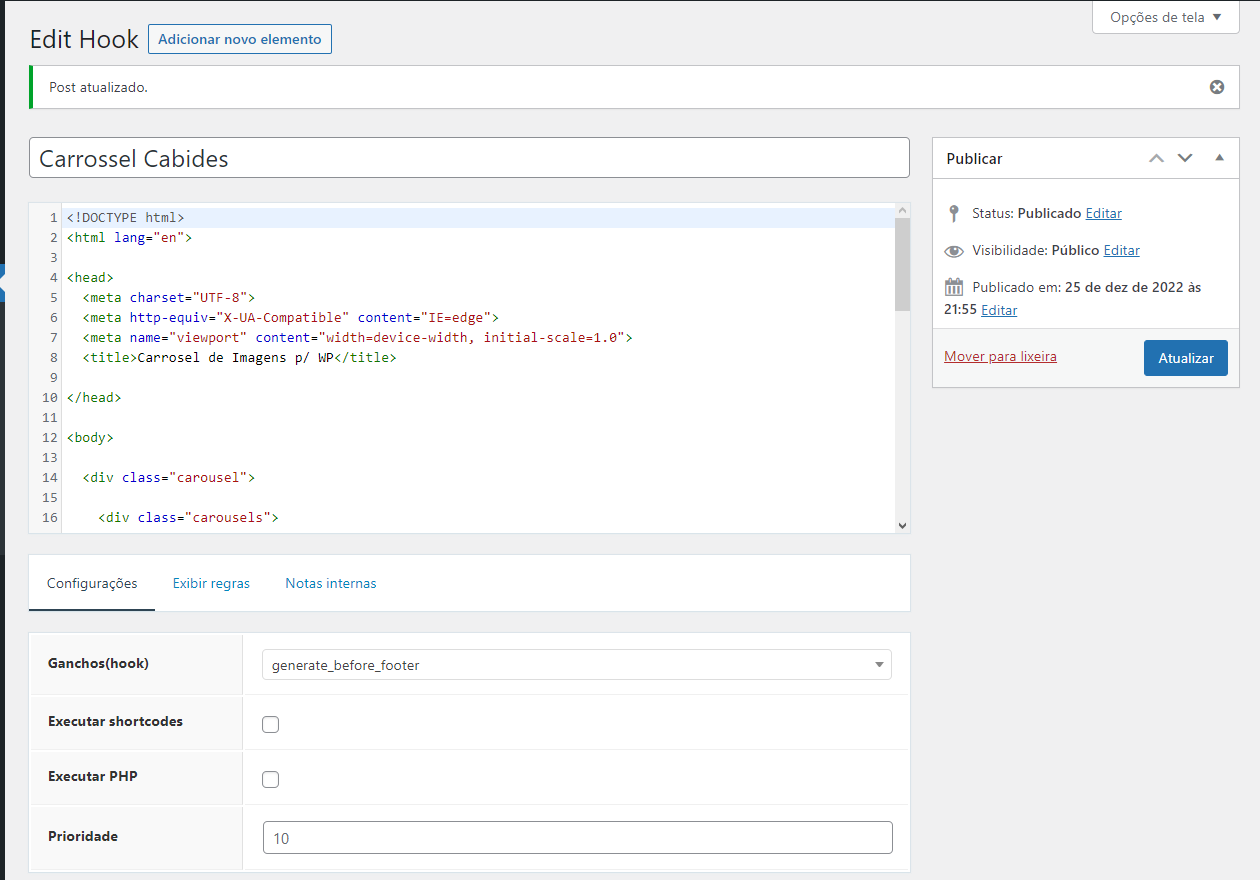
1) I added the HTML code here (I put it before the footer just for testing purposes): https://marcheplast.com.br/wp-content/uploads/2022/12/carrosel.png
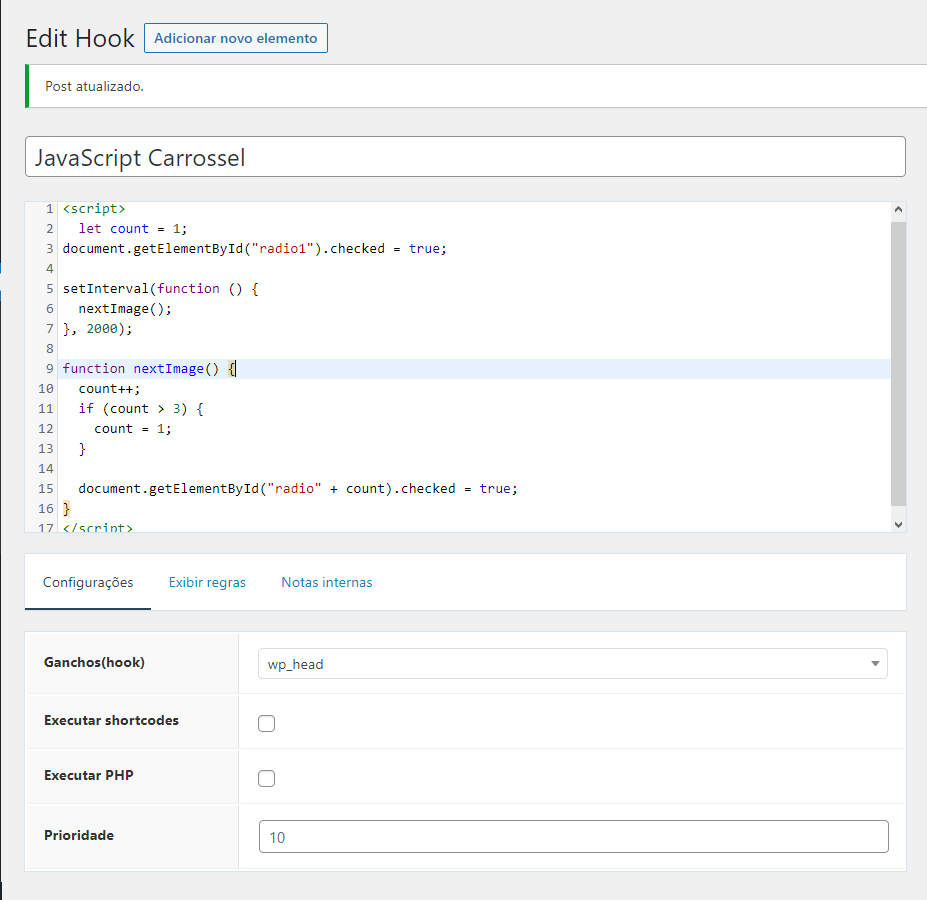
2) I added the JavaScript code here: https://marcheplast.com.br/wp-content/uploads/2022/12/js_carrosel.png
What am I doing wrong?
Thanks,
Leonardo M.
December 26, 2022 at 12:18 pm #2474063Leo
StaffCustomer SupportWe cannot help with implementing a custom solution like this unfortunately.
I’ll provide some comments below though:
1) I added the HTML code here (I put it before the footer just for testing purposes): https://marcheplast.com.br/wp-content/uploads/2022/12/carrosel.png
This doesn’t look correct at all. There shouldn’t be any
<head>content in there. If you found the solution through something like Codepen then some tweaks will be required to make it work in a WordPress theme.2) I added the JavaScript code here: https://marcheplast.com.br/wp-content/uploads/2022/12/js_carrosel.png
Javascript is usually added in the
wp_footerhook.Finally, if you are not comfortable with some custom coding and implementing a solution like this then I would recommend going with a carousel plugin instead.
Or you would need to consider hiring a developer using a service like Codeable suggested at the bottom of this page:
https://generatepress.com/what-support-includes/December 26, 2022 at 12:29 pm #2474080I don’t feel comfortable creating the solution, which is precisely why I will continue to test it, test it and test it, in whatever way, because my intention is to learn.
December 26, 2022 at 7:09 pm #2474292I achieved! Even with the creation of the shortcode.
December 27, 2022 at 12:49 pm #2475029StaffCustomer SupportGlad to hear!
-
AuthorPosts
- You must be logged in to reply to this topic.