

GenerateBlocks Pro 2.6 opens the door to the full power of the styles object, giving you direct, unmediated access to your block’s CSS.
Under the hood, GenerateBlock 2.0 styles have always been built on a powerful styles object: a dynamic engine that generates clean, precise CSS for every block and global style. Until now, your interface to that engine was the Style Inspector Controls: a polished set of over 80 popular CSS properties, applied responsively and with precision.
That was great for most use cases. But sometimes you need more.
Meet the CSS Editor
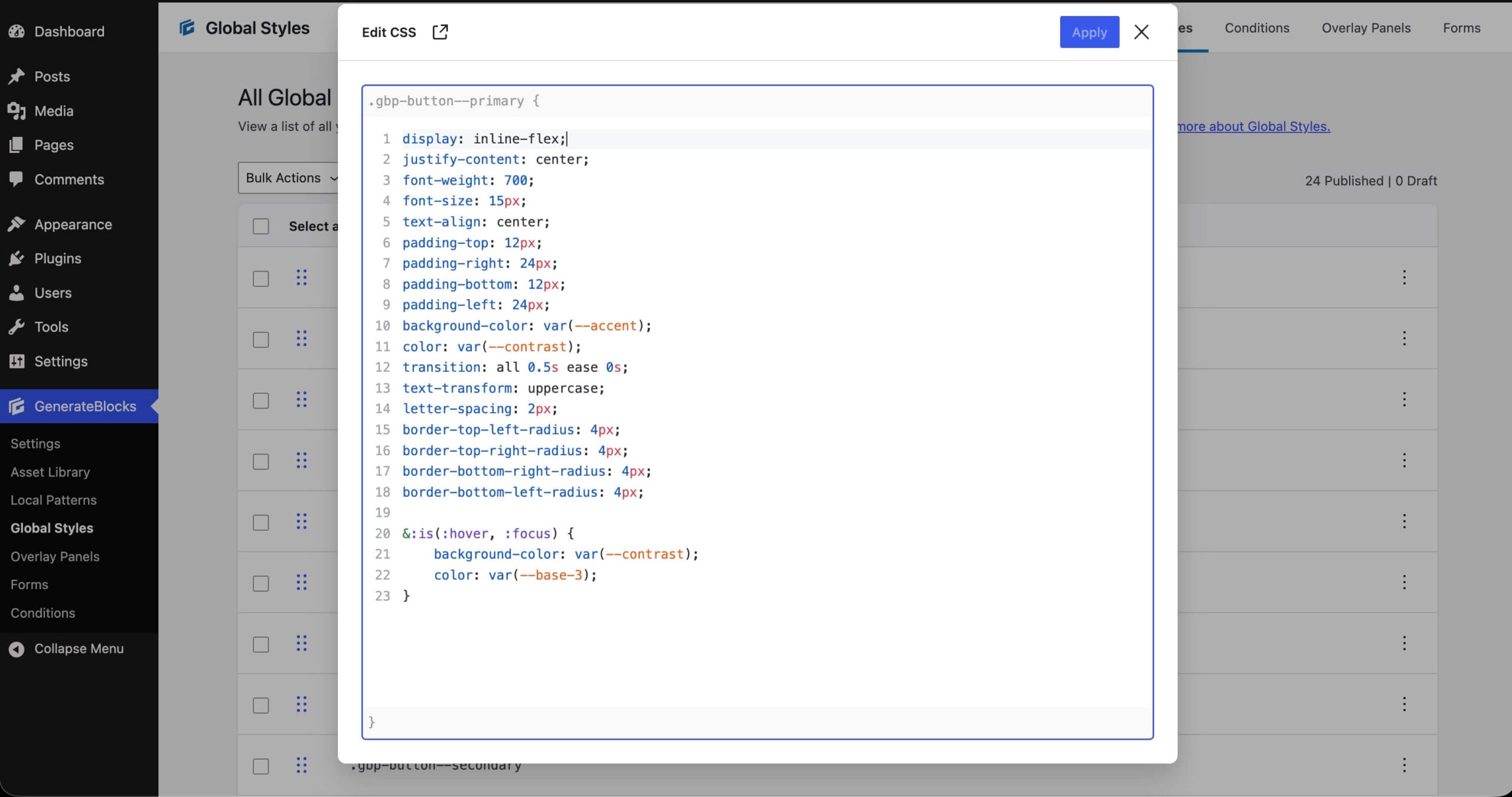
GenerateBlocks Pro 2.6 surfaces the styles object in its raw form. The CSS Editor lets you read and write the actual CSS declarations sitting behind any block or global style selector. No abstraction layer, no limits.
Any CSS property the browser supports today — or ships tomorrow — is now fair game. If it works in the browser, it works here.
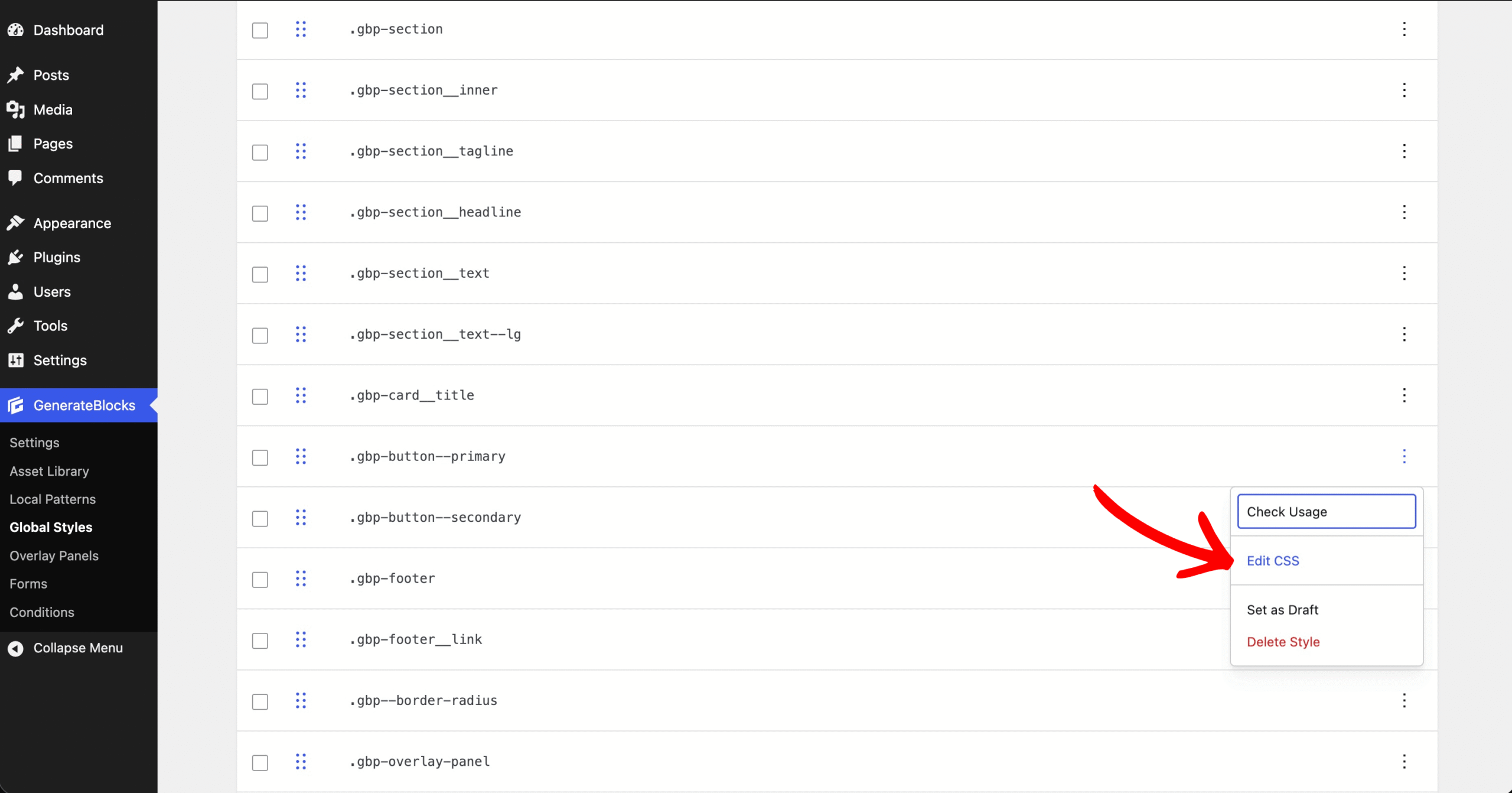
The editor is available wherever you work: in the styles panel and as a modal, both inside the block editor and in the global styles admin. It’s designed to fit naturally into your workflow, not disrupt it.

What you can do with it
See everything at once. View all style declarations for any block or global style selector as plain CSS, not scattered across UI controls.
Write anything. Use any CSS property the browser supports, today and in the future. No waiting for UI support.
Copy and paste freely. Bring in CSS from anywhere: a design system, a snippet, a colleague, and paste it straight into a block or global style.
Access from anywhere. Open the editor in the styles panel or as a modal, in both the block editor and global styles admin.
Inspector controls and the CSS editor: better together
CSS Editor isn’t here to retire the Inspector Controls. It’s here to complement them. The two interfaces are fully synchronized: any change you make in one is immediately reflected in the other.
| Inspector Controls | CSS Editor |
|---|---|
| Click-based, no code required | Write raw CSS directly |
| 80+ popular CSS properties | Every CSS property, present and future |
| Great for visual learners | Great for CSS-curious users |
| Still your go-to for everyday styling | Unlocks the full styles object |
Prefer clicking buttons over writing code? The Inspector Controls aren’t going anywhere. But if you’ve ever wanted to peek behind the curtain, or write a CSS property that isn’t in the panel, the CSS Editor is now waiting for you.
GenerateBlocks Pro 2.6 was released for production sites on June 23. Download the release in your account area. You will also want to install GenerateBlocks 2.3.0, which contains code to support functionality in GenerateBlocks Pro 2.6.0. We’re looking forward to your feedback on this new feature.