Hi, please, allow me to handle this request here, since I use both GPP & GBP and would like to keep all my support tickets here.
I need to recreate this live-site to this dev-site and have would like to use the new versions of GB & GBP.
I’m aware that due to its beta-status some glitches or bugs may still occur, so this may also help you with fixing potential bugs 🙂
So here’s the current issue, although it may also occur due to my misunderstanding about how the new flex-options should be used properly:
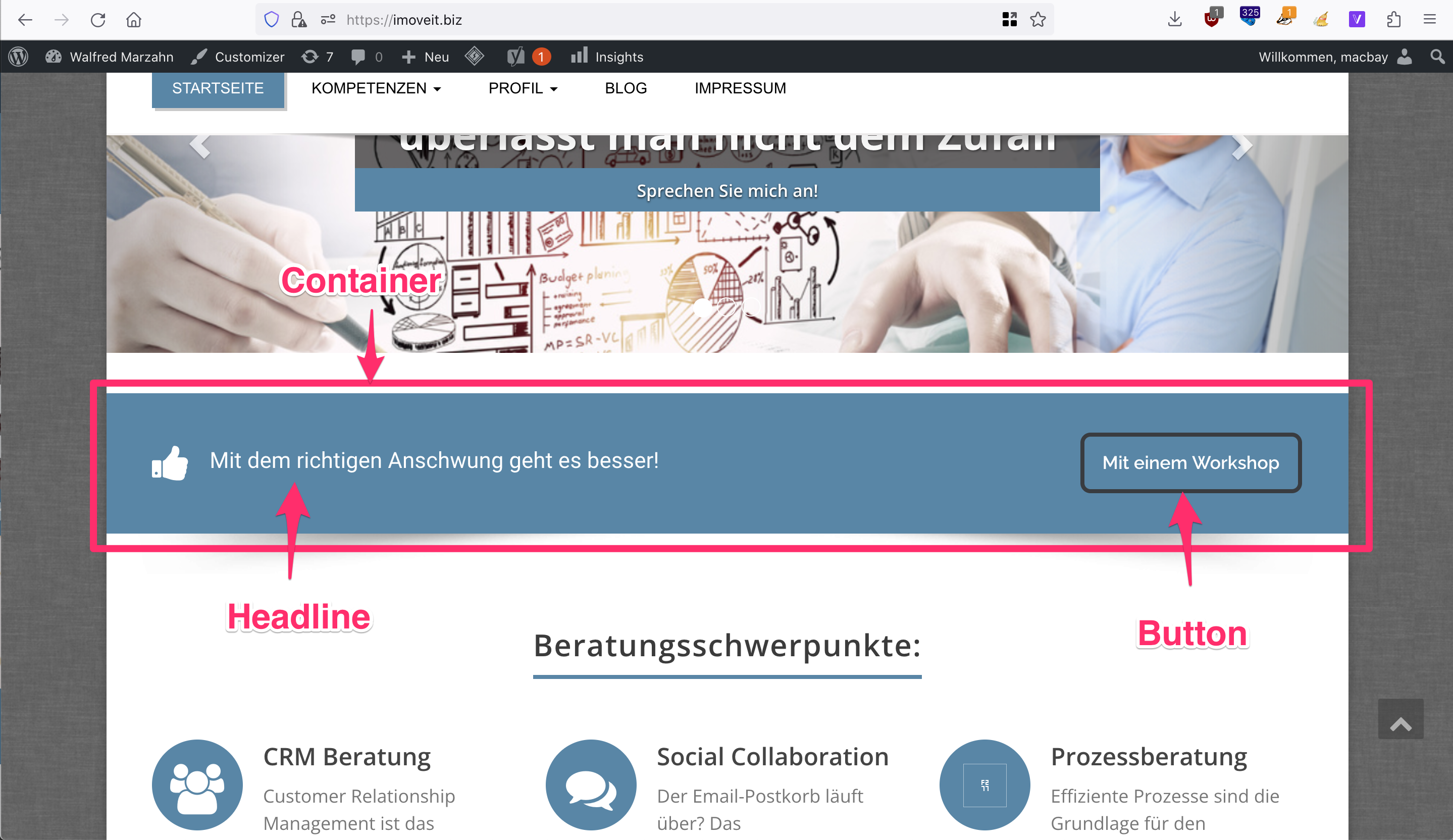
I want to recreate the banner below the hero, as you can see on this screenshot & page-url.
On the dev-page I have added the Container with “Inline Flex” activated and Justify Content set to “Space between”. Inside the container I have placed a headline (incl. icon) & button, as you can see on this screenshot and this url.
As you can see on this screenshot, a few issues occur:
1. Button styling not shown (was applied via Global Styles)
2. Container is too small, should have same width like hero-header above
Can you please help me here?
Thank you in advance and kind regards,
Sascha
.