Archived topic
How to recreate this Container-Layout?
2 replies · Started by Sascha on January 29, 2023
Hi, please, allow me to handle this request here, since I use both GPP & GBP and would like to keep all my support tickets here.
I need to recreate this live-site to this dev-site and have would like to use the new versions of GB & GBP.
I'm aware that due to its beta-status some glitches or bugs may still occur, so this may also help you with fixing potential bugs :)
So here's the current issue, although it may also occur due to my misunderstanding about how the new flex-options should be used properly:
I want to recreate the banner below the hero, as you can see on this screenshot & page-url.
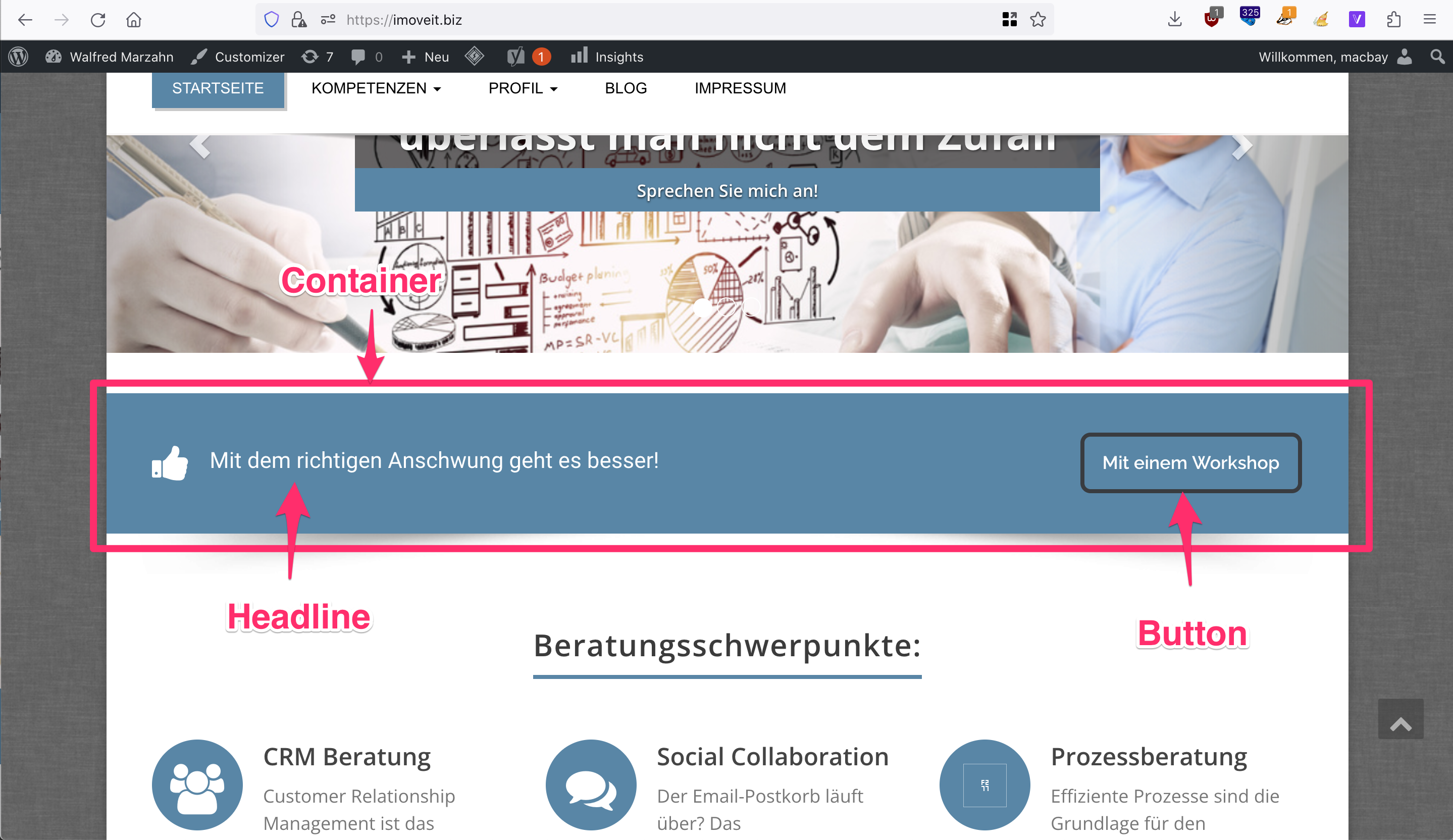
On the dev-page I have added the Container with "Inline Flex" activated and Justify Content set to "Space between". Inside the container I have placed a headline (incl. icon) & button, as you can see on this screenshot and this url.

As you can see on this screenshot, a few issues occur:
1. Button styling not shown (was applied via Global Styles)
2. Container is too small, should have same width like hero-header above
Can you please help me here?
Thank you in advance and kind regards,
Sascha
Hi Sascha,
1. The Button doesn't seem to be from GenerateBlocks. Can you try recreating the Button with GB?
2. Have you added a min-height value to the Container Block?
It is a GB-Button, as you can see on this screenshot
