- This topic has 24 replies, 5 voices, and was last updated 5 years ago by
Elvin.
-
AuthorPosts
-
March 26, 2021 at 9:30 pm #1711475
Bela
Hi!
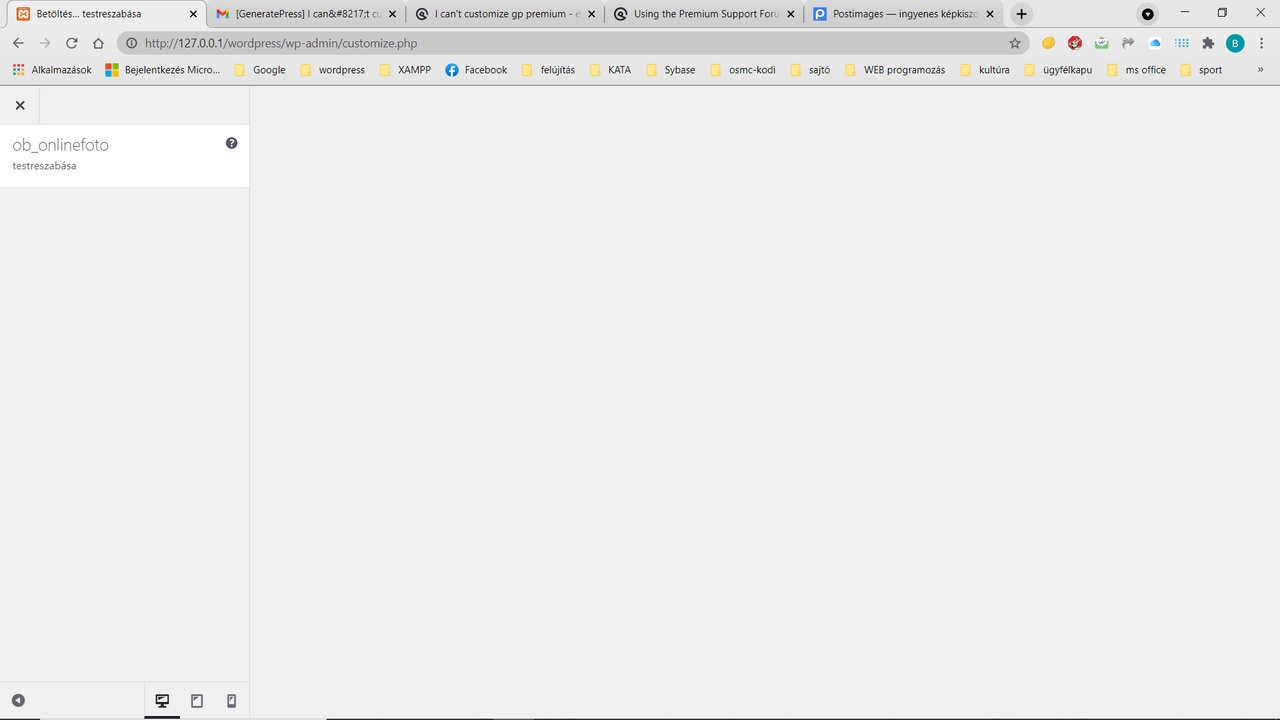
I have a generatepress premium, which theme I use in wordpress. However I can not customize it, editor is full empty.
I need help, thank youMarch 27, 2021 at 4:08 am #1711749David
StaffCustomer SupportHi there,
can you check the PHP Memory limit on your server ?
https://docs.generatepress.com/article/increasing-php-memory-limit/
March 27, 2021 at 6:34 am #1711838Hi David,
I added “define(‘WP_MEMORY_LIMIT’, ‘128M’);” to wp-config.php, but the problem did not solved.
Have you any idea?
ThanksMarch 27, 2021 at 10:12 am #1712277Leo
StaffCustomer SupportCan you show a screenshot of what you are seeing?
https://docs.generatepress.com/article/using-the-premium-support-forum/#uploading-screenshotsHave you tried disable all plugins except GP premium to eliminate any conflicts?
Does the same issue occur in a Twenty series WP theme?
Let me know 🙂
March 27, 2021 at 10:29 am #1712288Here is the postimage link:
https://i.postimg.cc/nc8Hg57d/customize-generatepress.pngMarch 27, 2021 at 10:33 am #1712291yes, I tried disable all plugins except GP premium, the problem exists
March 27, 2021 at 10:37 am #1712299StaffCustomer SupportWhat about with a Twenty series WP theme?
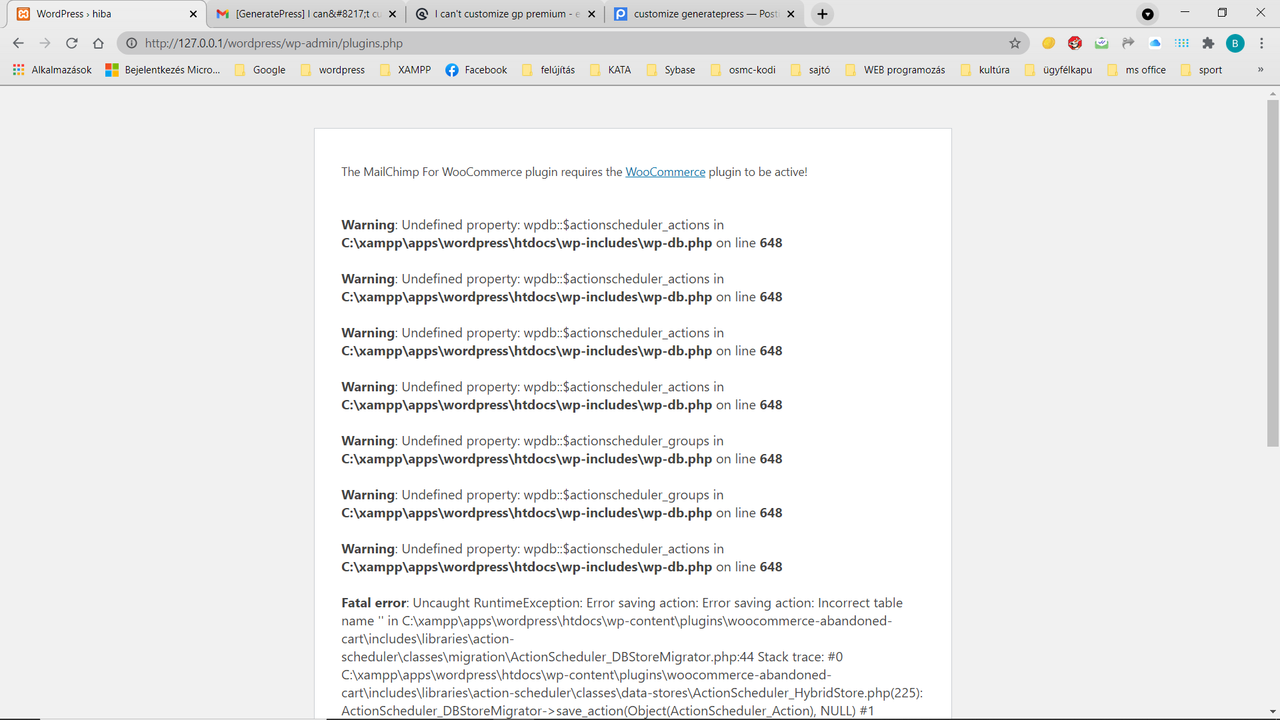
March 27, 2021 at 10:40 am #1712305Now, I have tried to activate plugins, after deactivate as your tip, this is screenshot:
https://i.postimg.cc/jdjG8438/After-reactivate-all-plugins.pngMarch 27, 2021 at 10:49 am #1712317After deactivate and reactivate all plugins, I can not customize active plugins, and activate disable plugins.
March 27, 2021 at 4:54 pm #1712456StaffCustomer SupportAfter deactivate and reactivate all plugins, I can not customize active plugins, and activate disable plugins.
Not sure if I fully understand.
Looking at the errors in your screenshot, non of them is pointing to GeneratePress theme and GP Premium plugin – the same error should occur when you activate a Twenty series WP theme.
Looks like you might have some sort of WP database error?
Are you able to restore and backup? You can check with your hosting support for that.
March 27, 2021 at 8:47 pm #1712527Unfortunately no, I can’t restore neither my site nor its mysql db.I don’t reach wp admin.
March 27, 2021 at 9:06 pm #1712530So, I think I haveto go to wordpress support…
March 27, 2021 at 11:40 pm #1712569I connacted wordpress support, they suggested to ask for help theme’s support
March 28, 2021 at 3:11 am #1712668StaffCustomer SupportCan you go to Dashboard > Tools > Site Health.
First check if there are any warnings/issues on the first page.Then go to the Info tab > Server. Take a screenshot of that and provide us a link to the screenshot so we can see if theres an issue there.
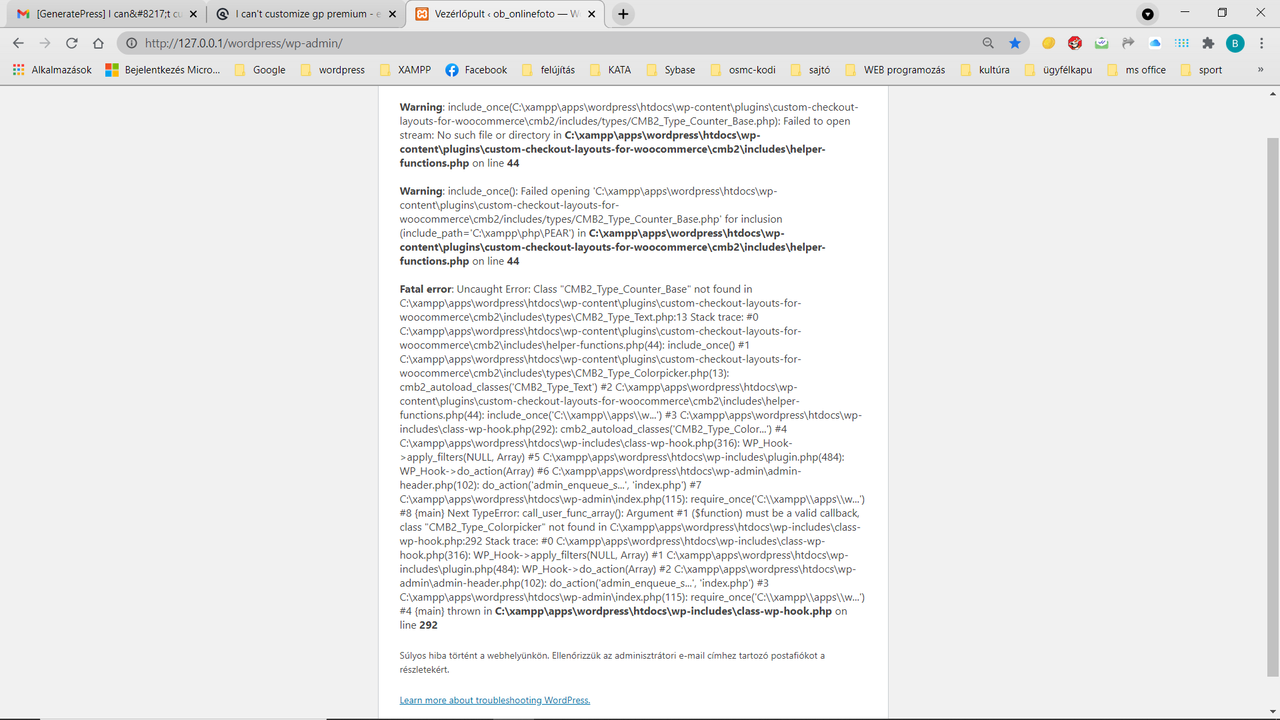
March 28, 2021 at 8:31 am #1713053I can’t go to dashboard, this is the screenshot:
https://i.postimg.cc/66jG2bt0/Try-To-Go-To-Dashboard.png -
AuthorPosts
- You must be logged in to reply to this topic.