Site logo

[Resolved] Make page full width missing in Gutenberg block

Home Forums Support [Resolved] Make page full width missing in Gutenberg block

Home Forums Support Make page full width missing in Gutenberg block

Viewing 6 posts - 1 through 6 (of 6 total)
  • Author
    Posts
  • #1681625
    Charles

    Hi,

    I am teaching my friend Jack how to build pages using the Gutenberg block editor. When I create a page I can see the control “make page full width” and that works.
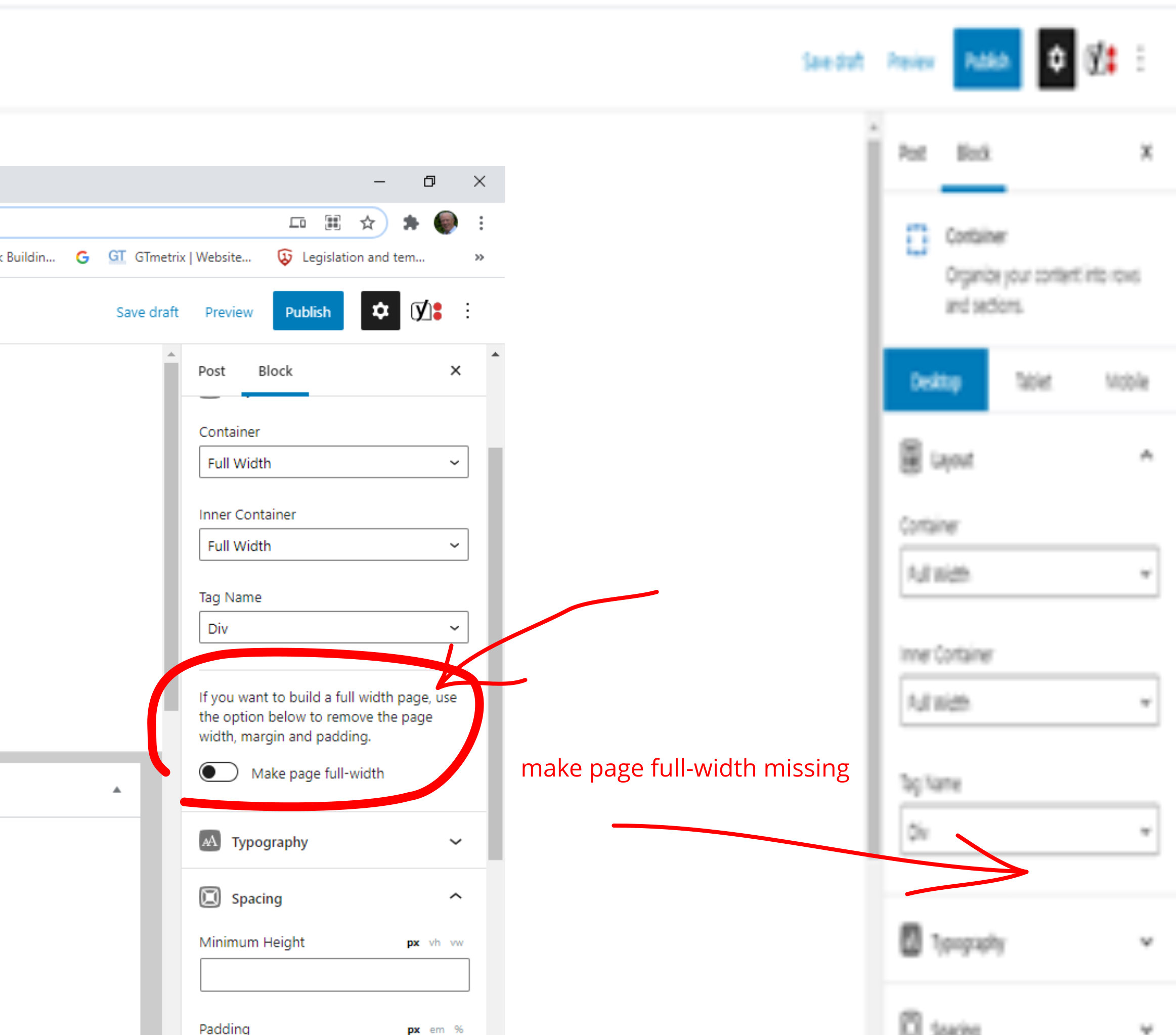
    When he tries to create a page everything works apart from he cannot see the box slider. It is missing from his page. On my page it is above Typography – see edited screenshot.
    We are working on the same website. If I go on one of his pages I can see the “make page full width”.
    He was using Microsoft edge – I suggested he try Google Chrome like I use but that did not fix it.
    He has the same administration permissions as me.

    Make page full width control missing

    Any suggestions welcome.

    Kind regards

    Charles

    #1681674
    David
    Staff
    Customer Support

    Hi there,

    is he selecting a Container Block that is at the root level? – ie. if he’s selecting a Container that is inside another container then the option won’t appear.

    And as a backup that switch is just a Shortcut to the Content Container width options here:

    https://docs.generatepress.com/article/content-container/

    #1686548
    Charles

    Hi David,

    The answer to the question: –

    If you want to build a full width page, use the option below to remove the page width, margin and padding.

    Make page full-width.

    My mistake Jack was an Editor.

    This setting is only available to those users who are administrators. Feels making this only available in Administrator mode is a bit odd. My friend Jack, I set him up as an editor hence he could not see it. As soon as he was an admin he could.

    Everyday is a learning day.

    #1686570
    David
    Staff
    Customer Support

    Aah yes – admin roles are required to access certain features.
    You can try Role Management with this plugin if you only want to allow access to certain functions:

    https://wordpress.org/plugins/user-role-editor/

    #1686847
    Charles

    Hi David,

    Many thanks for that suggestion.

    Kind regards

    Charles

    #1686919
    David
    Staff
    Customer Support

    You’re welcome

Viewing 6 posts - 1 through 6 (of 6 total)
  • You must be logged in to reply to this topic.