Archived topic
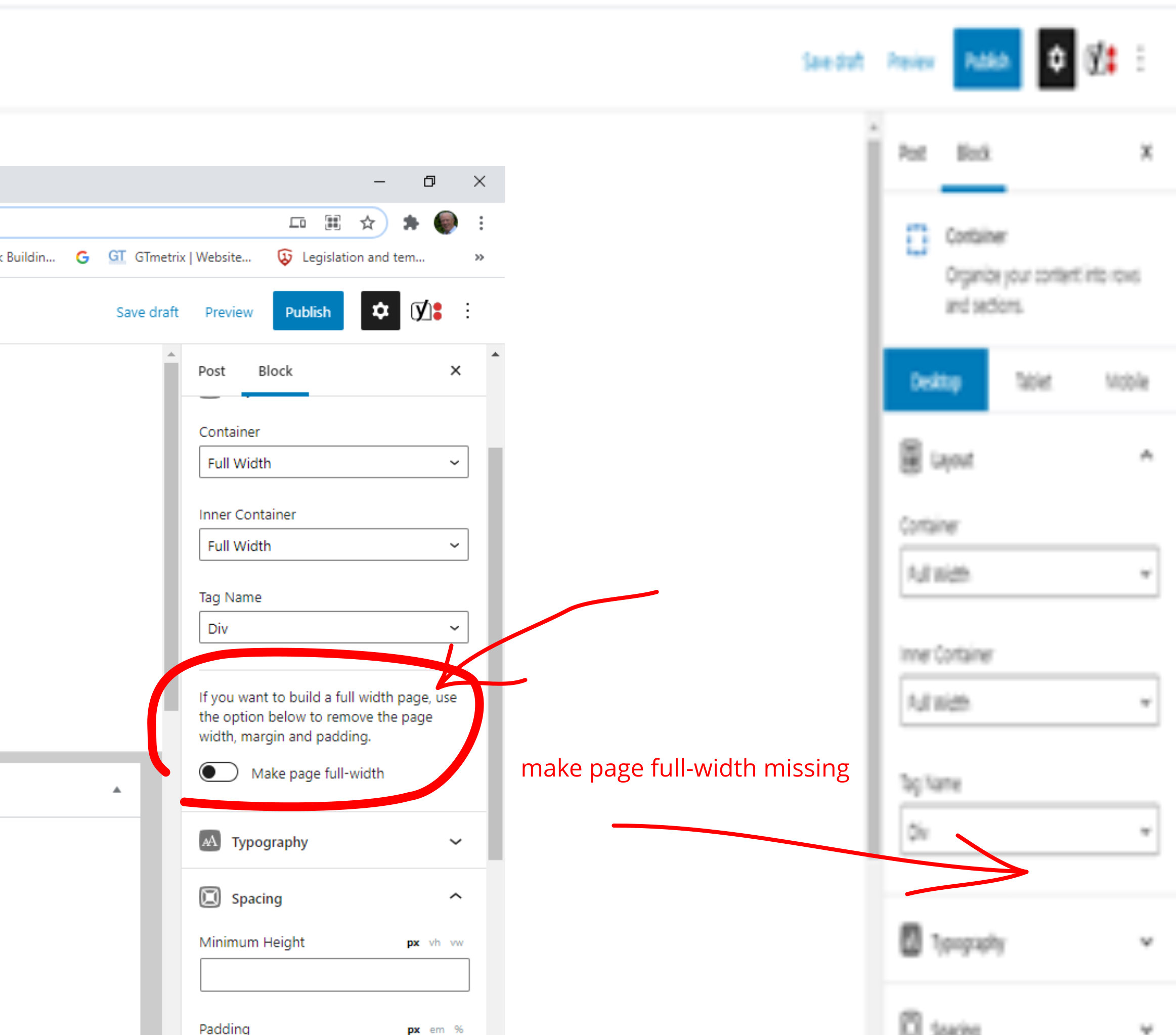
Make page full width missing in Gutenberg block
5 replies · Started by Charles on March 4, 2021
Hi,
I am teaching my friend Jack how to build pages using the Gutenberg block editor. When I create a page I can see the control "make page full width" and that works.
When he tries to create a page everything works apart from he cannot see the box slider. It is missing from his page. On my page it is above Typography - see edited screenshot.
We are working on the same website. If I go on one of his pages I can see the "make page full width".
He was using Microsoft edge - I suggested he try Google Chrome like I use but that did not fix it.
He has the same administration permissions as me.
Any suggestions welcome.
Kind regards
Charles
Hi there,
is he selecting a Container Block that is at the root level? - ie. if he's selecting a Container that is inside another container then the option won't appear.
And as a backup that switch is just a Shortcut to the Content Container width options here:
Hi David,
The answer to the question: -
If you want to build a full width page, use the option below to remove the page width, margin and padding.
Make page full-width.
My mistake Jack was an Editor.
This setting is only available to those users who are administrators. Feels making this only available in Administrator mode is a bit odd. My friend Jack, I set him up as an editor hence he could not see it. As soon as he was an admin he could.
Everyday is a learning day.
Aah yes - admin roles are required to access certain features.
You can try Role Management with this plugin if you only want to allow access to certain functions:
Hi David,
Many thanks for that suggestion.
Kind regards
Charles
You're welcome