


These two updates push the boundaries of what’s possible with block-based layout design in WordPress.
These releases are packed with a new Carousel Block, as well as powerful new CSS Grid features, smarter dynamic content tools, and workflow enhancements that will make your designs more flexible, maintainable, and future-proof.
Introducing the All-New Carousel Block
GenerateBlocks Pro 2.5.0 introduces the new Carousel Block, an innovative new way to provide high performance carousels unlike any other system. The Carousel Block setup begins with a dialogue enabling starter patterns for:
- Basic slider
- Gallery
- Testimonial Carousel
- Hero slider
- Query Carousel
The Query Carousel provides site owners with the capability of querying any data within WordPress to allow any post type, meta options, products, or custom post types within a fully customizable carousel.
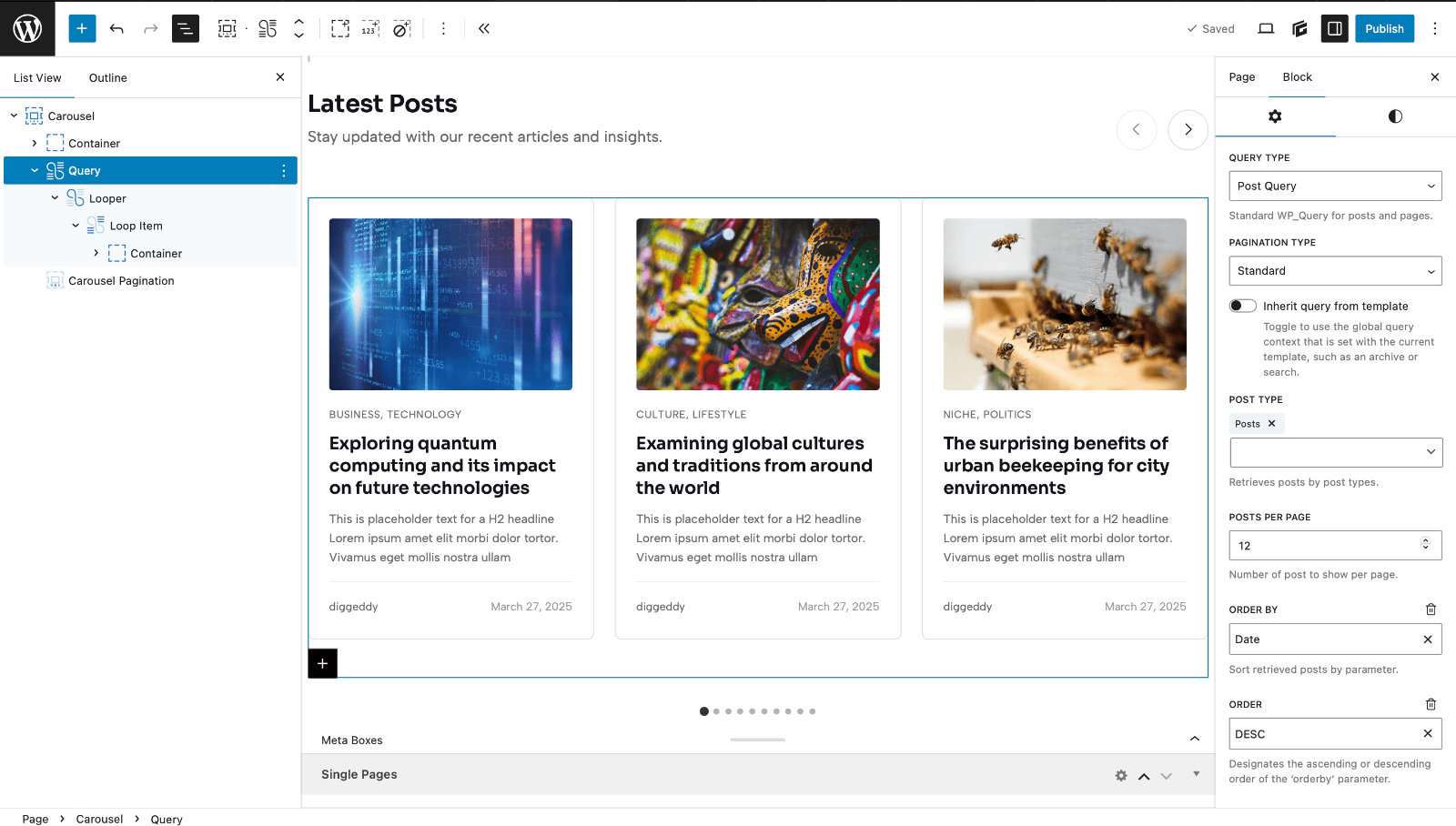
This isn’t just another slider. The GenerateBlocks Pro Carousel Block is a fully block-based, accessible, and infinitely customizable carousel that works seamlessly with the WordPress block editor. Use any GenerateBlocks or WordPress core blocks as slides. There are various controls for carousel navigation, autoplay, pagination, and responsive breakpoints, all with the same intuitive interface GenerateBlocks is known for.
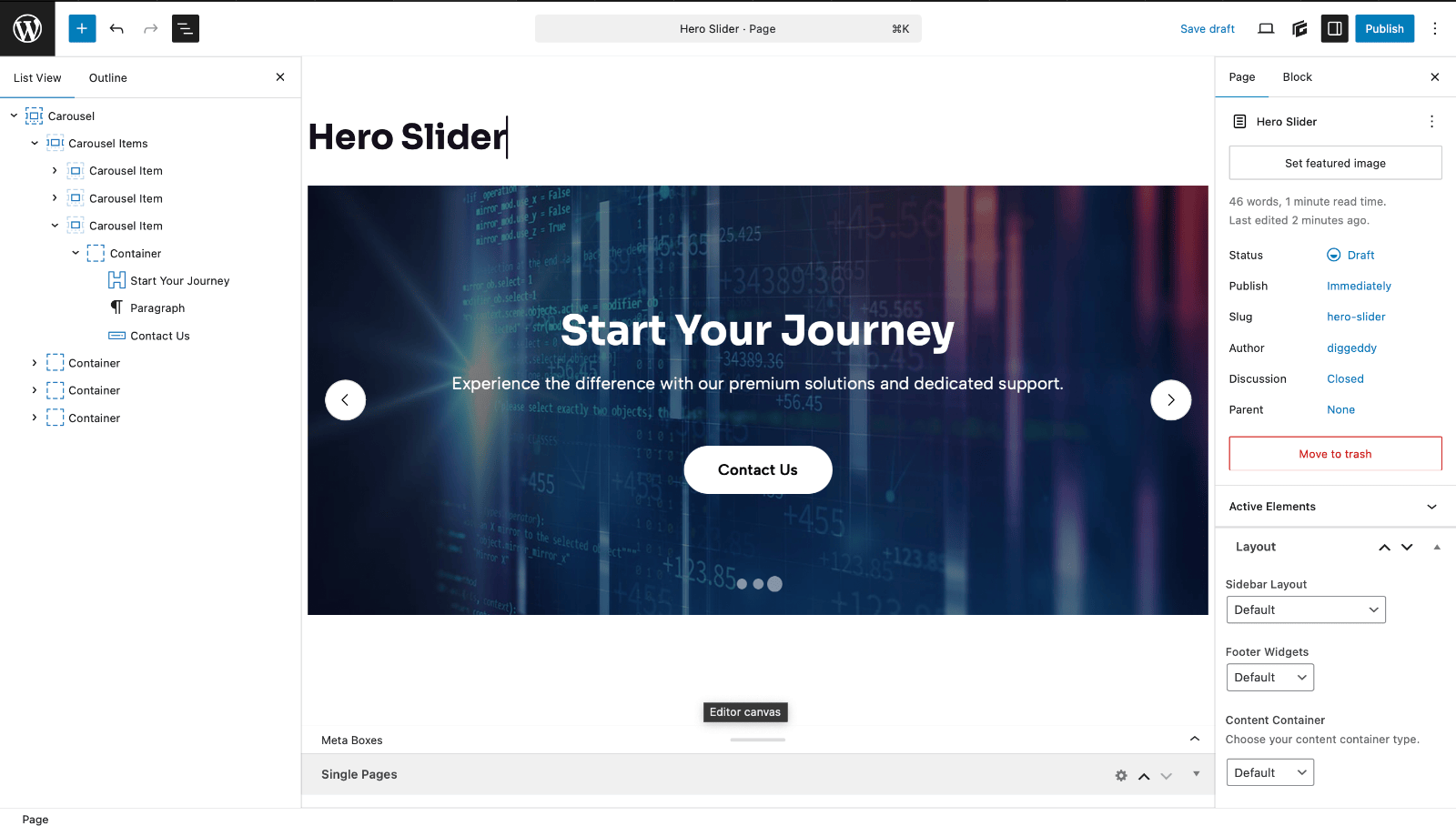
No more bloated slider plugins. Your carousels now live natively alongside your content.
CSS Grid Upgrades
Both GenerateBlocks and GenerateBlocks Pro now give you full control over the modern CSS Grid properties you’ve been asking for:
- grid-auto-columns
- grid-auto-rows
- grid-template-areas
- grid-area
- text-wrap (pretty-print, balance, stable)
These new fields live inside the Styles Builder, giving you pixel-perfect control without writing a single line of custom CSS. Name your grid areas, let implicit rows and columns size themselves automatically, and create complex magazine-style layouts that used to require third-party plugins or heavy custom code.
Whether you’re building asymmetrical galleries, editorial grids, or advanced dashboard interfaces, these tools make GenerateBlocks one of the most capable native Grid builders in the WordPress ecosystem.
Global Styles Just Became Smarter
GenerateBlocks Pro 2.5.0 introduces the Global Style Usage Modal, a game-changer for site owners.
Ever wonder exactly where a Global Style is being used across your site? Now you can click a button and see a complete list of every block instance implementing that style. Update once, see the impact instantly, and never lose track of your design system again.
We’ve also increased the Global Style limit significantly, so even large design systems won’t hit performance ceilings.
Dynamic Content Gets Even More Powerful
Two new dynamic tags have landed in Pro:
- Site Logo URL. Perfect for header templates
- Site URL. Instantly pull your homepage URL anywhere
Plus, new operators have been added to GenerateBlocks Conditions, so that you can set behavior whether a Condition has a value or not. These give you finer control over conditional block display, such as personalized content, smarter hero sections, and cleaner fallback states.
Developer-Friendly Improvements
These additions make GenerateBlocks even more robust for advanced users and agency workflows.
- generateblocks.media.imageAttributes filter – Take full control over auto-populated image attributes in the Media block
- Global CSS values (inherit, initial, revert, revert-layer, unset) are now available across all SelectControl components
- Dynamic tag validation middleware – Prevents unsafe meta references from slipping through during save
GenerateBlocks Continues to Innovate
GenerateBlocks 2.2.0 and GenerateBlocks Pro 2.5.0 will be rolling out automatically very soon. As always, we recommend backing up your site before updating, though these releases have been thoroughly tested across WordPress 6.6–6.9.
For a full review of the entire changelog, see our technical notes. [link]
The future of lightweight, powerful WordPress design is here, and it’s never been more exciting.

This is a great update!
I’m strongly considering switching from Kadence to the GeneratePress + GenerateBlocks ecosystem, drawn in by its clean code and performance-first approach.
The main features holding me back are native AJAX filtering by category and seamless Meta Box integration, both of which were straightforward to implement in my previous setup.
I was wondering if support for these features is on the development roadmap? Keep up the fantastic work!
Both enhancements are on the list for next year. We don’t have them prioritized for a specific release just yet, but likely in the first half of 2026. Thanks for your interest in GeneratePress!
Thank you for information as much to process with much imagination one time. I’m grateful to have read planning building my site again!
(hopefully no hackers to post pics on sites not belongings to them).
Best & True Regards,
C.R.
Hey Miss Ukhti,
Kind of crazy timing but I’ve been working on this for my own internal projects with GenerateBlocks. With the powerful updates they’ve been adding it really is the best solution on the market if you ask me.
Anyway, I just created a repo for a filter plugin I’ve been working on. It is pretty new so use at your own risk but it does exactly what you are asking for in this comment. You can easily filter a GenerateBlocks query block and even filter the query results by multiple Meta Box custom fields.
https://github.com/claytonschase/gb-query-filter
Anyway, just reading up on the update here and saw your comment so I thought I’d share! Might be a good solution until these features are baked in to GenerateBlocks!
This is amazing, Clayton! Thanks for sharing.
That is awesome Clayton, thank you very much! Does your plugin also integrate with ACF or Pods? I’m heavily invested in ACF now and in Pods for our older sites. Your plugin description only mentions Meta Box.
>> Now you can click a button and see a complete list of every block instance implementing that style.
So coool 👍🙂
Great update Kathy!
Does the carousel block work with ACF repeater fields?
Thanks,
Dan
The new Carousel Blocks integrates with the Query Block. So anything the Query block can do will apply to what you build with the Carousel Block. Give it a test! We’d love to hear your feedback.
ok, got it, applied the Query loop with ACF
Given there is a gallery option for Carousel, are you going to have a lightbox option for clicking an image? I immediately installed to test. I note it doesn’t seem to work with our current lightbox plugin.
Thanks for testing! Can you please reach out to support with details of your lightbox plugin so they can take a look at what might be happening? https://generate.support
Awesome, I look forward to replacing my custom code with the caroussel. Will the it also support showing logo’s of company’s we work with, and show it as moving caroussel on the screen? (without buttons)
Yes, you can use the default image carousel and set your logos, then set it to an infinite scroll for a moving carousel. Thanks for using GeneratePress.
Hi there, the carousel is an amazing feature. But i don’t see the option to change the slides for mobile or specific breakpoints? For example i want 4 slides to show on desktop and 2 on mobile, etc. Am i missing something?
Thanks
If you go into mobile or tablet, then toggle back to the block settings, you can see the option for “slides per view” and you can set those separately for each breakpoint. Let us know through support if you need further assistance, we’re happy to help!
Excellent, thanks!
How can we create custom testimonials with ACF + Query Loop + Carousel.
I’ll add this to our upcoming YouTube tutorials! Stay tuned…
Hi there,
Is it possible to have woocommerce product carousel?
Yes, use the Query Carousel to bring products into the Carousel Block. https://learn.generatepress.com/blocks/block/carousel/#query-block-carousel