
Archived topic
Woocommerce images not showing
22 replies · Started by Dominic on September 12, 2017
Hi,
my friend found the problem.
he said the path to the image on the catalogue page is relative and not absolute.
here are the screenshots.
[URL=http://www.directupload.net][IMG]http://fs5.directupload.net/images/170917/l4tjtiha.jpg[/IMG][/URL]
and here with "https:"
[URL=http://www.directupload.net][IMG]http://fs5.directupload.net/images/170917/cqaasww9.jpg[/IMG][/URL]
he said its a slip and that its easy to fix.
we could make it work ourselfs,but he said its easier if you would fix it.
regards
P.S.: please let me know if you need to have access to the site again. I'll unblock it then
GP doesn't control the URL of the images - that's handled by WooCommerce and WordPress. I'm not sure how you're getting WC to grab the image from your AWS server, so perhaps it's a setting in whatever plugin you're using for that?
Also, it looks like the URLs are only missing the https:// part of the URL - that doesn't make it relative, it's just shorthand so the images use whatever the current protocol is (http or https).
I have checked the plugin but I dont see any settings to change it.
sorry if I keep asking,but I want to understand certain things.
why does the https:// appear before the image url on avadas theme if the theme is not responsible for the url?
I also dont understand why on your theme the single product page works perfectly fine (showing https:// before the image url)
like here
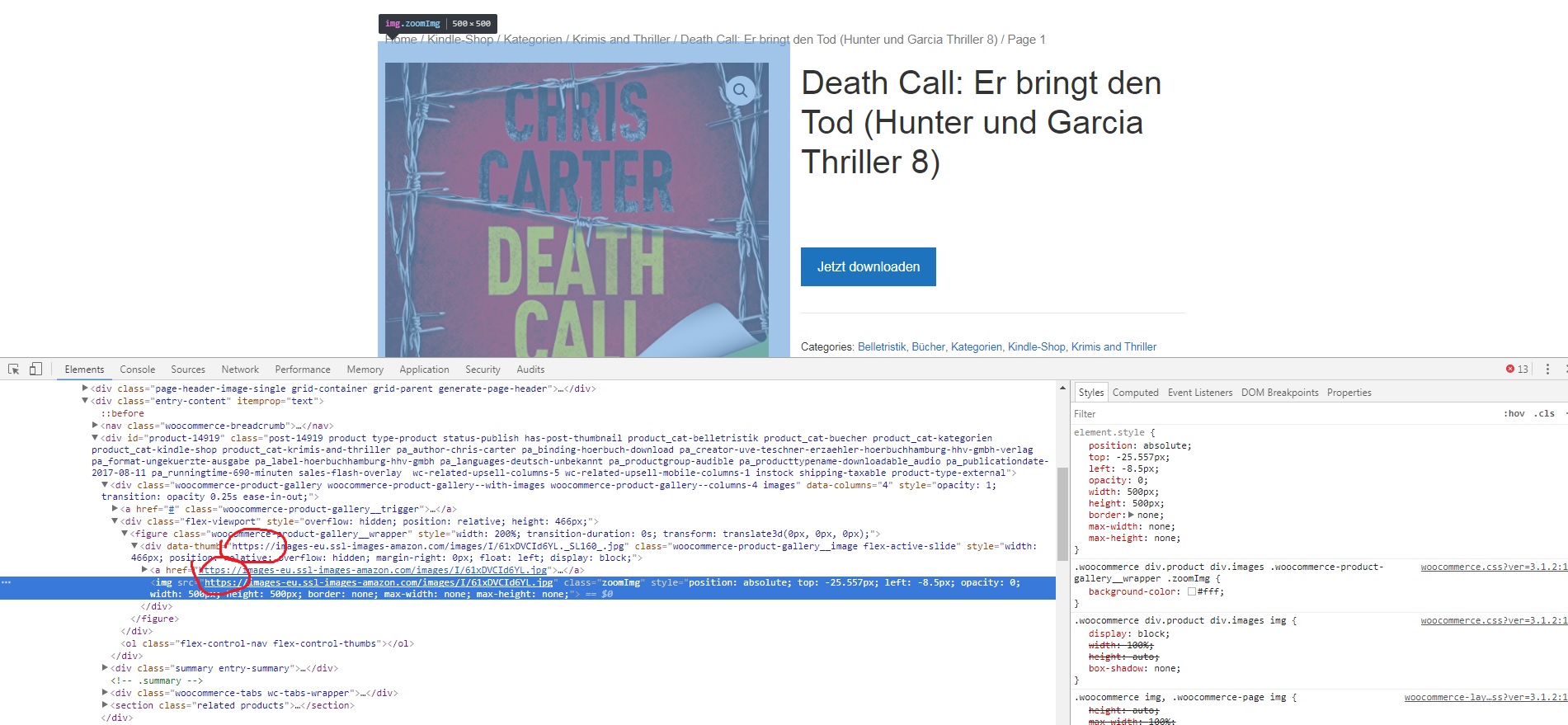
but on the thumbnails only the first part of the class: div class="inside-wc-product-image" has https:// . the second part has only // before the url.
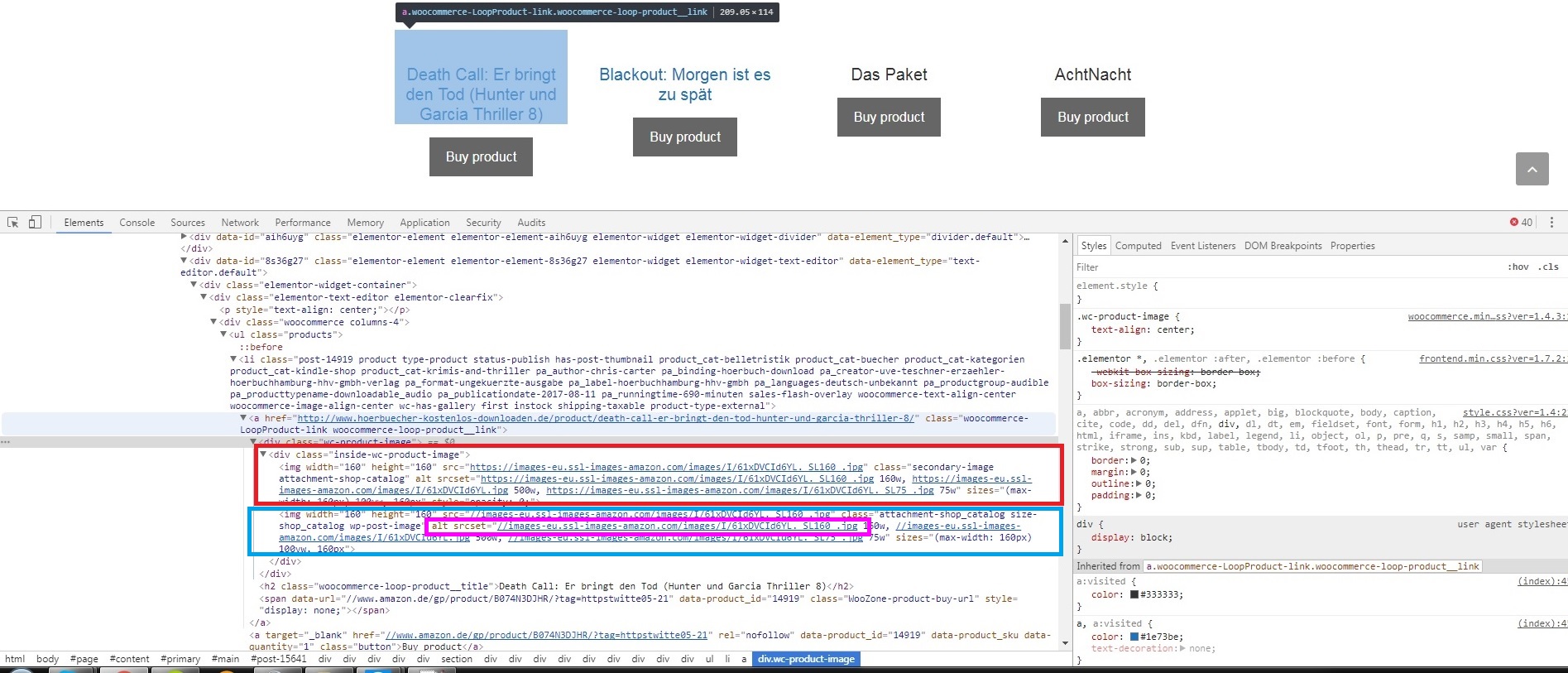
Please check the image.
I highlighted the part in red with https before the url and the part without https before the url in the blue box. the pink box (alt srcset) lets the image appear if https: is put before the url.
isnt that coding related if https:// shows only in some parts of the code,but not in other parts?
the plugin we imported the products with is called woozone.
sorry to keep bugging you but my friend said the GP developers should be able to fix it easily.
I just want to get the theme to work on the website.
maybe it best if you check it yourself? here
Can you ask your friend what the fix would be exactly? For example, look at Storefront - WooCommerce's official theme: https://demo.woothemes.com/storefront/product-category/clothing/blouses/
Their image URLs are structured the exact same way - no protocol. That's the default method WooCommerce uses. GP simply changes the way products are displayed - the internal output of the images etc.. is all handled by WooCommerce itself.
I totally understand your frustration and need to get it fixed, but I have no idea where I would start. We haven't had any similar reports at all - it seems specific to the way your installation is calling images from an external source.
I'll ask him but it might take a while since he has only time on weekends.
also please keep in mind that storefront doesnt work properly aswell. it kinda worked (images only showed on hover).
avada was the only theme I tried that worked correct.
I think that I'm the first who uses your theme and woozone. We use remote (amazon) images to lower the size of the database.
most people who use woocommerce have their images saved on their on domainprovider servers.
if no images would have worked,then I would assume it is somewhere related to my settings,but all the images are showing except the catalogue images,that part that has no https: in front of the url.
the way I understand it is,that everywhere else you coded it correct and the correct absolute image url (https://images-eu.ssl-images-amazon...)is shown. thats why the images do show up for example on the single product page.
but in this part in the blue box only relative urls are showing //images-eu.ssl-images-amazon.com...).
(my thoughts: if we would use our own images,the relative url would work fine,since it would be stored on our domain servers.but because we use remote images aka amazon server images,the relative part doesnt work anymore. dont quote me on that,I might be totally wrong)
In the end I have zero idea about coding.maybe get together with your staff or ask someone who might know how to fix this?
I found in properties this.maybe it might help?
correct
incorrect
(you would have to change the path from relative to absolute.)
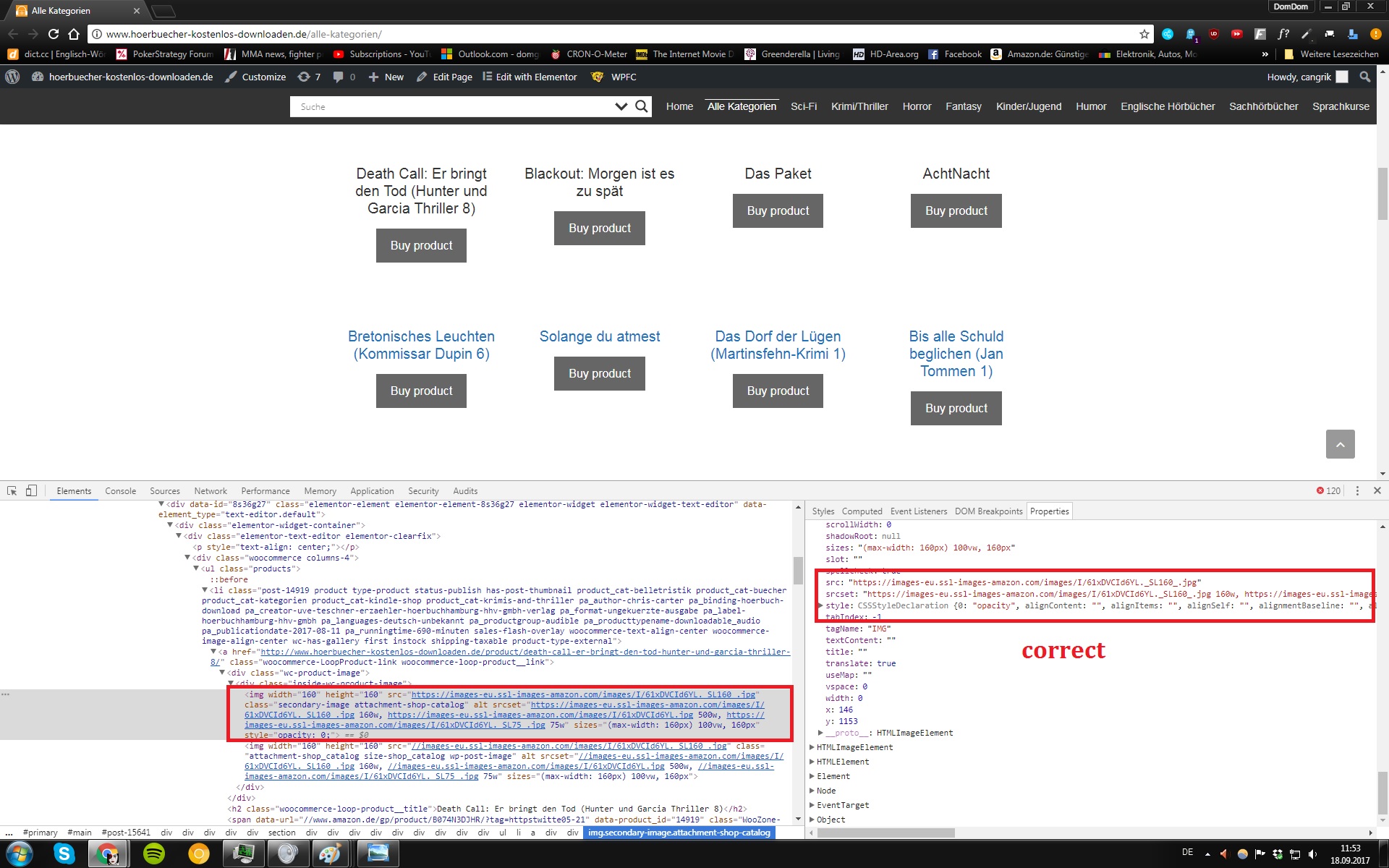
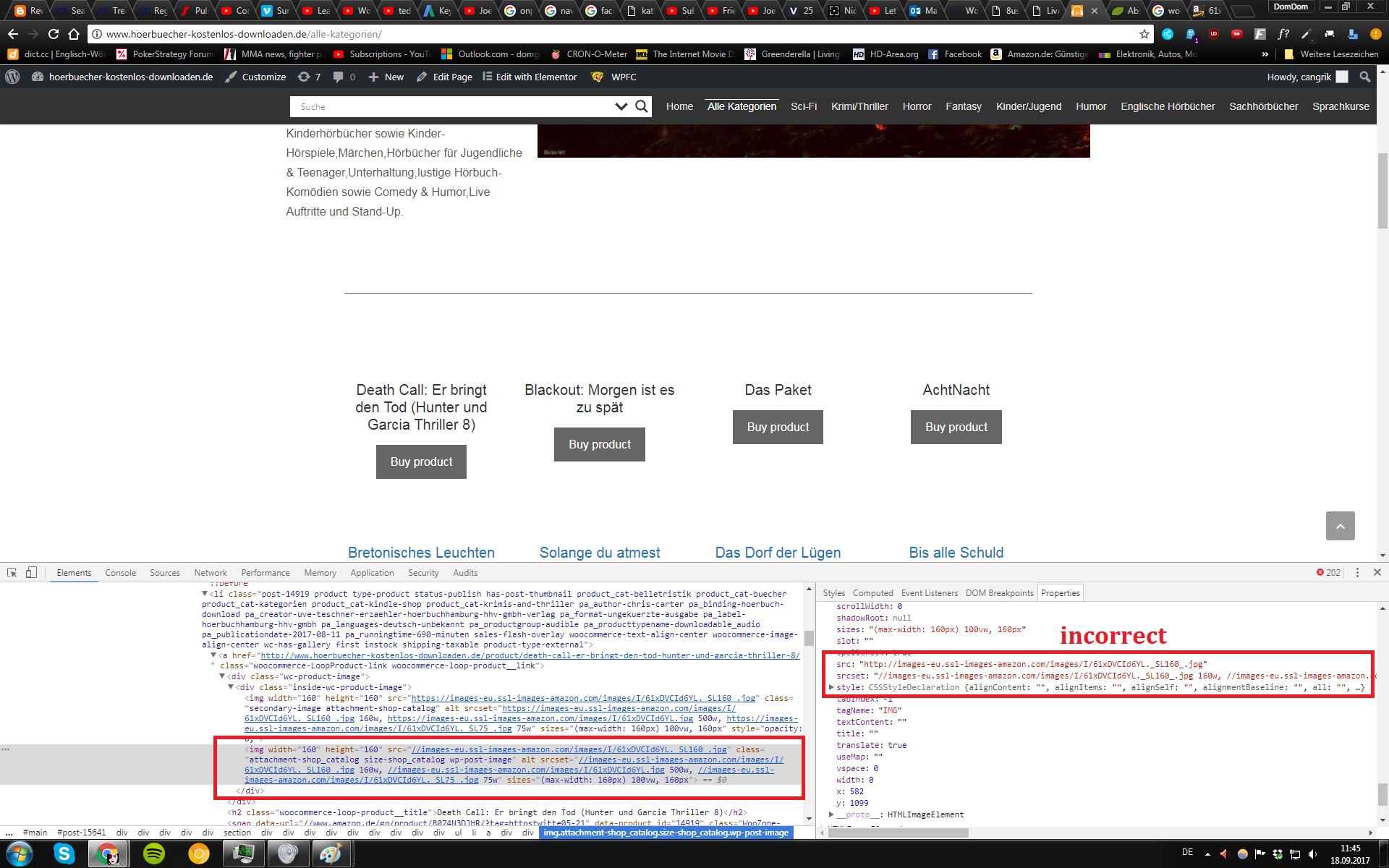
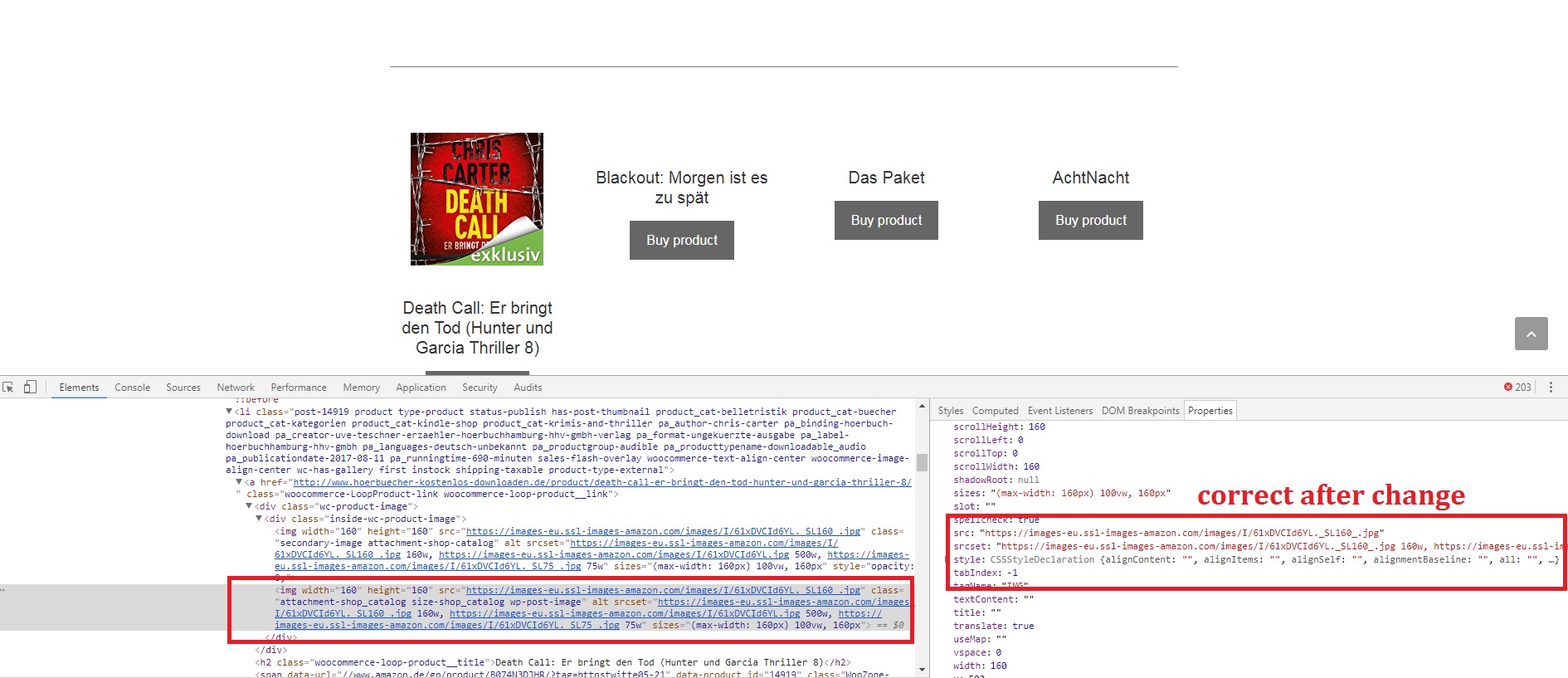
I would ask myself why the correct absolute url shows everywhere except the one column/div class where a relative url path is shown.
keep in mind that in the end I have no idea what i'm talking about and try to describe the problem as best as I can with my limited knowledge.
from what I understand my friend said,that we could fix it if we changed our domain from http: to https: but its originally a theme issue.I also havent tried it yet,so it might not work.
Not having https: doesn't make a URL relative - it simply leaves it up to the browser to decide whether to use http or https depending on the current URL. The rest of the URL is absolute.
As far as the browser is concerned, https:// = // and http:// = //
The box with the https:// is the part GP adds (the secondary image). The part without https: (the protocol) is coded and added by WooCommerce themselves.
The fact that it also doesn't work in Storefront tells me that it's likely an incompatibility between WooCommerce and hosting these images externally. I'm not sure why Avada would work.
The WooCommerce devs (who built Storefront as well) know WooCommerce a lot better than us, so perhaps this would be a better question to ask them. If they have a solution they can apply to Storefront (or better yet, WC itself), then we could make the necessary adjustment as well.
ok,I figured it out.
When you said that the part with //: is coded by woocomerce,I figured that the problem was most likely,that we dont use SSL.
I dont really like woocommerce,but I guess there is no alternative.
after changing to https the images were displayed.
Thank you for the good support and being patient with me.
I know that I'm problably sometimes hard to understand due to the fact that I just started few weeks ago and because english is not my first language.
but at least this thread might help someone in the future who has the same problem.
Good news! I'm glad you got it working :)