
Archived topic
Website Layout Help
1 reply · Started by StoryBonding on January 24, 2020
Hello GP guys,
I would like to layout the upper and lower part of my website in the way I have sketched here:
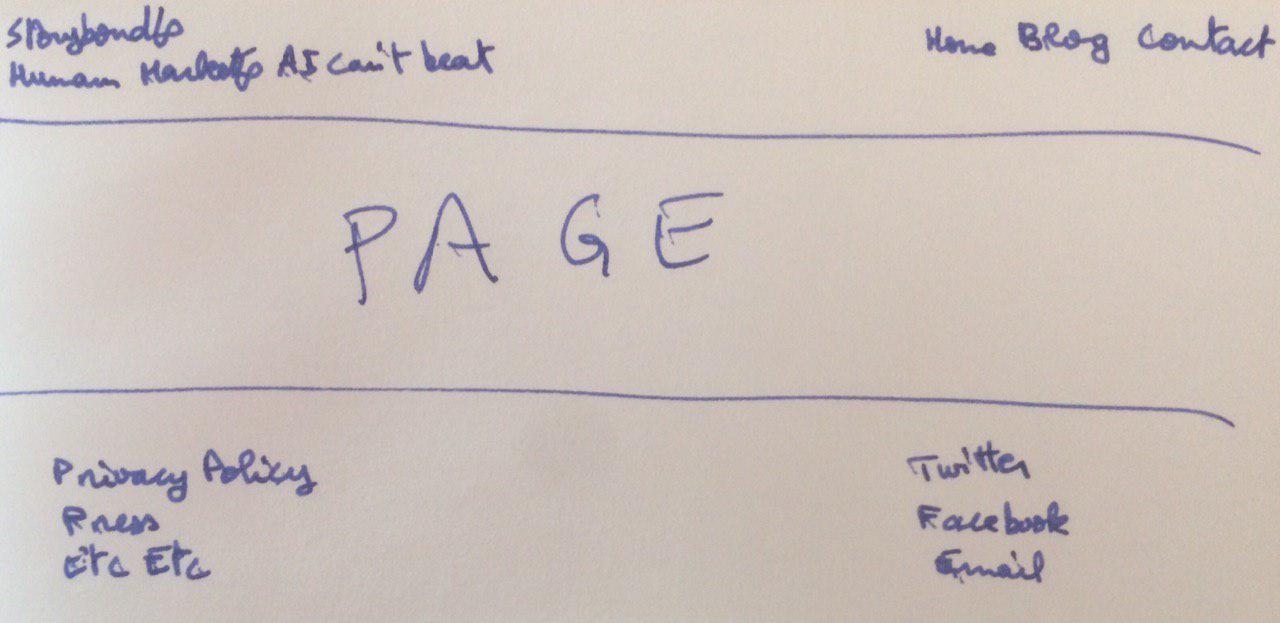
So basically:
1. Deleting the hamburger menu
2. Using only the primary menu, and putting it on the far right
3. Taking the headline etc (StoryBonding + tagline) to be on the far left, and making it smaller so it's sized appropriately to match the visual size of the menu on the right
4. Create 2 widgets or whatever on the bottom section of the website to put page links I do not intend to keep in the menu (to the left) and social links (to the right).
Thank you for you help. I appreciate it in advance.
Website: https://storybonding.com/
Hi there,
looks like you're almost there.
Is this for Desktop and Mobile ?
