
Archived topic
Web Design Questions
4 replies · Started by Plamen on February 4, 2023
Hi Guys,
I have Web Design Questions for Experienced Pro Designers.
Can you check this theme?
More specifically the images on this website
https://www.dnamodels.com/
Is it possible on your page builder to achieve the same, meaning as I click on one image to open a new page and then once I click on another image inside to open another page and that way to achieve something like a 3 level deeper image gallery? I guess it will be easy.
My goal is to achieve something like that website which I believe is built a long time ago by a pro web designer. But I really like how the images look on a big screen. Can I achieve something similar by linking the image to different pages as I explained previously? And I really like the menus on the dna Models Website. Can I achieve that with your functionality and also do you see how the name of the photographers are listed below the images? Can I achieve that somehow? And create small images in the grid that is shown with the many models in the examples below?
If you click on the main board, you open all the thumbnails (small images with all the models)
https://www.dnamodels.com/div/women-main-board/?sid=23167/
Then when you click on a particular model you will open all of their images inside and when you click on the image you can change them:
https://www.dnamodels.com/div/women-main-board/model/mariam-de-vinzelle2/p/8289/c/-1/?sid=28899/
Those are the full-page images I guess pre-designed in advance:
https://www.dnamodels.com/media/images/useruploaded/joined_images/672881_3doc.jpg
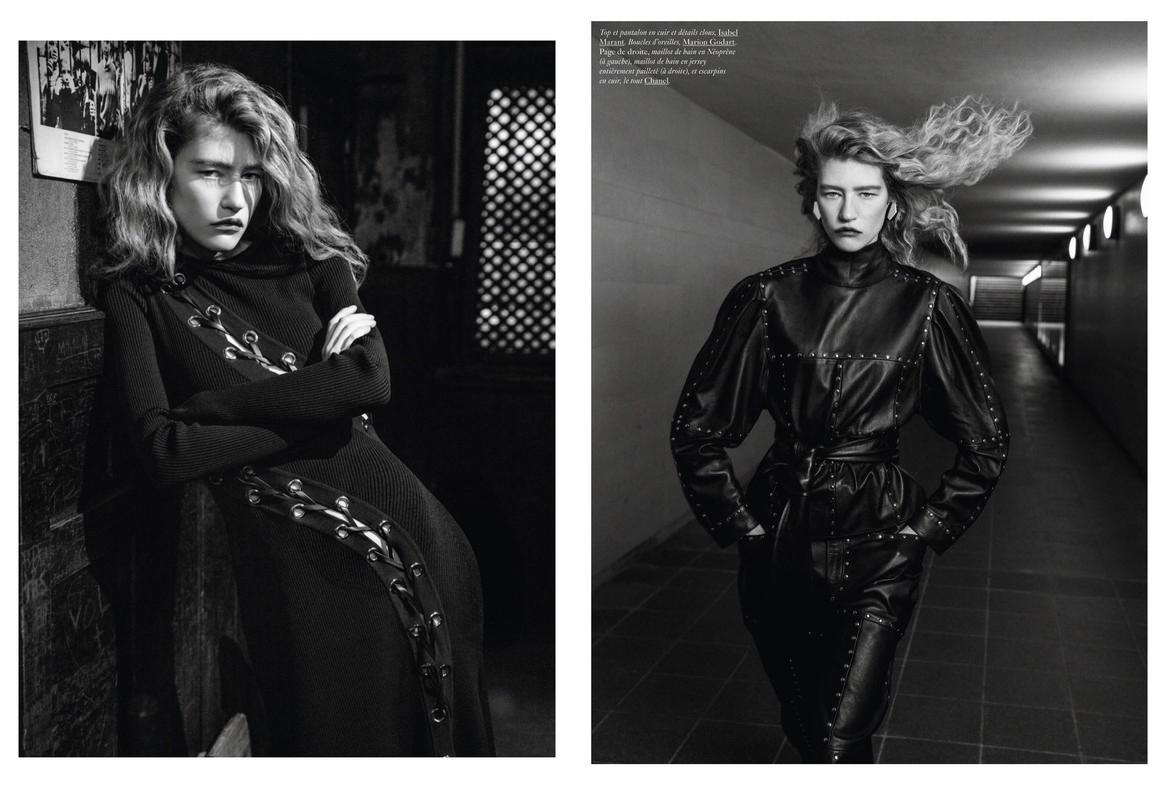
Can I achieve this by linking the images to new pages?
Also, can you check this blog? Can I create a blog similar to theirs easily?
https://www.fashiongonerogue.com/
I saw that they are using GeneratePress
I've heard that the GeneratePress theme is the fastest. Do you think I will be able to learn and create the things that I mentioned above? I am planning to build photo portfolio websites, and later on several blogs and some Sales Pages, and eCommerce stores.
And my question would be if those images, slideshows, and video functionalities, are not available to GeneratePress, do you plan to improve your features and add those functionalities that I mentioned above in the future?
Thanks,
Plamen
Hi there,
this is probably ore related to WP then it is specifically related to GP.
Consider this:
1. i create a Post form a specific fashion Model.
2. in that post i add an Image Gallery.
3. i repeat the process and create many model posts.
4. i then view all my posts on an archive page.
In reverse order, this would result in a similar affect ie.
The archive shows the grid of all models.
Clicking on the model will open their single post.
Inside that post there is a gallery of the other images - which could be displayed in a modal.
You can apply that logic to any type of site.
The only difference is, you may want to create Custom Post Types for specific uses.
Hi David,
Yes, I get that.
How to customize my header/footer and the social media icons, links, etc on a fresh install. Do you have a guide for that?
In addition, I was wondering if you have the option to create a page with one big photo and change the images as a slideshow photo gallery changing the images one by one. Something similar like that in this example:
https://www.plamenpanchev.com/
Also, when I create a new page with GeneratePress, it looks like a blog post page. Can I make the page that looks wider, like on the entire PC Screen?
Thanks,
Plamen
p.s. Can you check the screenshot below:
https://snipboard.io/Ru83lX.jpg

Is it possible to extend the photos on the page on the full screen?
Also, can I place the caption text below the image on the left or right side and not to be always in the center? I pointed that out on the screenshot with arrows to better illustrate my point.
To make your life and life easier please raise a new topic for each question.
I will answer this:
How to customize my header/footer and the social media icons, links, etc on a fresh install. Do you have a guide for that?
Where can i see this on your site ? The one you linked too has no header and footer?
For the other questions, please raise a new topic.