- This topic has 23 replies, 6 voices, and was last updated 2 years, 11 months ago by
David.
-
AuthorPosts
-
March 22, 2023 at 10:21 pm #2578040
Fernando Customer Support
To clarify, do you want the design to look like that? If so, you’ll need to use a Block Element – Post Navigation. Reference: https://docs.generatepress.com/article/block-element-post-navigation/
If you want it to stack like that on mobile, Ying’s CSS should be good.
March 22, 2023 at 11:49 pm #2578122Ravi Saive
Can’t be it done using a CSS code? the Ying’s CSS not working…
March 23, 2023 at 12:05 am #2578145How did you add Ying’s code? I can’t see it added.
That design is a bit complicated to be created through CSS code. This would be out of our scope. To copy such a design with CSS, it would be best to reach out to a developer.
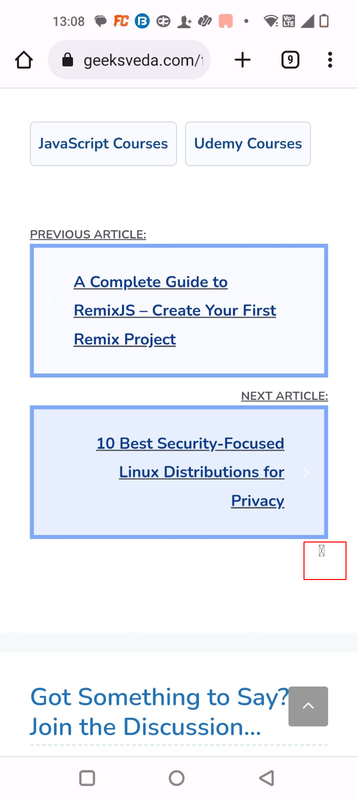
March 23, 2023 at 12:41 am #2578179Sorry, the code is working fine now on desktop and mobile, but I see an icon below the nav, how to remove it?
https://i.postimg.cc/gjsQTd1r/nav-prev.png
Also, how to remove underlining from the text?
March 23, 2023 at 1:03 am #2578208For the icon, it’s from this custom code you have:
.post-navigation .nav-next .next:after{font-family:GeneratePress;text-decoration:inherit;position:relative;margin-left:.6em;width:13px;text-align:center;display:inline-block;content:"\f105";-moz-osx-font-smoothing:grayscale;-webkit-font-smoothing:antialiased;font-style:normal;font-variant:normal;text-rendering:auto;line-height:1;speak:none}For the underline, there doesn’t seem to be any CSS adding the underline. Do you have Javascript causing this? Perhaps you can try #1 here: https://docs.generatepress.com/article/debugging-tips/
March 23, 2023 at 1:28 am #2578243@Fernanod,
How to remove the icon CSS? I copy/pasted the following CSS from one of your posts…
/* Post Prev and Next Links */
#nav-below {margin-top: 10px;}
.nav-previous,.nav-next {position: relative;margin-top: 10px;}
.nav-previous,.nav-next {position: relative;}
#nav-below .nav-previous a,
#nav-below .nav-next a {display: block;padding: 20px 40px;background-color: #f8faff;border: 4px solid #7ea8fd;color: #0d3a93;font-size: 16px;}

#nav-below .nav-previous a:hover,
#nav-below .nav-next a:hover {background-color: #e7efff;}

.nav-previous .gp-icon,
.nav-next .gp-icon {position: absolute;top: calc(50% - 15px);left: 10px;font-size: 20px;font-weight:700;color: #fff;}
.nav-next .gp-icon {left: unset;right: 0;}
.post-navigation .nav-previous:before {
    content: "Previous Article:";
    display: block;
    font-size: 12px;
    text-transform: uppercase;
}

.post-navigation .nav-next:before {
    content: "Next Article:";
    display: block;
    font-size: 12px;
    text-transform: uppercase;
}

@media(max-width:767px) {
.single-post nav#nav-below {
    flex-direction: column;
}

.single-post nav#nav-below > * {
    width: 100%;
}
}
March 23, 2023 at 1:41 am #2578258Look for the exact code I shared here: https://generatepress.com/forums/topic/turn-next-and-previous-post-links-to-theme-buttons/page/2/#post-2578208
It’s the one adding the icon.
March 23, 2023 at 2:43 am #2578376I can’t find the exact code in the CSS as you mentioned here – https://generatepress.com/forums/topic/turn-next-and-previous-post-links-to-theme-buttons/page/2/#post-2578208
March 23, 2023 at 8:07 am #2578940David
StaffCustomer SupportThere is some CSS from your home page paging nav that interferes with this.
Remove the CSS from this topic that you added.
Raise a new topic – so we don’t keep spam notifying the OP.
And share the images of how you want it to look and we’ll start over. Otherwise we will be adding more and more CSS -
AuthorPosts
- You must be logged in to reply to this topic.