
Archived topic
Troubles with the "sections" GP Premium option.
7 replies · Started by Anonymous on January 16, 2016
I've been working on some slight design tweaks with my website lately, and I fell short when I tried to separate the title of the page from the actual content on that same page.
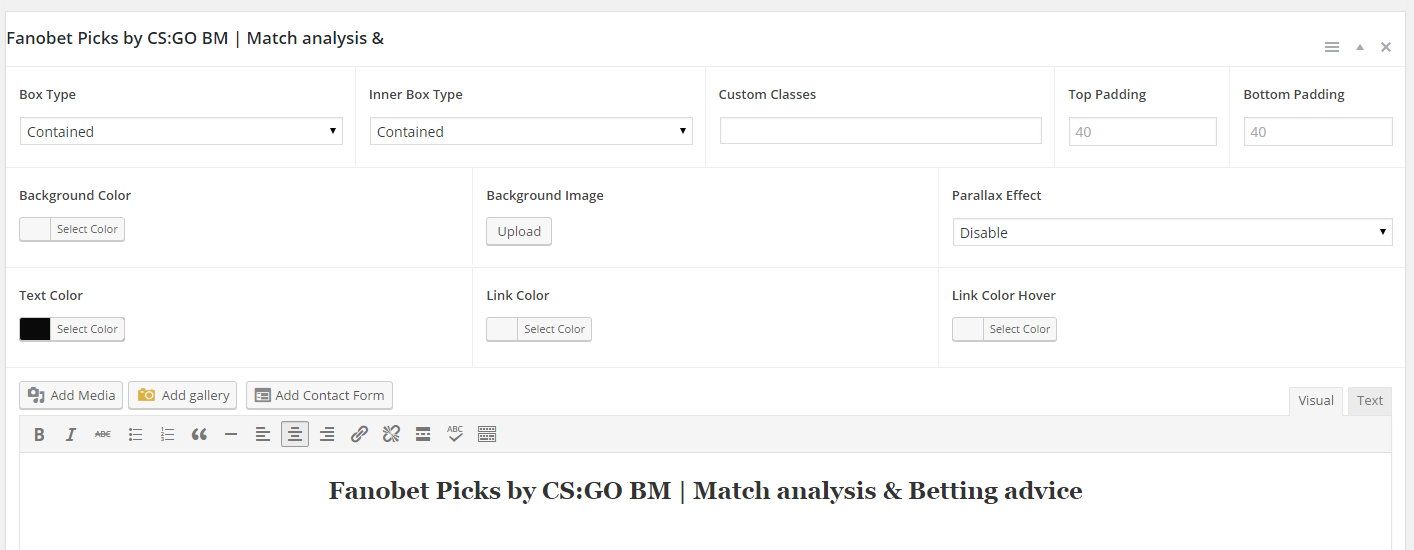
I tried using sections, but when I do, I can not change the title color so you can not see it because of the background colors. ( color in options - https://i.gyazo.com/80f643a7a450f432a050be73316b17fb.png ), and this is how it actually looks like on the page - https://i.gyazo.com/024a1e09a8ddc34eee08f780cffb37b2.png
It also bothers me that I no longer have the small area of empty space between the content and the footer / copyright bar like I do on the other pages which I did not yet edit using sections. ( Sections page - https://i.gyazo.com/23f00076c309f87e81685261e6899836.png | regular page - https://i.gyazo.com/d7d645f05cb684831ce13d840ee597e4.png )
I was wondering if you can help me out with these since I can not get it to work.
Oops, I failed with the links.
Color in options - 1st link
Title on the actual page - 2nd link



Hi Tom,
1. Can you link me to this page so I can see which CSS is making the title look like that?
2. Try this CSS:
.generate-sections-enabled .site-footer {
    margin-top: 40px;
}While I'm here, is it possible to make my footer see-through ? So that instead of the white background behind the advertising banner, I just have nothing and the website background continues.
1. Nice find! This is happening because you have a color set for H2s in the Customizer. I'll get that fixed in the next version.
For now, open the "Text" tab and add the color directly to the H2:
<h2 style="color:#FFFFFF;">Your title</h2>
For the footer background, you can use the Colors add-on. Go to "Customize > Color > Footer Widget Colors" and remove the color value from the background option.
Thank you so much ! One more thing though, any idea why can I not make the footer banner as wide as the content container ? I want to make it 1100px wide, but when I put it in as a widget, it is automatically compressed as you can see right now on the website.
Give this CSS a try:
.inside-footer-widgets .inner-padding {
    padding: 0;
}