Archived topic
starter site: how to "import" enitire existing website
3 replies · Started by Tom on May 23, 2021
Hello,
I know this is not the idea of the starter site library. They are to be used on a fresh build/ project.
And I know this has been asked before, but need some clarification please--sorry.
I have a site with 160+ posts which I made using the GP theme plus Elementor.
But it's slow w/ Elementor and ugly as is. I would like to remove Elementor and just use GP Blocks.
I would like to transform existing site to look like "Article" starter site.
QUESTION:
I will start by making a staging site on my host.
What would be the next steps?
Can you direct me to a previous thread with this info please?
Thanks so much!
Hi there,
Article is actually super easy so I wouldn't bother with importing the template.
Are you just after the page hero part with the message Get Your Message Across?
The rest are just customizer options which we are happy to walk you through.
Let me know :)
Hi Leo!
Thanks for the lightning response.
Great news, my friend...
I said what the hell--backed up site, then just imported the Article Starter site (minus content) and BOOM!
Just a few minor Customizer tweaks -- total time--10 minutes!
Then simply removed Elementor plugin-- no issues-- total time -- 30 seconds
Heck-- the site now GMETRIX scores of 100% on Performance AND Structure -- see screnshot below!
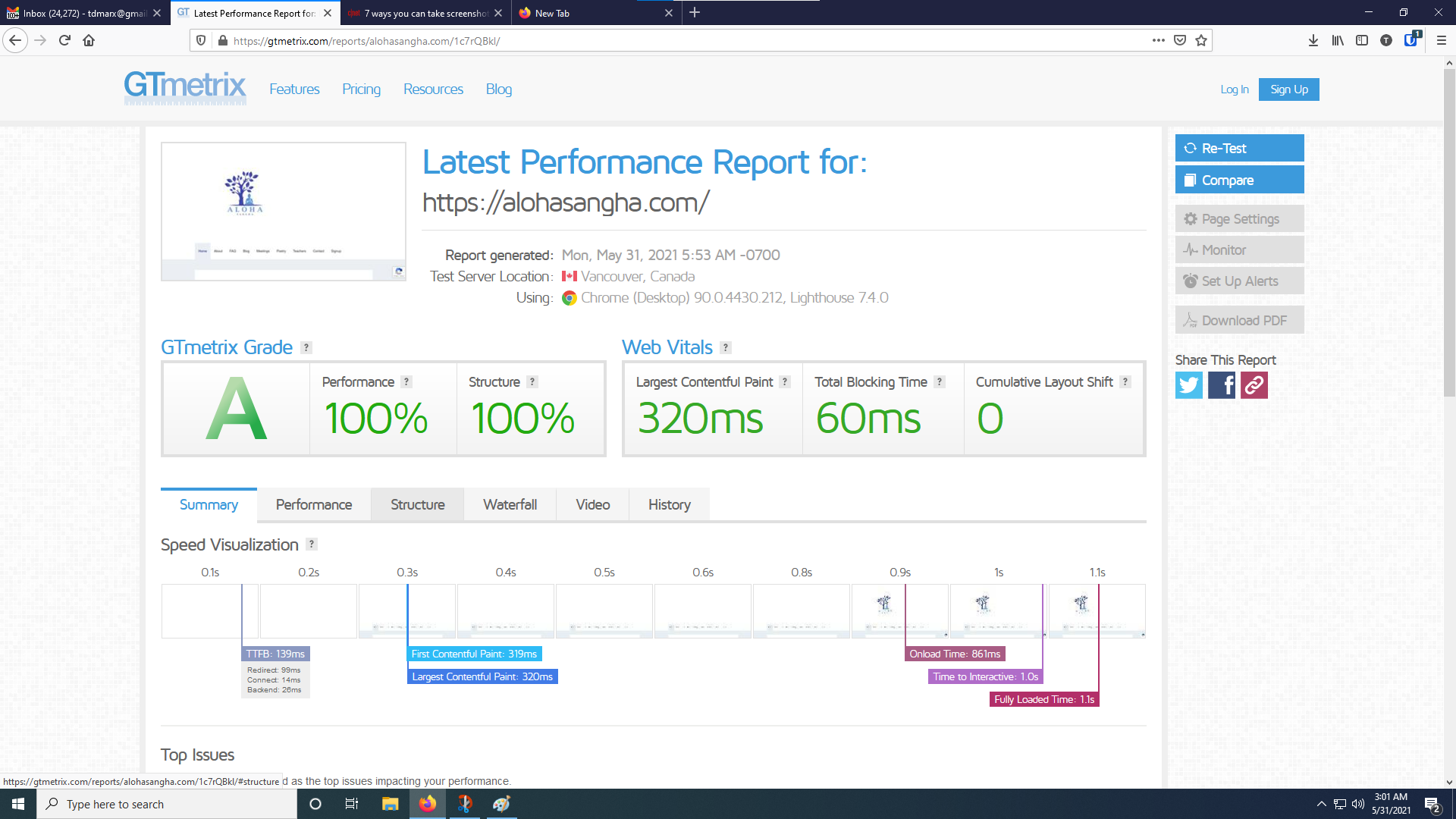
Damn, I LOVE GeneratePress
And I love you guys!
Tom
So glad to see that!