Archived topic
Replicate Single Post Layout like GP Site's Library "Mellow" template
14 replies · Started by Sanu Kumar on May 22, 2021
I am looking to replicate GP Site's Library "Mellow" template in a single post layout. I know there's using a block element for a post title. But how to move the container little upper. See the screenshot: 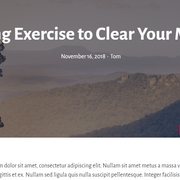
You can do it by applying negative margins, just put a minus sign before the value (ex. -100px) on the container that holds the content.
Thanks for the info. Can we do this in customize or need CSS for this?
In the block settings under spacing. Just make sure you select the outer most container from the block outline.
You may need to create a content template for posts to do it, so that everything sits within a GB container.
in the block elements i m using page hero but there's nothing for conatiner. Just post title and meta post is available.
If you add a block element there should be a content template option under element type in the right sidebar. You can use this to create a post template. Just add a GB container to it and use the dynamic content block to inject posts. You can still design the content before and after the dynamic content block and create nice post templates. The GB container is where you apply the negative margins. You can add some left and right margin to the same container to differentiate it from the site background.
Thanks Lilo....
Hi Sanu - you will first need to add the hero using a Block Element.
Then it requires some CSS to pull the post content over the element.
If you can set up the Block element first we can then look at your site and provide the CSS.
done.
If we can make something like this:

Two things:
1. Edit your Block Element - select the parent Container Block and in the Advanced > Additional CSS Class(es) add: page-overlay
2. Then add this CSS to your site:
@media(min-width: 769px) {
    .single-post .page-overlay+#page {
        position: relative;
        margin-top: -100px;
    }
}
What this does is on a single post whenever the Block element with the post-overlay class is present it will pull the page up over the block element.
If its not a single post or there is no block element then it won't move the page.
This is WOW. Thanks, David. I'm really enjoying GP 2.0 - Thanks to the GeneratePress team.
But here's one thing, I also want this on mobile too, and also the size for the post title is too large on mobile. How to fix both.
Aside from this, is it possible to add a shape like this just below the container block as I shared here. https://generatepress.com/forums/topic/replicate-single-post-layout-like-gp-sites-library-mellow-template/#post-1793575
1. For mobile - remove the CSS i provided before and add this:
.single-post .page-overlay+#page {
    position: relative;
    margin-top: -100px;
}

@media(max-width: 920px) {
    .single-post .page-overlay+#page {
        margin-left: 15px;
        margin-right: 15px;
    }
}
2. Edit the Block Element - select the Headline block, in the Typography settings, select Advanced, then select the Mobile Tab and adjust the font size.
3. Whilst editing the Block Element, select the parent Container Block and in the sidebar you can see a Shapes option.
Hey Davide. Thank you very much. It's all working well now. Here's just one more little help I need - When I try to add shape, it looks like this, see the image

But I wanted to achieve something like this, is it possible??
[url=https://ibb.co/23wnpZq][img]https://i.ibb.co/23wnpZq/mki.png[/img][/url]
Under the shape option - click the spanner icon, select the first and only shape under Angles, set the color to match your body color, select the flip horizontal and adjust the height to suit.
Done!
Glad to be of help