Archived topic
Remove Powered by Generatepress
11 replies · Started by Joe on February 11, 2019
I cannot find any copyright section. It is not on the customize menu.
In the appearance, generate pass section, copyright is disabled.
Have you activated the module in "Appearance > GeneratePress"?
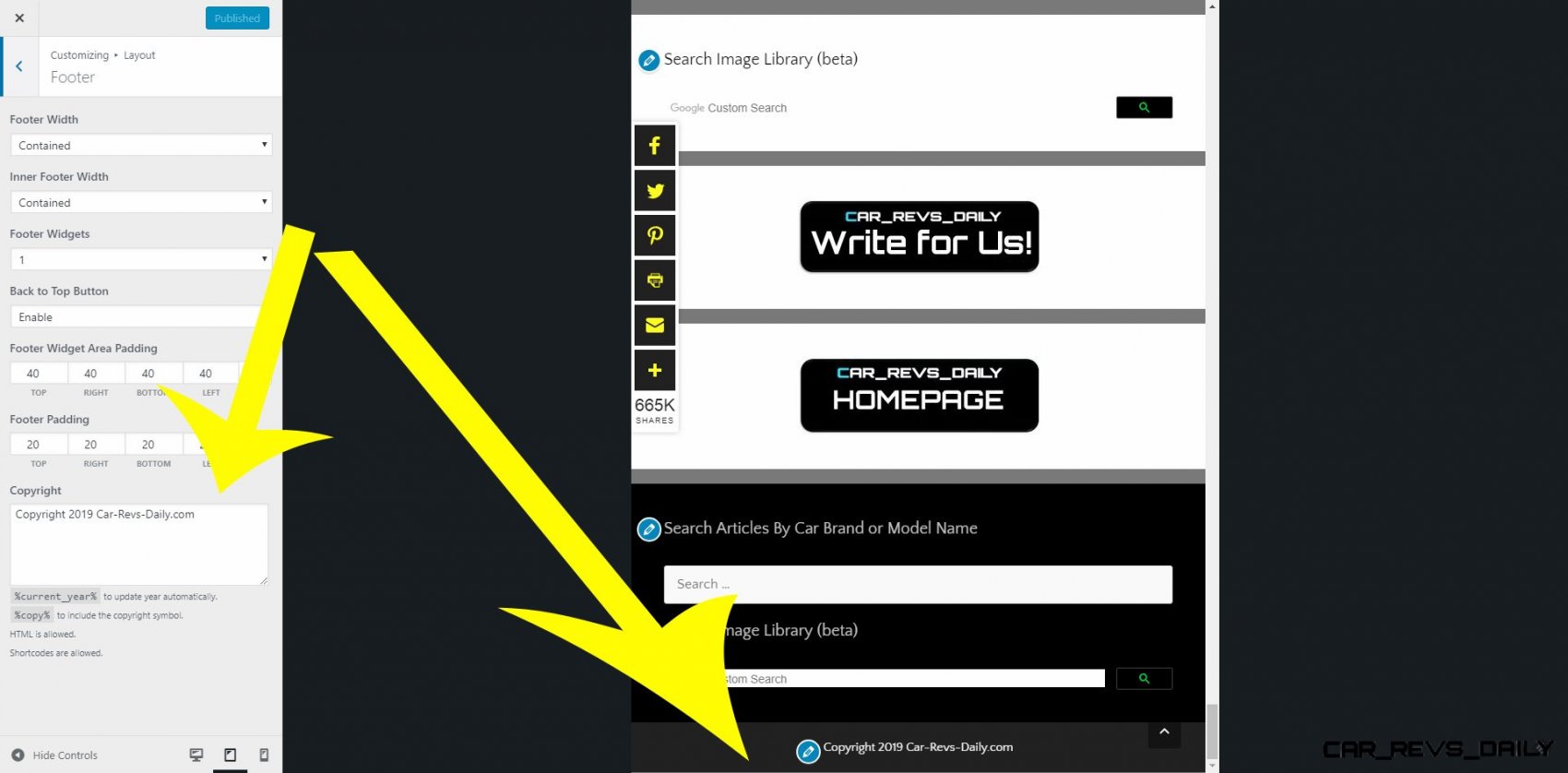
Once it's activated, you'll find the option in "Customize > Layout > Footer".
>Once it’s activated, you’ll find the option in “Customize > Layout > Footer”.
That's fine. I can change the look of the footer. But I cannot remove powered by Generatepress. Since I am paying for this theme, I think there should be an option to remove it.
Maybe you think differently.
I just followed those directions to change the Copyright in my site. Did you scroll all the way down and change the text in the box?
If you add your own text to the Copyright section, it will remove the Powered by GeneratePress part automatically.
Thank You. That worked very well. It's an excellent theme.
Thanks! Glad you're enjoying it :)
hey guys,
i was about to email support about this... but their initial reply was right.
with GP Premium activated, go to the appearance--themes--customize--layout--footer area. there is a blank copyright section. enter your copyright HERE and it replaces the "Powered by GeneratePress"
there is another Copyright option somewhere in Menus that is not for GP Premium. screenshot at link if it helps!!
http://www.car-revs-daily.com/wp-content/uploads/2019/02/2019-02-16_144519.jpg
cheers
Glad you figured out :)
Hi,
I can not edit the footer :(
I have the latest premium activated
got it :) forgot to activate the module
Glad you've figured out :)