
Archived topic
PHP Warning: Undefined array key "width"
13 replies · Started by Kevin on December 24, 2020
Hey guys, happy holidays ;)
Sorry to write your this, but the QueryMonitor Plugin gives me this output since some weeks and after Upgrading to PHP8 its inside my server error logfile. Any Idea how i can fix this?
Best Kevin
Hi there,
This means the logo you've uploaded isn't getting the proper data from WordPress: https://github.com/tomusborne/generatepress/blob/3.0.2/inc/structure/header.php#L137
Can you confirm that you've uploaded a regular image file in Customize > Site Identity?
Hi Tom
I uploaded a svg logo with the customizer - yes
Are you using a plugin to allow SVG uploads? If so, which one?
Does the same issue happen if you upload a PNG?
This one https://de.wordpress.org/plugins/safe-svg/
Never tried a PNG. But i can ;)
Let me know if it happens with a PNG as well.
We may simply have to check for those values in case WP can't retrieve them from SVGs.
Hi team i also facing the same issue in header section, please help me to resolve that problem
Site: https://marketplusacademy.com/
Waiting for reply
Hi Arun,
In Appearance > Customize > Site Identity, can you try re-uploading your logo?
Can you also try uploading an PNG image?
Kindly let us know how it goes.
Dear GP-Team,
when I update PHP to 8.0 or 8.1 I get this error:
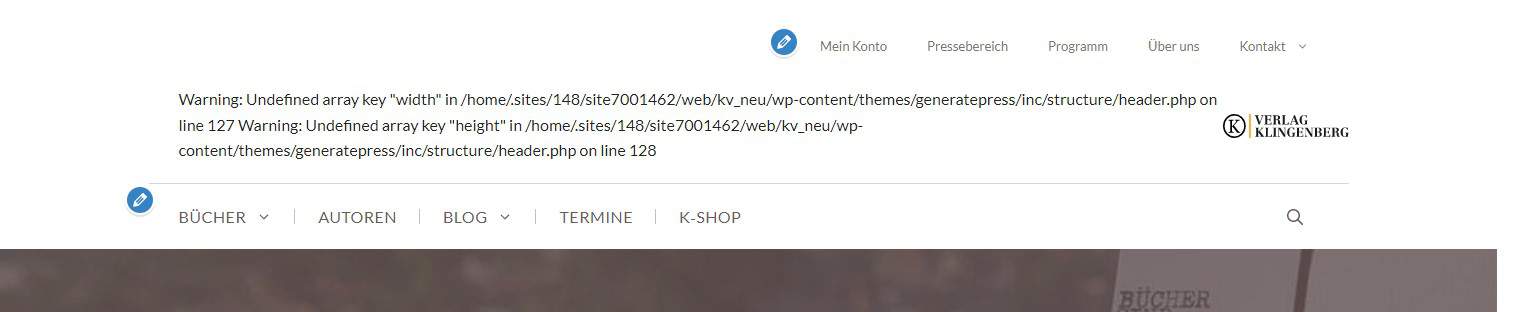
I do use a SVG-Logo, but replacing it with a PNG did not help.
Any advice, what I should do?
Best, Paul
Hi Paul,
can we site where the error occurs ?
Hi David,
sure, that's https://www.klingenbergverlag.at
Best, Paul
Just to test its the same issue, can you swap the Logo and the Mobile Header Logo. I think its the latter causing the issue as that has empty width height attributes
Hi David,
I added a different png to the Mobile Header Logo. Hope that helps solving the issue. Should I try updating php again?
Best
Paul
OK, so if i check the mobile header image then that has the width and height attributes now - which is good :)
But the desktop logo:
https://www.screencast.com/t/H45HRghan
It is has the attributes but they are empty and i believe that is the issue.
If you update the desktop logo as well, ( remove the Retina one as well ) and inspect the logo - if you see the width / height attributes have a value then you can try upgrading the PHP version
