Archived topic
Missing logo width parameter
7 replies · Started by MKH - Cyril on July 11, 2022
Hi
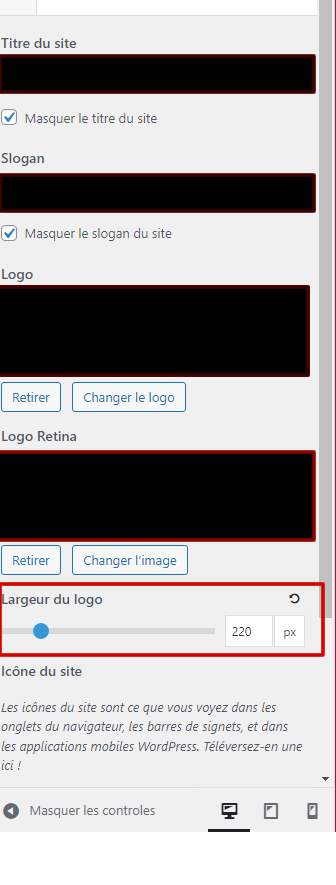
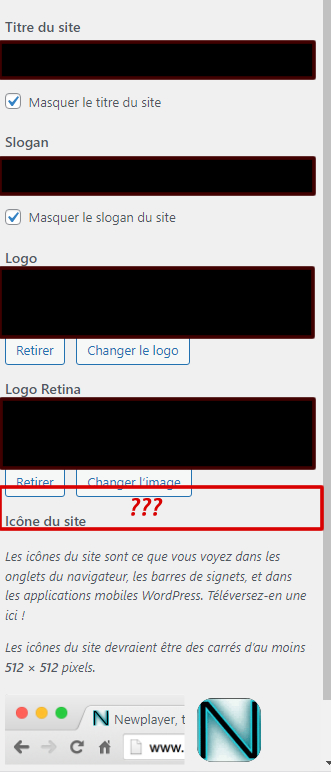
on a fresh install, some parameters on personalization are missing.
Example : Logo witdh.
other site which is ok : https://www.mkh.fr/images/imgok.jpg
site not ok : https://www.mkh.fr/images/missing.jpg
I checked, versions are similar, i dont understand why it's missing
Hi there,
As a test, what happens if you temporarily change the logo image file ?
I just tried with the same logo the working website uses.
No change, still no field to change width :(
Can you temporarily disable plugins, and if you're using a child theme, can you switch back to the parent.
That should help eliminate a conflict.
I just tried. Went back to "normal theme" (not child one) and deactivated all plugins (just kept GP premium).
Still no field :'(
oh - in Customizer > Layout > Header - do you have the Navigation as Header enabled ?
Hi. I had it, but your answer helped me find the problem.
i took parameter by parameter to have same info on both sites, and at one point, logo size appeared ^^
Thanks !
Glad to hear that!
As a general note - if the Navigation as Header is enabled in Customizer > Layout > Header, then the Logo gets sized based upon the Menu Item Height. So we remove the Logo Width option in the Site Identity when that is enabled.