Archived topic
"Load More" Button Missing in Settings
7 replies · Started by Matic on October 4, 2020
Hi,
I checked other threads but couldn't find an answer to my problem.
I wouldn't love to have a "Load More" button on my homepage and archives, but there's no option for it.
As I understand, there should be an option for that under: Appearance > Customize > Layout > Blog > "Load More" button right under the infinite scroll, but there is none.
Here's a screenshot: https://snipboard.io/jZVaTU.jpg
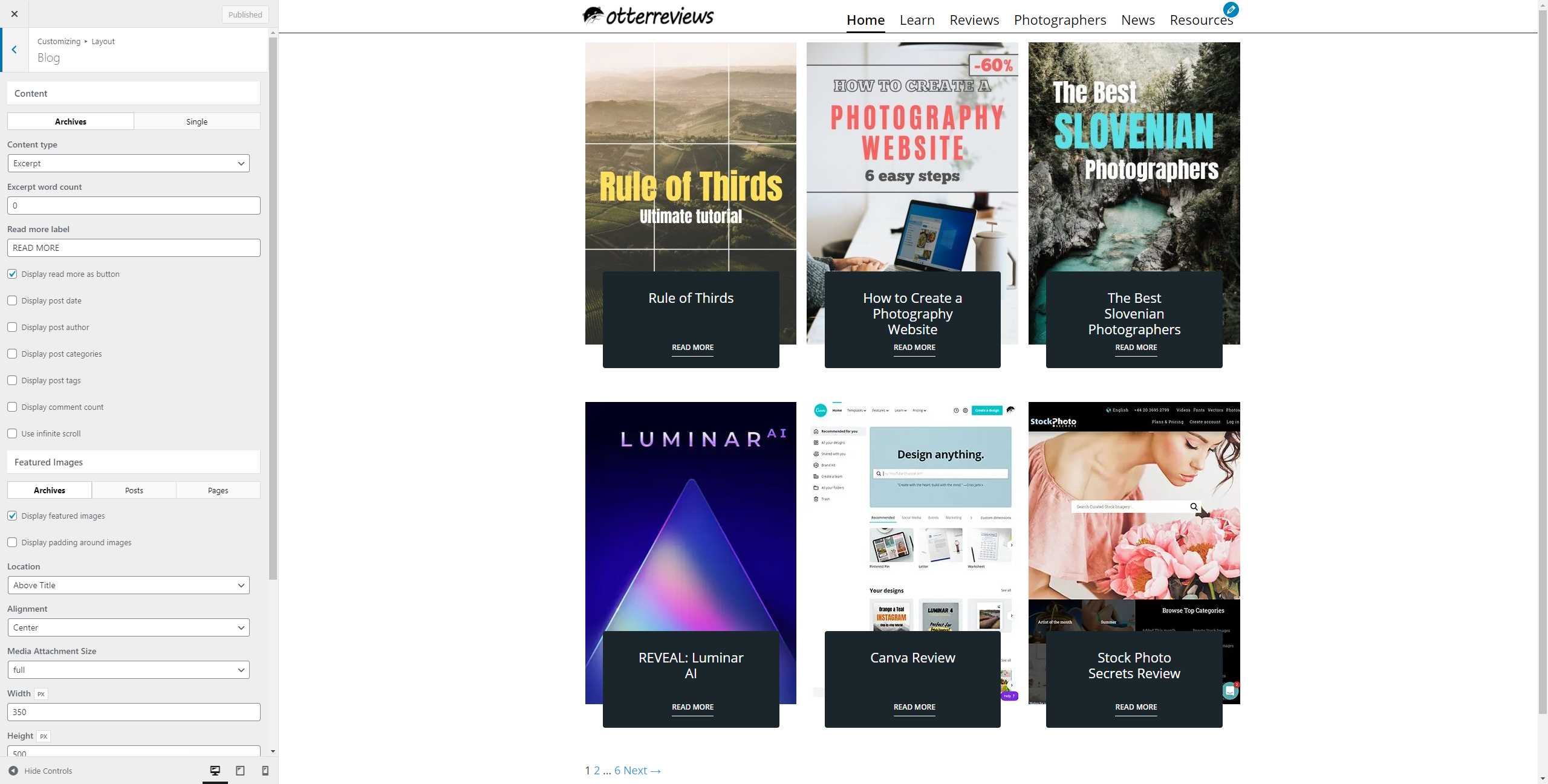
These are my software versions:
GP Premium 1.12.1
GP 2.4.2
WordPress 5.5.1
My website: https://www.otterreviews.com/
Cheers,
Matic
Hi there,
you need to check the Infinite Scroll option - then this will provide the Load More button option.
I had it checked on in the past but it didn't. Checked or unchecked, there's only pagination.
That's strange - can't reproduce this. Can you show us a screenshot of the "Infinite scroll" option checked?
I managed to figure out what's wrong. It's because my site is AMP first. When I disabled the AMP plugin, the option reappeared and worked as intended.
I didn't know that "Load More" button also doesn't work with AMP, I thought it was only the "Infinite Scroll". It's also weird to me, that the option just disappeared from the menu. Because Infinite Scroll also doesn't work with AMP, but at least I can (un)check it.
UPDATE: Is there a way to make "Load More" button with AMP? I really dislike the pagination.
Load more is actually part of the infinite scroll so unfortunately it won't work with AMP currently.
Thank you for clearing that up.
I decided to just turn off the AMP because it was causing too many issues (popups didn't work, no infinite scroll, etc).
Have a great day:)
No problem :)