
Archived topic
Links do not have a discernible name error form lighthouse
10 replies · Started by roadlink on April 25, 2021
Hi,
Lighthouse tool gives this error on mobile.
"<span class="continue-shopping-text">Continue Shopping →</span>"
https://prnt.sc/121fk4w
I tried the snippet from here but didn't solved.
https://generatepress.com/forums/topic/links-do-not-have-a-discernible-name/#post-1477146
Hi there,
Currently there is no simple method of filtering that element to add an aria-label or other markup - we'll address that in a future update.
Looking at your site - i notice there is no Add to Cart buttons on the shop / archive pages ( only single products ) - is that correct ?
If so you can disable that Element in Customizer > Layout > Woocommerce --> Display cart panel on add to cart - as it only ever displayed if a user adds to cart from the shop / archives.
Hi David,
Yes, I don't use add to cart buttons shop/archive pages.
I already use that customize tool to do that. https://prnt.sc/123caw6
Is there any other setting?
Should I use this one?
   add_action( 'woocommerce_after_shop_loop_item', 'remove_add_to_cart_buttons', 1 );
    function remove_add_to_cart_buttons() {
      if( is_product_category() || is_shop()) {
        remove_action( 'woocommerce_after_shop_loop_item', 'woocommerce_template_loop_add_to_cart' );
      }
}Uncheck the: Display cart panel on add to cart option:
Hi David,
I have missed that. Done know.
But What is it for actually?
Displays a sticky panel when Add to Cart is clicked on shop archives:
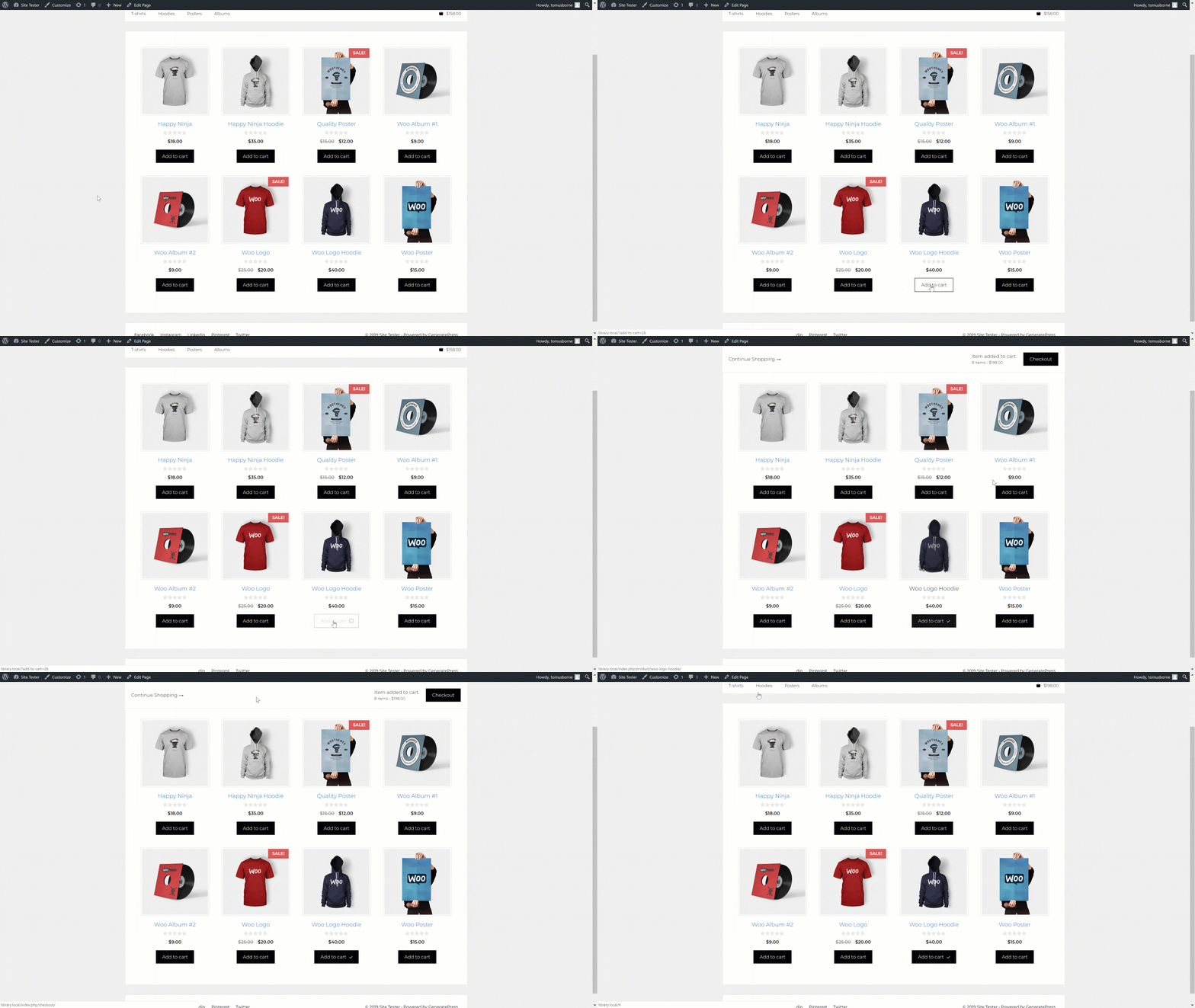
I got it. In that case, I unclick it, and error gone. :)
I believe you can fix the issue in next releases for other people.
thanks for your time.
We will :)
Glad to be of help
Dear David,
You mentioned in 2021 that the problem will be solved in future updates:
--> Links do not have a discernible name - Lighthouse error <--
Is there already a solution? I get the same error on my main page:
https://www.ihrcoachinginstitut.de
Example: div.gb-container > div.gb-inside-container > div.gb-container > a.gb-container-link
Best regards,
Julia
Hi there,
the issue in this topic is different to the one you have.
Question - instead of using a Background image with a Container link, why not simply use an Image Block with a link to that article ?
