Archived topic
Images not staying left in mobile
7 replies · Started by robchanoi on May 26, 2022
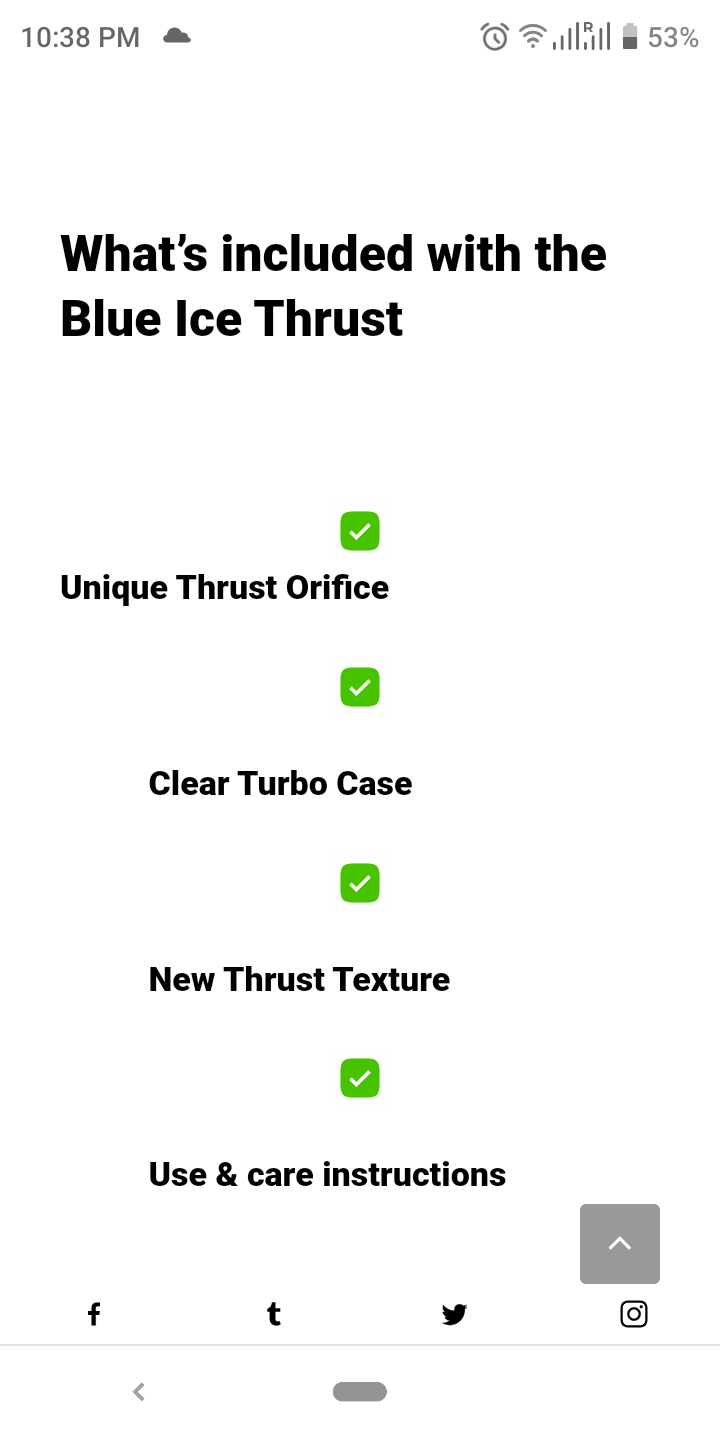
Hi - probably really basic, have assigned image left, tried wrapping divs round the green tick images, but on mobile images move to center. Much searching but people want to center so tried in reverse but no joy.
Thanks once again :/
https://menspleasures.com/wp-content/uploads/2022/05/Screenshot_20220526-223812.png
<h4> Unique Thrust Orifice</h4>
Hi there,
Can you link us to the page in question?
Oh yup (fyi i have centered them for now but wld prefer left, thanks
Hi there,
instead of adding an image and text, use a GenerateBlocks Headline block and an SVG icon to it:
https://docs.generateblocks.com/article/headline-overview/#icon
Heres the SVG code for a square checkbox:
<svg xmlns="http://www.w3.org/2000/svg" viewBox="0 0 448 512"><path d="M384 32C419.3 32 448 60.65 448 96V416C448 451.3 419.3 480 384 480H64C28.65 480 0 451.3 0 416V96C0 60.65 28.65 32 64 32H384zM339.8 211.8C350.7 200.9 350.7 183.1 339.8 172.2C328.9 161.3 311.1 161.3 300.2 172.2L192 280.4L147.8 236.2C136.9 225.3 119.1 225.3 108.2 236.2C97.27 247.1 97.27 264.9 108.2 275.8L172.2 339.8C183.1 350.7 200.9 350.7 211.8 339.8L339.8 211.8z"/></svg>
Thanks. Problem is the post is written in classic editor. Is there anything I can wrap around it to stop it moving if possible
If you switch to the code editor view, then you can add the HTML like so:
<h4 class="has-inline-image">
    <img src="https://menspleasures.com/wp-content/uploads/2020/11/green-tick-box-300x300.png" alt="" width="29" height="29">
    <span class="">Your title text here</span>
</h4>
Replace the heading text where it says: Your title text here
Brilliant, that works perfectly - thanks David.
You're welcome