
Archived topic
Icon position (global styles) not applied
3 replies · Started by Sascha on February 4, 2023
Hello
please allow me to handle this request here, since I use both GPP & GBP and would like to keep all my support tickets here.
On this page, I have created a few headline-blocks (paragraph) including some icons.
I have applied the styling via GB-Global-Styles, e.g. "Icon Position = Top" as you can see on this screenshot.
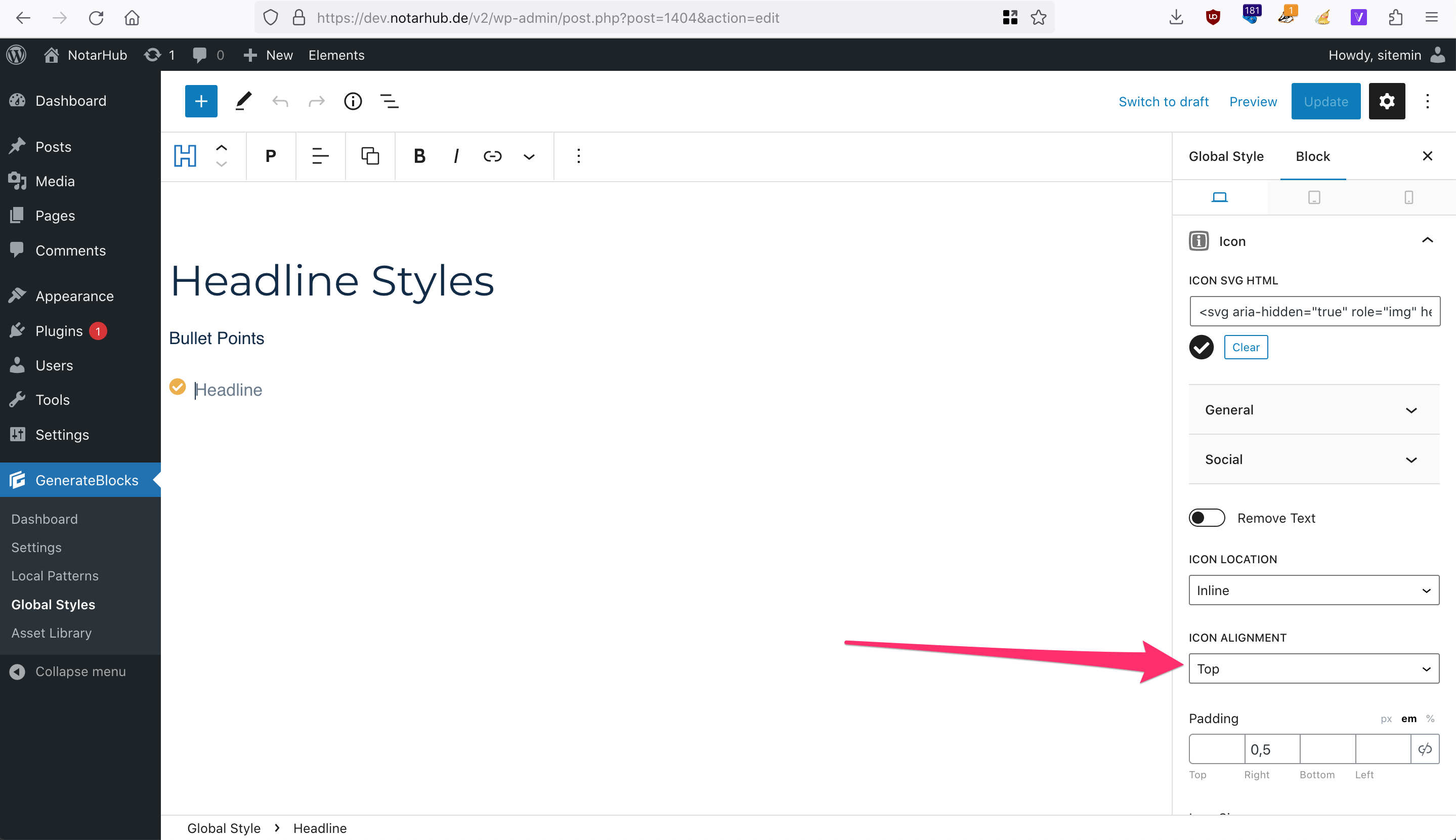
I didn't alter the block-settings of these headlines, but still the icon position remains center instead of top. I have disabled all plugins except for GB, GBP & GPP, no caching is active, but problem remains.
Just in case you wanna take a look by yourself, please find admin-auto-login-URL in private infor field (oh, for this I will reactivate the temp-admin-login-plugin of course :)
Thank you in advance and kind regards,
Sascha
Hi there,
its a CSS specificity issue, for now you will need to set the alignment of those icons in the post editor, NOT using the global style. It is something we are working on to fix.
Good to know, thanks.
Is there a github-task/issue you can link here? Would be easier for me to track, in order to change the styling back form block-editor to global-styles.
Kind regards,
Sascha
We'll add it to the top of GenerateBlocks Change log. As global styles are part of GB Pro the gitissue we have for it is in a private git.