Archived topic
How to Upload Urdu Font
10 replies · Started by Data on June 16, 2020
My website is in urdu language. The default font is not good. How can i upload and use another font?
Hi there,
You'd need to use this method:
https://docs.generatepress.com/article/adding-local-fonts/
Let me know if this helps :)
yes, i uploaded the font, can't understand next steps. check my font URL in the URL field.
ok
Hi there,
No need to bump topics - we try to get to every topic/reply within 12 hours.
Which part of the instructions did you get to? Looks like you've uploaded the font which is good.
Using @font-face and Adding it to the Customizer. Actually what to do after uploading the font?
Have you gone through each step here?: https://docs.generatepress.com/article/adding-local-fonts/
It has instructions for every step of the way.
If the font has been uploaded and you've added the @font-face code to the site CSS, you'll want to move onto this step: https://docs.generatepress.com/article/adding-local-fonts/#adding-it-to-the-customizer
what is this? Actually I am not a developer.
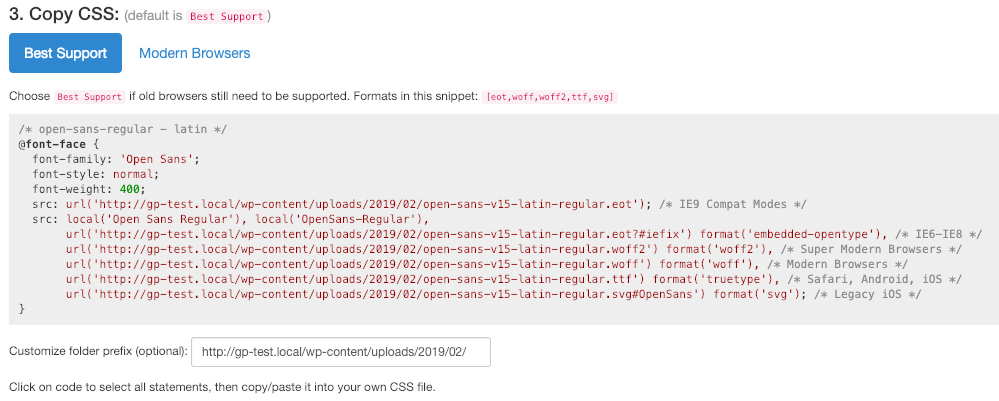
https://docs.generatepress.com/wp-content/uploads/2017/10/css-url.png
Hi there,
that is an example of the @font-face you need to add to your site.
If you are having trouble creating your own - try a site such as these to create it for you:
yes two files created through fontsquirrel.
So you should have a font file and @font-face CSS file.
Now follow the instructions starting here:
https://docs.generatepress.com/article/adding-local-fonts/#uploading-our-font