Archived topic
How Do I make a Post remain at the top of the blog
11 replies · Started by Jeff on May 6, 2021
Hi
Hope you can help me, please. In my blog at https://crazyoverdogs.com/category/blog/
there are a couple of posts I want to always appear at the top of the first page. There were called Sticky Posts in the classic editor, before I changed over to GeneratePress and block editor.
Hope I have explained the problem and look forward to hearing from you
Jeff
Hi Jeff,
Sticky post is a WordPress option and should still be available with the block editor:
https://www.screencast.com/t/mzyNv27y
Hope this helps :)
Hi Leo
Thank you for your valued reply.
The two posts I would like to see at the top of the page on the blog at https://crazyoverdogs.com/category/blog/ already have this WordPress option ticked:
https://crazyoverdogs.com/wp-content/uploads/2021/05/sticky-post.png
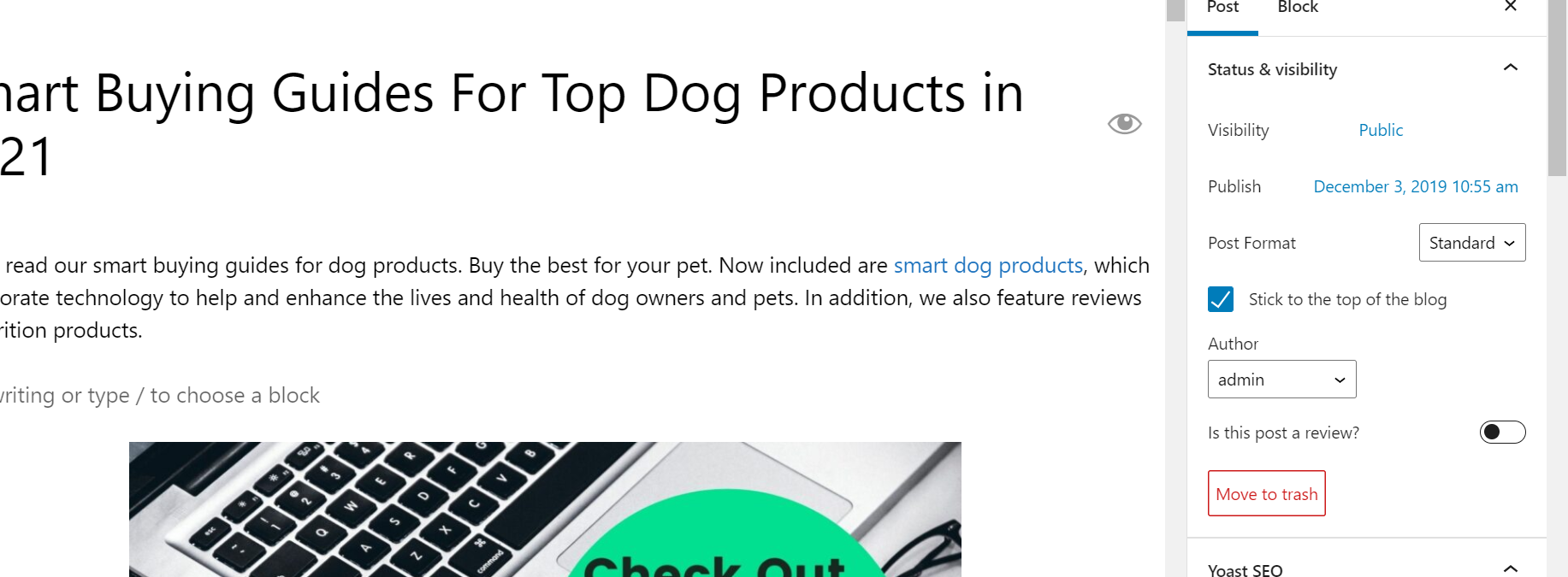
Can you think of something else that is preventing them from appearing at the top of the page?
Look forward to hearing from you
Jeff
Hi there,
first place to check is whether your server has Page Caching - it may be a simple case the cache needs clearing.
David
I followed your instructions and cleared the cache in Chrome. I also tried the link https://crazyoverdogs.com/category/blog/ in Firefox and Internet Explorer. All give the same result. No change
Kind regards
Jeff
What i meant was the Caching on your Hosting Server - they generally have a Page Cache, check with your host if that is enabled and if they can clear the caches.
Hi David
That's the caches cleared on the hosting server. Still no change.
Jeff
Hi Jeff,
You blog page is not the WP default blog, but a category archive page, that's why the sticky posts are not showing on the top.
It should be the page that set in here:
https://www.screencast.com/t/gCgTCVL3q
Hi Ying
Thanks for your valued reply. I followed your instruction and updated the settings. I also cleared the cache, but the posts are still not showing at the top.
I would appreciate any help you can give me
Jeff
Good spot by Ying there.
If you go directly to the Blog page ie this URL:
https://crazyoverdogs.com/blog/
Then you will see the sticky posts.
WP won't apply the sticky post when viewing a category archive.
David
Sincere thanks for the update. Can you let Ying know I am grateful for her spotting this. I never would have.
Kind regards
Jeff
Yep will certainly do that :) Glad we could be of help.