Archived topic
How do I indent text within a paragraph?
9 replies · Started by Stuart on February 20, 2020
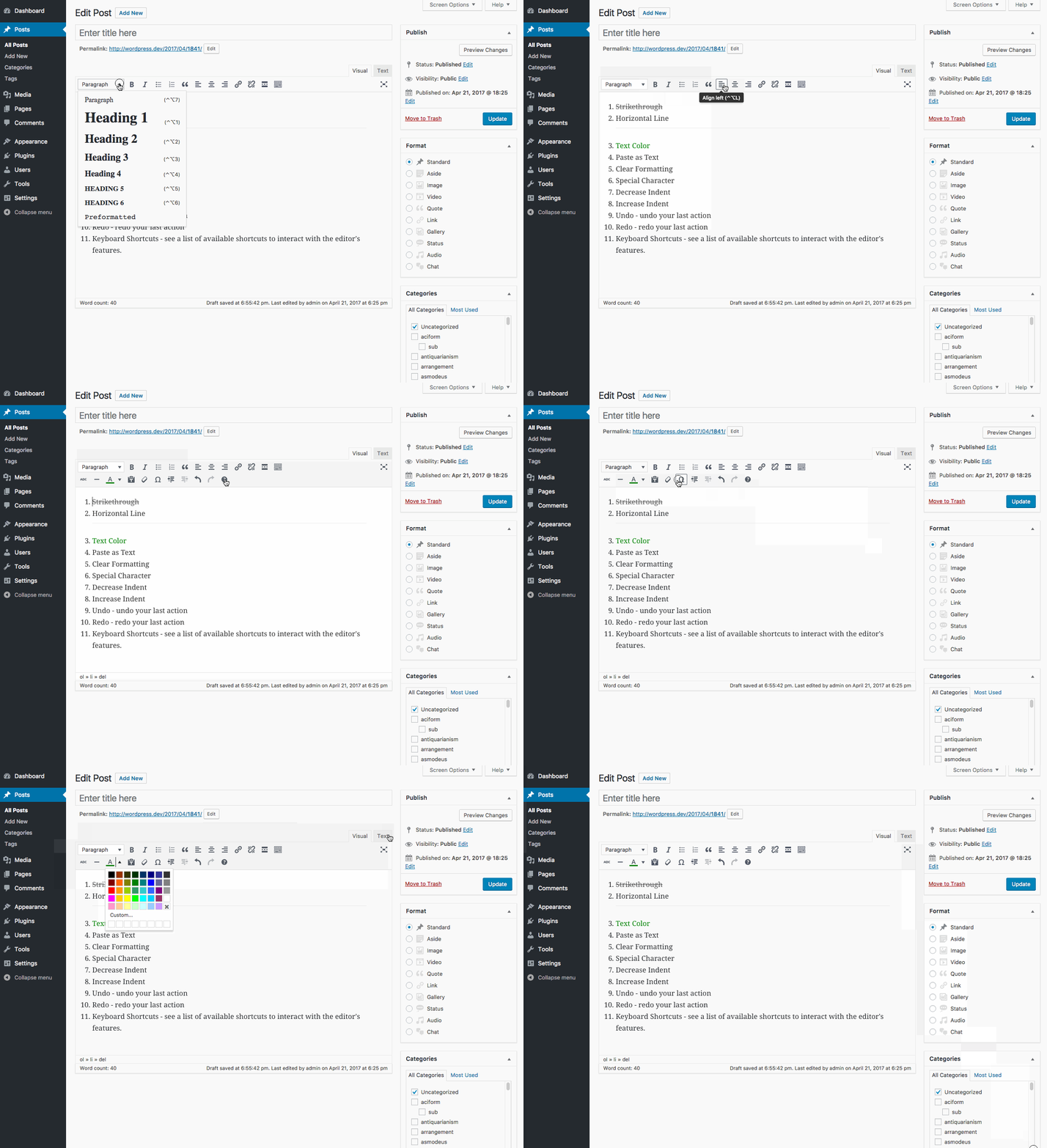
I did not see any "indent text" button in the visual editor, as is shown here:
https://www.wpbeginner.com/beginners-guide/how-to-easily-indent-paragraphs-in-wordpress/
Hi there,
This should help:
https://make.wordpress.org/support/user-manual/content/editors/visual-editor/#row-2
Can you see the screenshot linked here?
https://www.christianityapplied.org/wp-content/uploads/2020/02/Generate-Press.jpg
These are the only options I am seeing. Should I be looking elsewhere?
I am not seeing all the options shown here:
https://make.wordpress.org/support/files/2009/08/WordPress-TinyMCE-overview.gif
Hi there,
the new Block editor doesn't include Indenting in the default Text Block - which is something i believe WP is addressing ...
In the meantime - add a Classic block to your page - this provides the missing toolbar you need.
Okay, so how do I add a Classic Block?
I went to the Block Manager and Classic Block is already checked. But I how do I get this Classic Block onto the page?
Should I install a plug-in like this?
https://wpism.com/old-classic-wordpress-editor-disable-gutenberg/
Okay, I figured out how to insert the Classic Block on the page and it worked.
Thank you.
Glad you got it working :)