
Archived topic
Hook in Elements stopped working after switching from Marketer to Inbound Theme
3 replies · Started by Benny on March 28, 2023
Hello GP Team,
over the weekend I switched from Marketer theme to the new Inbound theme.
As I expected, all plugins were deactivated including the Code Snippets plugin etc.
I activated all plugins again but since then all previous hooks are not working anymore. New created ones are also not working.
Hook : generate_after_entry_content
Run shortcodes is activated, run PHP also, priority and everything set.
Again it was all working fine before switching to "Inbound".
Snippet to execute PHP in hooks also activated.
add_filter( 'generate_hooks_execute_php', '__return_true' );
I dont know what is going on
Hi there,
the Inbound site is built using Block Elements including a Content Template for the single post:
https://docs.generatepress.com/article/block-element-content-template/
Note: when viewing a post, page, archive etc. you can check the Admin Bar -> Elements menu for shortcuts to the elements loaded on that page. And all of them can be seen in Appearance > Element.
If you edit the Single post element then you can add any content you want after the Dynamic Content Block, including any shortcodes.
Thanks David,
Quick Edit: Hooks are not working for the in the places I used to have them. E.g. after_entry_content. But it works in other areas e.g. "after_primary_content_area".
I was using this " https://docs.generatepress.com/wp-content/uploads/2018/07/hooks-singlepost.png " to spot the positions. It seems that picture needs to be updated. At least for INBOUND
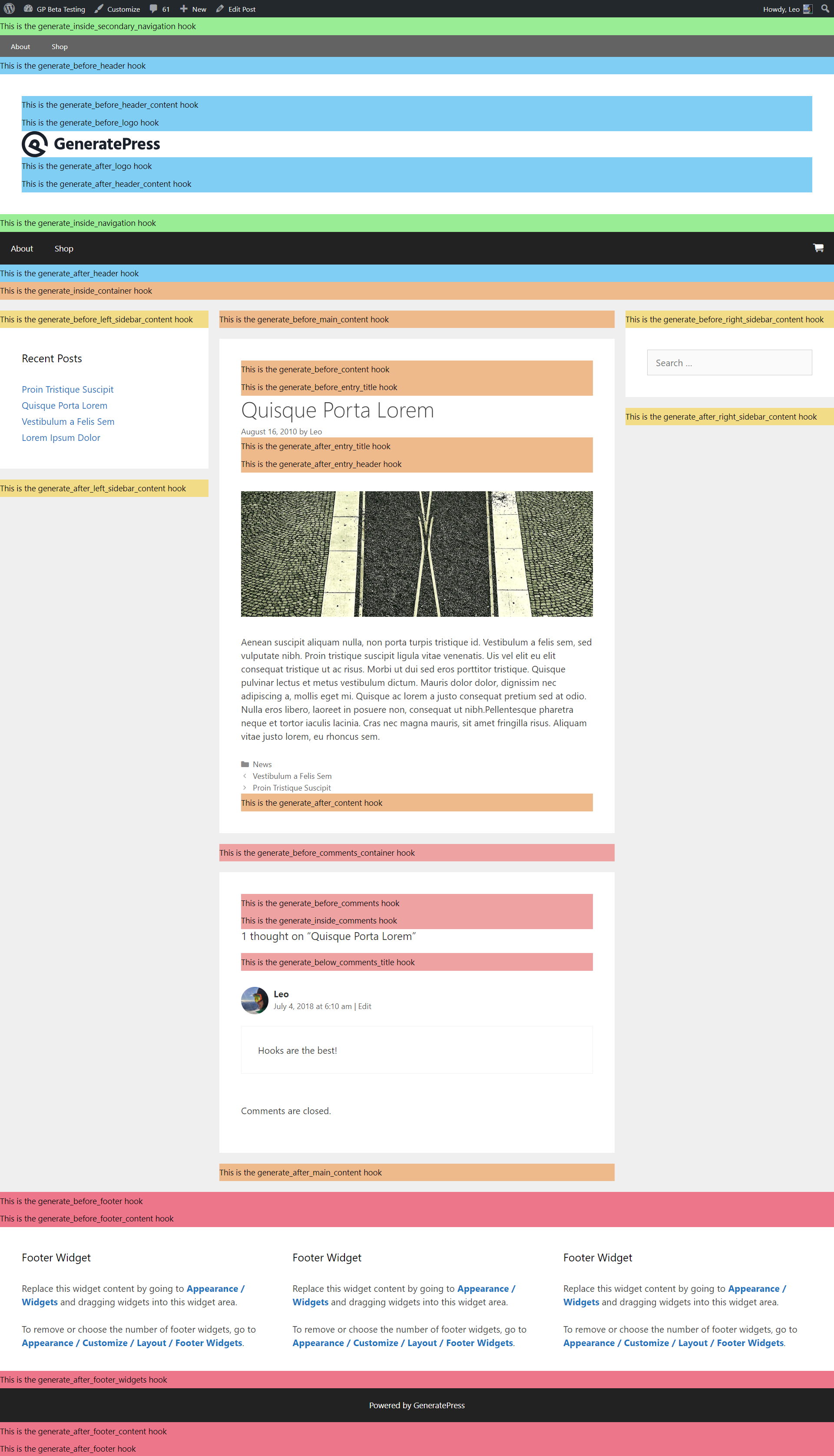
Thanks for your great work and quick response.
Regards
Yeah, we need to do some more docs relating to what happens if you use a Block Element - Content Template
Just to cover what that element does is it replaces the themes content-{post}.php and the after_entry_content is inside that template.
So we have some thinking to do.
But i am glad to hear you found a solution