Archived topic
Graphic will not show
11 replies · Started by Jeff on April 5, 2021
Hi
I would really appreciate if you would have a look at the post at:
https://crazyoverdogs.com/smart-buying-guides-for-dog-products/
The graphic with the words - " Please Check Below Our Smart Buying Guides For Dog Products In 2021" does not show on the page.
Can you please help me as I can't seem to get reusable blocks to work and I am trying to get around this problem by just adding graphics instead?
The access details are below. Look forward to your valued reply
Jeff
Hi Jeff,
Not sure if I understand the issue here.
I've searched the phrase "Our Smart Buying Guides For Dog Products In 2021" but don't see a result in the linked page.
Can you confirm?
Leo
That is the problem. It shows on the edit page, but not on the linked page.
Can you help, please?
Jeff
This is unlikely a theme issue.
Have you tried disabling all plugins to test?
Hi
I don't think so, because when I copy the graphic to a new post it copies okay.
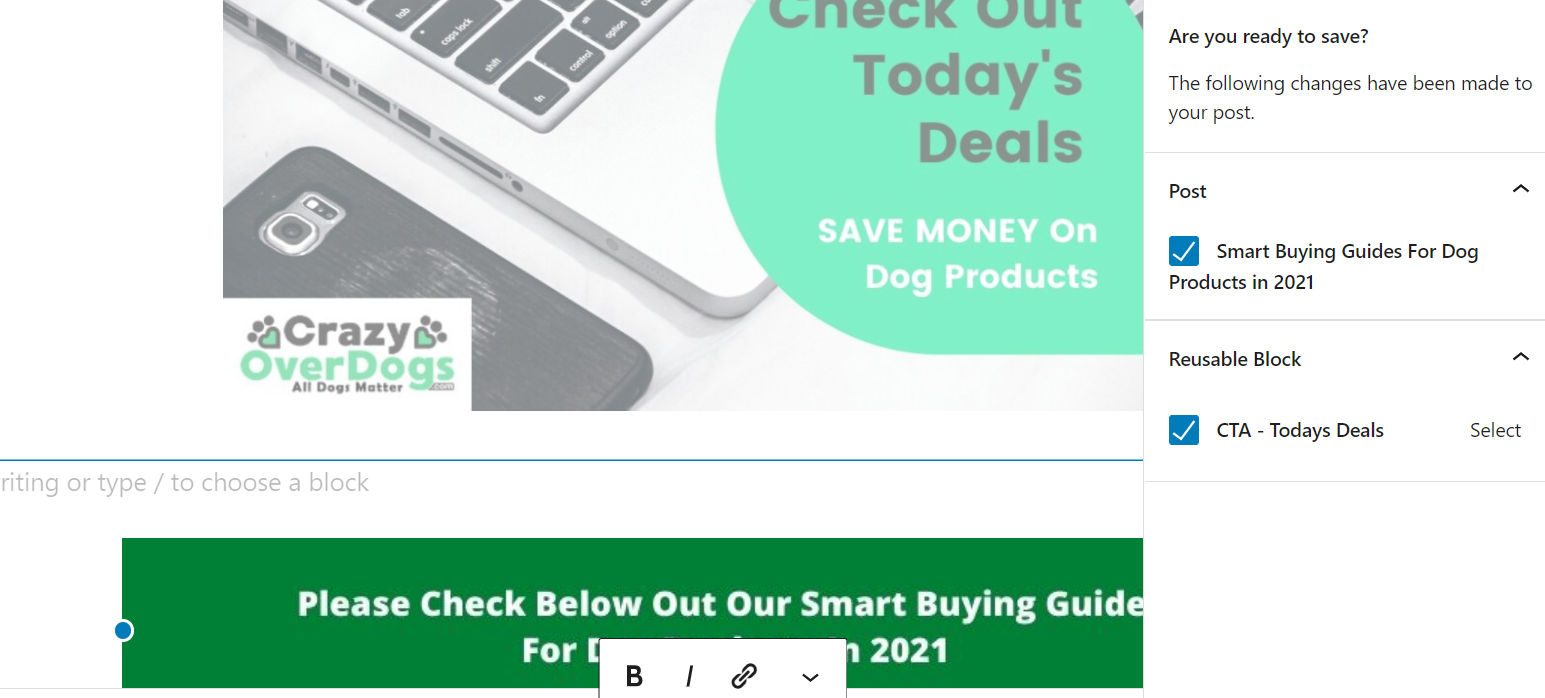
It's just on this page when I try to save it, it also brings up on the right hand side:
-----------------------
Are you ready to save?
The following changes have been made to your post.
Post:
( Box which is ticked) - Smart Buying Guides for Dog Products in 2021:
_____________________________________-
Reusable Block:
( Box which is ticked) - CTA - Todays Deals - Select
_________________________________
If I untick the CTA - Todays deals, nothing can be saved. The unusual thing is that there are no reusable blocks as I deleted them all.
It does not do this when I copied the graphics to a new post as mentioned above.
I wish I could attach a screenshot, but I don't know-how on this system
Hope this has explained the problem better and look forward to your valued help
Jeff
Hi there,
you can share screenshots using any image sharing site such as imgur or save the image to your media library or a cloud share drive and provide us the URL.
Hi David
Here is the link to the screenshot. - https://crazyoverdogs.com/?p=20009&preview=true
Really hope it can help.
Jeff
Hi there,
that link takes me to a Not Found page ... if you have the screenshot in your Media Library - select the image in the library and to the right you should see the full url for the image. Provide us with that URL
Hi David
Sorry about this. Here is the URL from the media library:
http://crazyoverdogs.com/wp-content/uploads/2021/04/saving-graphic.png
Jeff
Any chance you can disable all plugins to test first?
If it still doesn't work, does the issue occur in a Twenty series WP theme?
Let me know :)
Leo
I worked with it and appeared to sort the problem
Jeff
Glad to hear :)