Archived topic
GP3 & GP Premium Beta - CLS issues on mobile
12 replies · Started by Kumar on September 23, 2020
Hi GP team,
I am hoping this is the right forum for addressing GP3 theme & GP Premium Beta testing issues.
I noticed
1. ) CLS issues on Mobile
<button class="menu-toggle" aria-controls="mobile-menu" aria-expanded="false"> - 0.0019
Open Search Bar
- 0.009
Its was "0" before the update.
Thanks
Kumar
Hi there,
looking at the network waterfall report - your logo is loading later then the content. Which is causing the layout shift in the mobile header, causing the mobile toggle to move to a new line.
I can't see any lazyloaded being applied to that - which is generally the issue - however it is being coverted to a webp image which may be the issue.
The rest of the CLS issues are to do with content in the post - if you check the site in the developer browser tools, set the Network to Slow 3g and reload you will see the elements that are restyled after load.
This all seems to be related to how the optimizations are configured.
Thanks for the prompt reply, David.
I have the code enabled for the hamburger issue as per the below support topic. Could this be the issue?
https://generatepress.com/forums/topic/mobile-hamburger-on-the-next-row/#post-1452498
All my images are already converted to webp by shortpixel, so why would it convert at the point of loading?
Thanks
Kumar
That lazy load filter is working as the logo isn't being lazy loaded - there is just a delay in getting the image. I am not sure how ShortPixel works, but one thing it will do is check for webp browser support - as on unsupported browsers its loading the PNG
Can you exclude the logo from short pixel?
Appreciate your time on this, David
Yes, they have this feature on shortpixel, which I have added. and cleared cache at serverlevel and cloudflare but no luck.
https://snipboard.io/IfVYR5.jpg
Am I missing something? Any other solution to resolve this issue?
Thanks
Kumar
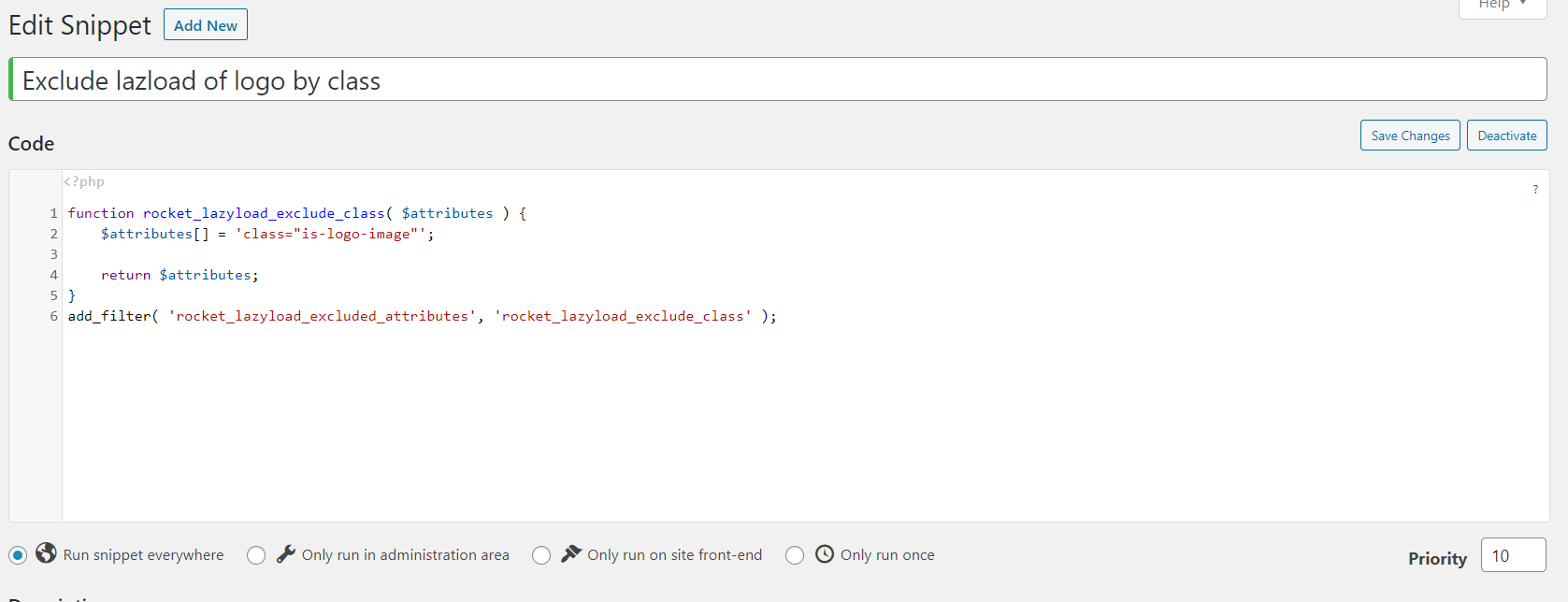
Now the logo is being lazyloaded - if you can exclude lazy loading by CSS Class then you can use the is-logo-image class
Hi David,
This is already enabled code snippet plugin:
https://snipboard.io/NkcAfV.jpg
That should be working.
Try clearing any server level Page Caching.
If thats no the issue then something is up with how WP Rocket behaves. Not sure if you can disable and re-enable the option.
Hi David,
Thank you. I have disabled the plugin (link in private box) and also cleared all cache but no change. Could it be a size issue? what is the ideal logo size for GP mobile theme?
Thanks
Kumar
Could it be phone screen syncing - pls check this?
Iphone
https://snipboard.io/ICMW6V.jpg
Android/Samsung
https://snipboard.io/cfKPJm.jpg
Thanks
Kumar
I just ran lighthouse on the link you supplied above and the CLS is 0.
The screenshot issue is because there isn't much room between the logo and other items.
You can:
a) Use a different logo (an icon vs the whole logo)
b) Remove the mobile menu label
c) Reduce the mobile menu item width
Let us know :)
Thanks Tom, its a pleasure. Love the amazing work you guys are doing on GP. I was using Divi prior to this - moving to GP was one of the best thing we did for our website!
We used option 3 and it fixed the issue. Yes, you're right CLS is also fixed.
Thanks
Kumar
Awesome! Great to hear. Glad we could help :)