
Archived topic
GenerateBlocks Local Patterns (Local Templates) ordering in the block inserter
3 replies · Started by Elvis on July 10, 2022
Hello.
I love your local patterns, and I have developed a system of modules/components to manage and build pages consistently across the site. Love it. However, I have some 30 patterns and they are categorised (in my head) as:
1. full sections (with grid, queries ... whatnot)
2. widgets (functionality elements such as a predesigned posts list, cpt grid ... accordion built with gb ...)
3. low level parts, containers and grids with predesigned widths colours, spacings etc.
I would love to order them in this order as, for example third category of patterns is basically only for me to use (team is fairly large), and should really not be prominent. Sections should be on top because they are basically done ... you get the point.
However I am unable to control their order, as they seem to be ordered on post date, which makes littles sense due to the function of the particular local patterns post type function. I have tried controlling this via pre_get_posts function to assign order by title, which works on the Admin > GenerateBlocks > Local patterns page but it has no effect on where it matters, which is in the block inserter.
Is there a way to affect the orderby there? Is the a way I can assign some tax terms to organize them, can I turn the post type to hierarchical (like page) so that i can use menu_order ...
Thanks

thumbnails for local templates (work in progress)
Hi Elvis,
Can you open a support ticket here?
https://generateblocks.com/support/
That's an excellent question and likely a feature suggestion :)
Thanks!
Sure,
i submited the ticket now.
Sorry for posting about block editor here, but I've found support on this forum is MUCH quicker then in GB forum.
tnx
Elvis
PS
Here is the image of the inserter, just so this thread remains clear for others:
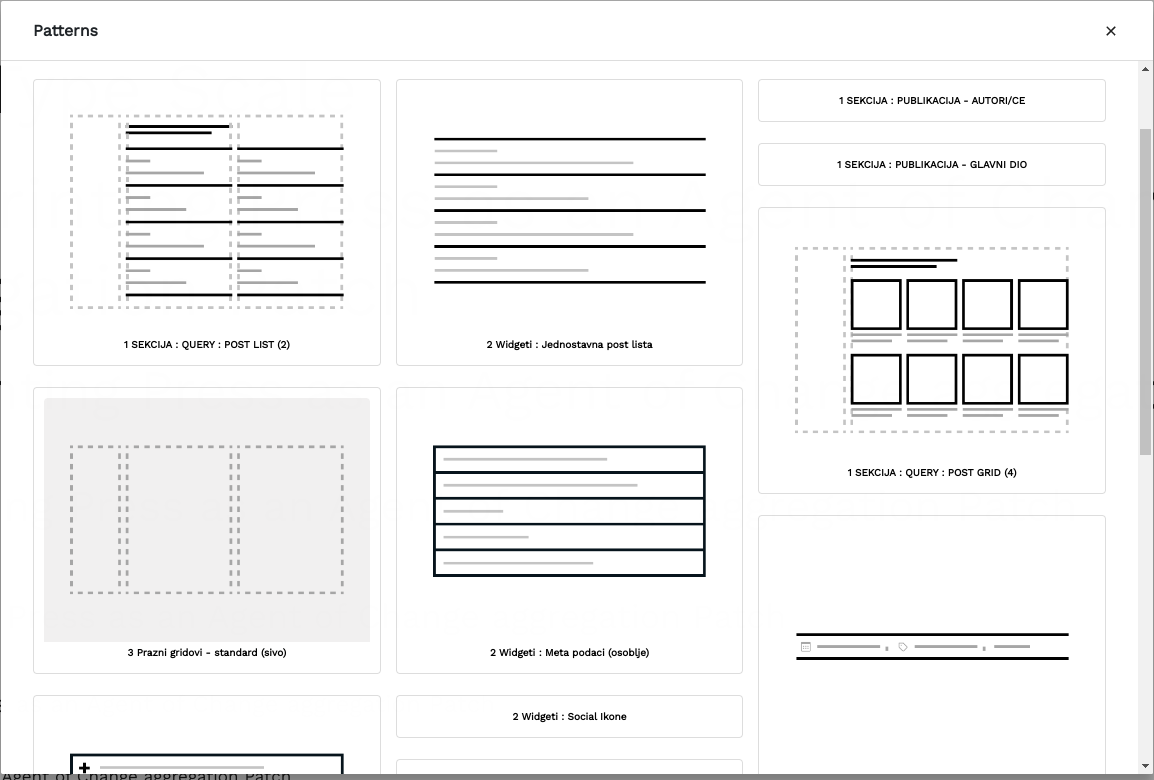
And here is how it looks in the admin (after I modified it with pre_get_posts)

Thanks!
