
Archived topic
Elements not opening in Block Editor
5 replies · Started by Mattias on February 16, 2023
GenerateBlock 1.6.0 installed and active
Site health Good
I cannot understand why elements do not open in BlockEditor.
Also, what is the original size of the Global Page Header image for Wordsmith?
All the best
Mattias
Hi there,
I cannot understand why elements do not open in BlockEditor.
Not sure if I fully understand - we've never heard of this issue before.
Are you getting any specific errors?
Also, what is the original size of the Global Page Header image for Wordsmith?
Please open a new topic for the separate question.
Thanks!
Hi again
I want to be able to edit Elements in Block editor.
Please see below:
In Dashboard:
1. Appearance > Elements
2. Click Edit on the Element I want to edit
3. I get the view below:
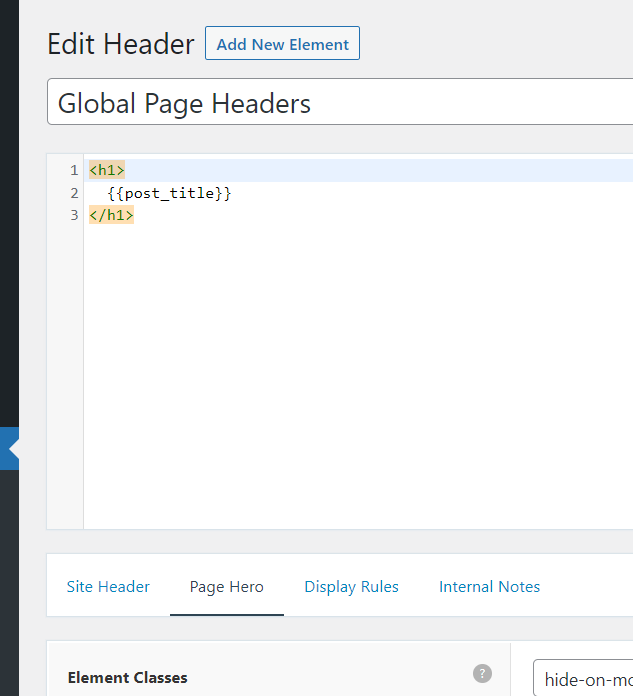
Hi there,
that is a Header Element, its the legacy system that uses text / HTML.
Use a Block Element instead:
https://docs.generatepress.com/article/block-element-overview/
Thanks!
You're welcome