
Archived topic
Elements GB block container not showing full width
8 replies · Started by Peter on January 11, 2023
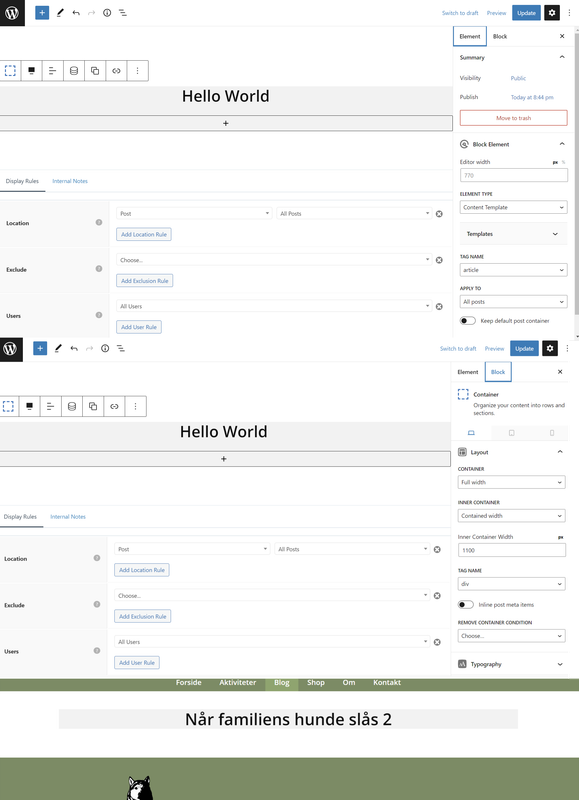
In Elements I have made a block for posts.
I have an issue with a GB container in Elements > Block, how not will show up in full width. It does correct when I build it in elements – but not on the page…
I have done the same things before and on the same site I have made the footer without no problems. I must have overlooked something....
Hi there,
Any chance you can link us to the page in question?
You can use the private information field:
https://docs.generatepress.com/article/using-the-premium-support-forum/#private-information
Let me know :)
Of course :-)
Can you explain what you are trying to achieve here?
Are you actually trying to create a content template for single posts?
With the element “blogpost” I will create a single post for some post categories.
With the element “blogside” I will create an archive page for the post category “blog” for blogpost use.
The category “blog” will contain the blog. Later I will use other categories for other purposes.
Ok I just want to make sure content template is actually what you needed.
In order to create a full width layout, the theme container needs to be full width:
https://docs.generatepress.com/article/content-container/
You can set it globally with a layout element:
https://docs.generatepress.com/article/content-container/#apply-the-option-to-multiple-pages-or-globally
Thank you very much, Leo.
I had forgot all about setting the Content Area to Full Width in a Layout Element.
Now it works as I like.
No problem :)