Archived topic
Effects
3 replies · Started by Charles on February 28, 2023
Hi,
https://youtu.be/YBuQAwgbTMA?t=583 In this video Adam goes to Effects - but in my version of Generatepress I cannot see it. There is a reference to Styles - but when I go there - these settings are not visible.
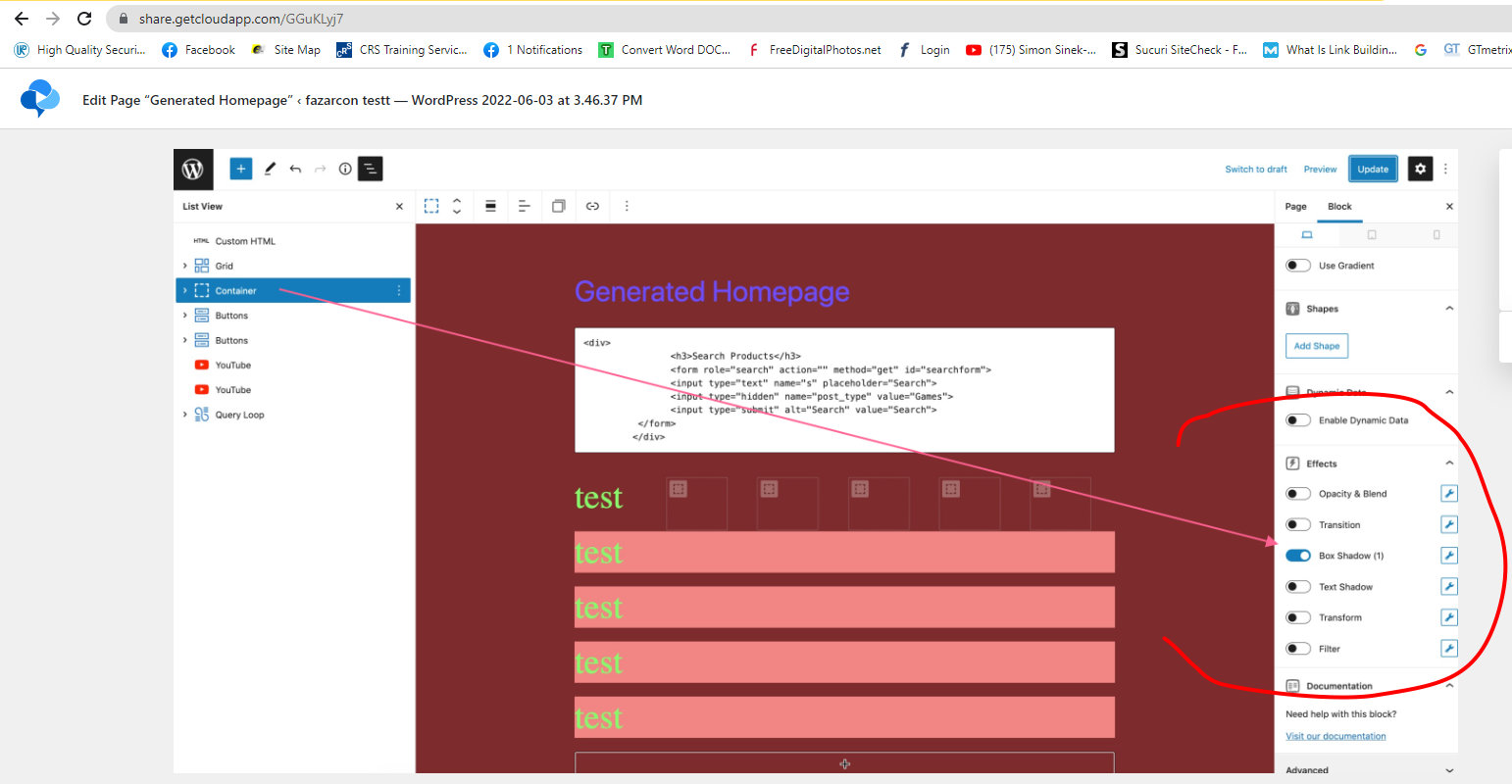
Any help as to where they have gone much appreciated.
Many thanks
Charles
Hi Charles,
The Effects options require GenerateBlocks pro:
https://docs.generateblocks.com/article/effects-overview/
https://generateblocks.com/pro/
Make sure you have it installed and activated.
Let me know if this helps :)
Hi Leo,
OK - many thanks. I am probably the dimmest person who uses Generatepress but I was not aware of the Pro version. I have been using the Premium version for a few years and have been using the GenerateBlocks a bit. I was aware I was not using it as much as I could. I grew up using .asp and include files and have taken a bit of time to get in to what GenerateBlocks can offer. I think this could do with a bit more marketing to get the word out.
I have signed up for the 250 sites $99 as I guess I will end up adding this to more than 10 sites in the next 12-months.
One last point when you sign up in the UK for the Generatepress the drop down options for County is "Wrong". Birmingham is in the county of the West Midlands - but that is not an option you have to choose Birmingham again to proceed.
Anyway thanks to you and the team for constantly extending what Generatepress can do.
Kind regards
Charles
One last point when you sign up in the UK for the Generatepress the drop down options for County is “Wrong”. Birmingham is in the county of the West Midlands – but that is not an option you have to choose Birmingham again to proceed.
I'll take a closer look at this.
Thanks!