
Archived topic
Disable Elements not Showing as Option on New Pages
16 replies · Started by Sharon Vargas on December 26, 2021
Disable Elements is not showing. I have tried deactivating Plug-ins and this is not the problem.
I would like to disable the Page Title.
Website: http://www.thejournalbox.com
Generate Press and Elemetor
Hi there,
Looks like the entire site is built with Elementor including the header and footer so the theme doesn't have any control over it.
Is there a specific page you are referring to?
Let me know :)
Hi,
How can I send screen shots?? I have 2 attachments to send??
Attachment Onee is what I see on right to disable elements. I have this on all sites I build. It normally appears after I add GeneratePress Premium Plug-in.
Attachment Two is what I am seeing on http://www.thejournalbox.com when I create a new Page.GeneratePress Premium is activated. There are no disable options.
I need to disable Header and other elements. Trying to find out why the option is not available.
Thx
Hi there,
you need to save the screenshots on a sharedrive, an image sharing site, your WP Media Library etc... and then provide is with the URL to the image.
I have placed the 2 mentioned files in the WP Media Library.
The problem is "Disable Elements" is not showing when attempting to create a New Page.
It's not an option. How can I get these options back. I want to create a page and disable the Title.
Thx!
I'm not seeing any screenshots here - you need to provide the link to the files you've uploaded in the media library.
Here is another option:
https://docs.generatepress.com/article/using-the-premium-support-forum/#uploading-screenshots
You stated to put them in the WP Media Library on the site. I did. They are titled One & Two.
The problem is the "Disable Elements"activated in the GP Premium Configuration is not working on the site.
http://www.thejournalbox.com
Site login info below in the the private section.
If necessary, please write me a sv5422@comcast.net and I can again provide you with the site access to get the files.
I just logged in to your site, created a new page and am seeing the Disable Elements metabox:
https://www.screencast.com/t/vTXGTMAlu0
Thank you for the screen shot!
I am not seeing this on my end. Must be something in my system.
Again, Thank you for checking.
That is super strange.
Maybe try a different browser?
Working on it. I have been in both Safari and Chrome.
The screen shots are from Safari.
I used Chrome.
Maybe try the incognito mode so there isn't a extension conflict - haven't heard one before though.
Heya,
Was having this issue, albeit I think what was wrong in my case was something else. WP dash has a weird thing of having ID's of two very different elements be the same.
First off are the columns in the main view. They are ID'd as "postbox-container-n" with n being a number.
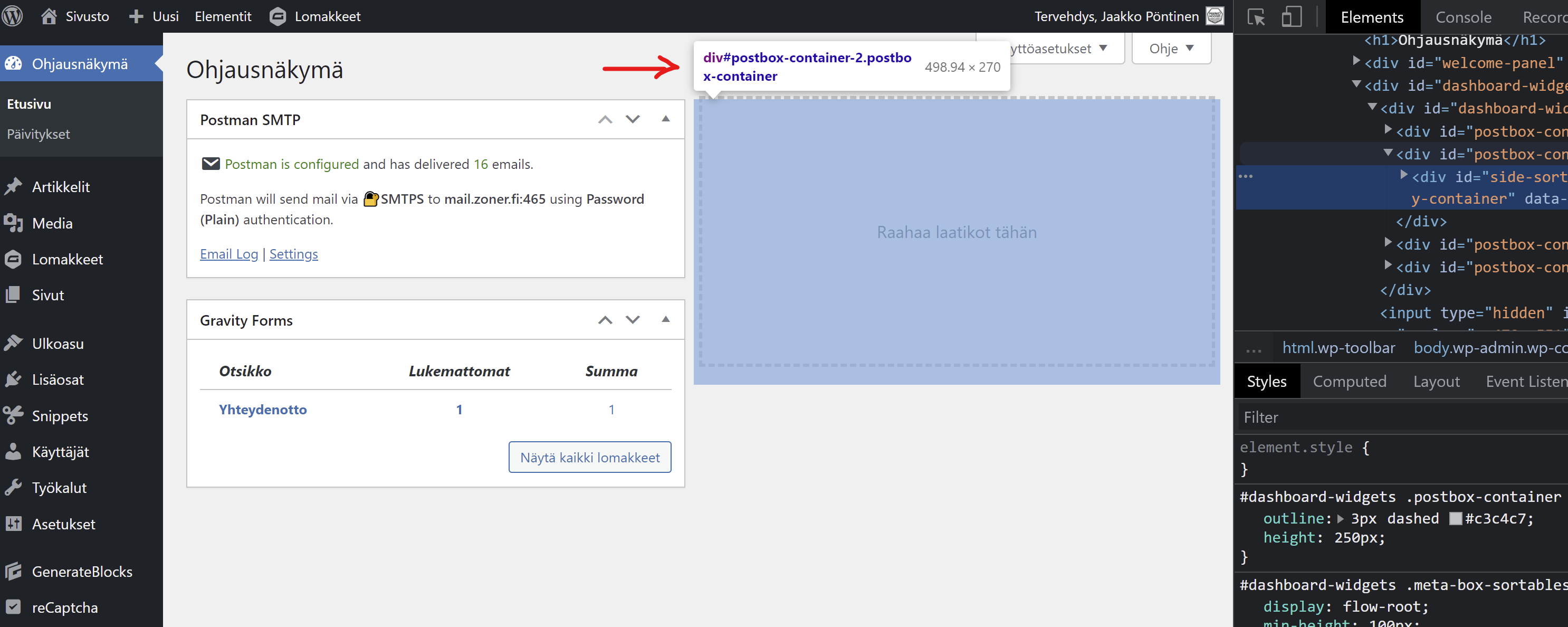
Secondly, in the post editor's sidebar - the sidebar itself is cut into elements that have the same ID:
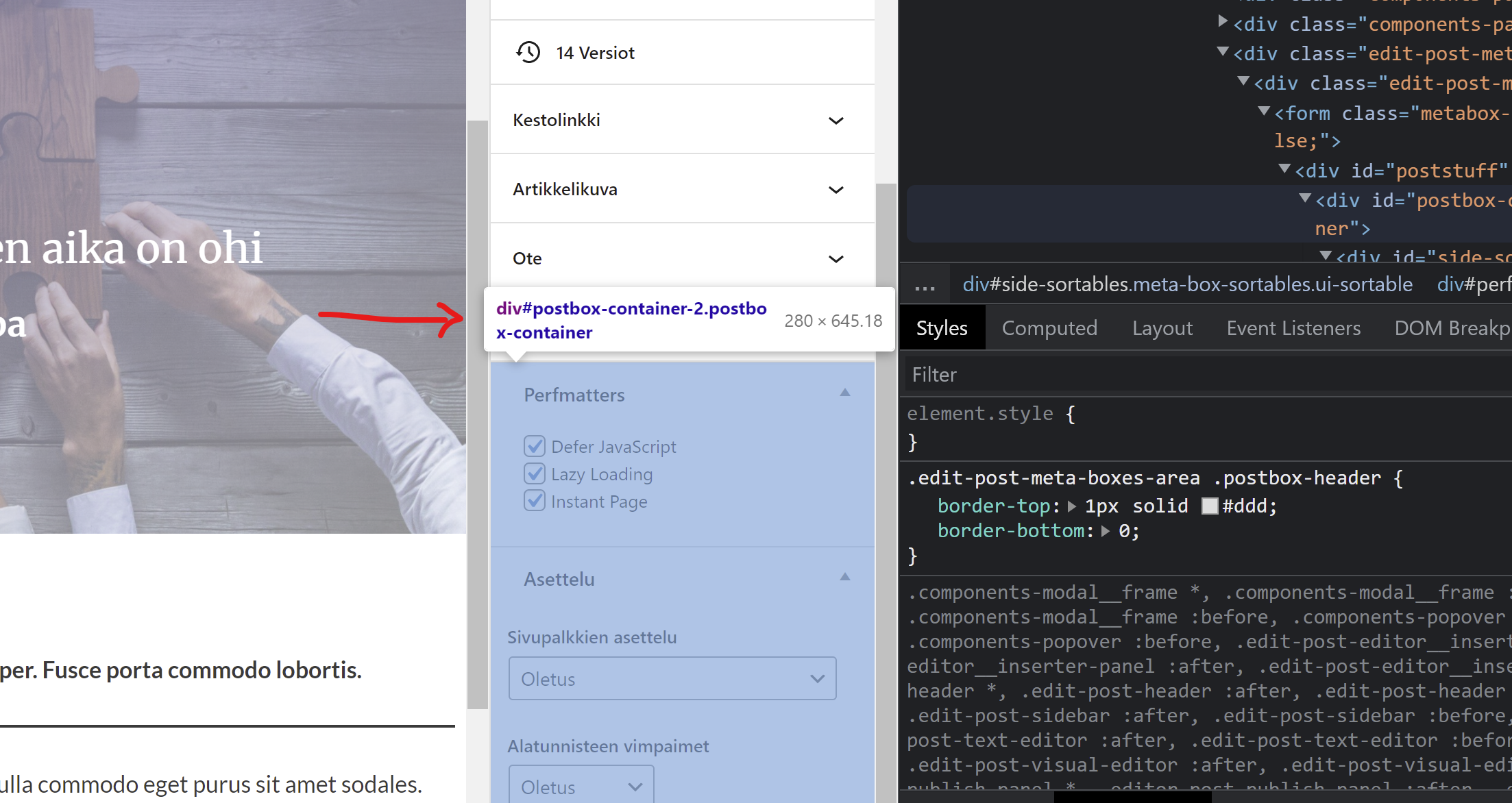
What was the issue? Well, I echo CSS into admin via a hook to hide stuff I deem useless for me and/or my clients. The WP Dashboard is definately a target of mine, since "calling card"-esque websites rarely need post/comment information and/or site health checks (have that Twenty-Twentytwo-theme ready or your health won't be 100% - what a bunch of..). One problem is that hiding the empty "Drag your content here" areas from the dash uses just that ID :)
I get that in both of the cases mentioned above, the areas ARE "postbox-areas" in some way, but sharing the ID still seems less than ideal. Below is the PHP snippet I use for the echo, just as further context.
add_action('admin_head', 'mm_add_admin_css');
function mm_add_admin_css() {
	echo 	'<style>
		#dashboard_site_health,
		#dashboard_right_now,
		#dashboard_primary,
		#dashboard_quick_press,
		#dashboard_activity,
		#welcome-panel,
		#postbox-container-2,
		#postbox-container-3,
		#postbox-container-4 {
			display: none
		}
		</style>';
}Hi there,
what if you make your selectors more specifc eg.
#dashboard-widget #postbox-container-2
That will then just target that element in the #dashboard-widget container.
Hey David,
Yeah, I naturally did that after noticing this strange shared-ID-thing. I used the main dashboard page's body "index-php" class.
- JP