Archived topic
Disable elements
13 replies · Started by Charles on March 13, 2023
I thought I had disabled both the breadcrumbs and the featured image on this post, but they are both still showing. What did I do wrong?
Thank you.
Hi there,
can you try clearing any plugin and browser caches.
I did try that -- seems the same even in incognito mode.
Hi Charles,
What are you seeing? Can you share a screenshot?
I tried looking and I'm not seeing the Breadcrumbs nor the Featured image from my end.
I'm still seeing both featured image and breadcrumb. You're not?
https://gettysburgconnection.org/wp-content/uploads/2023/03/gp-1.jpg
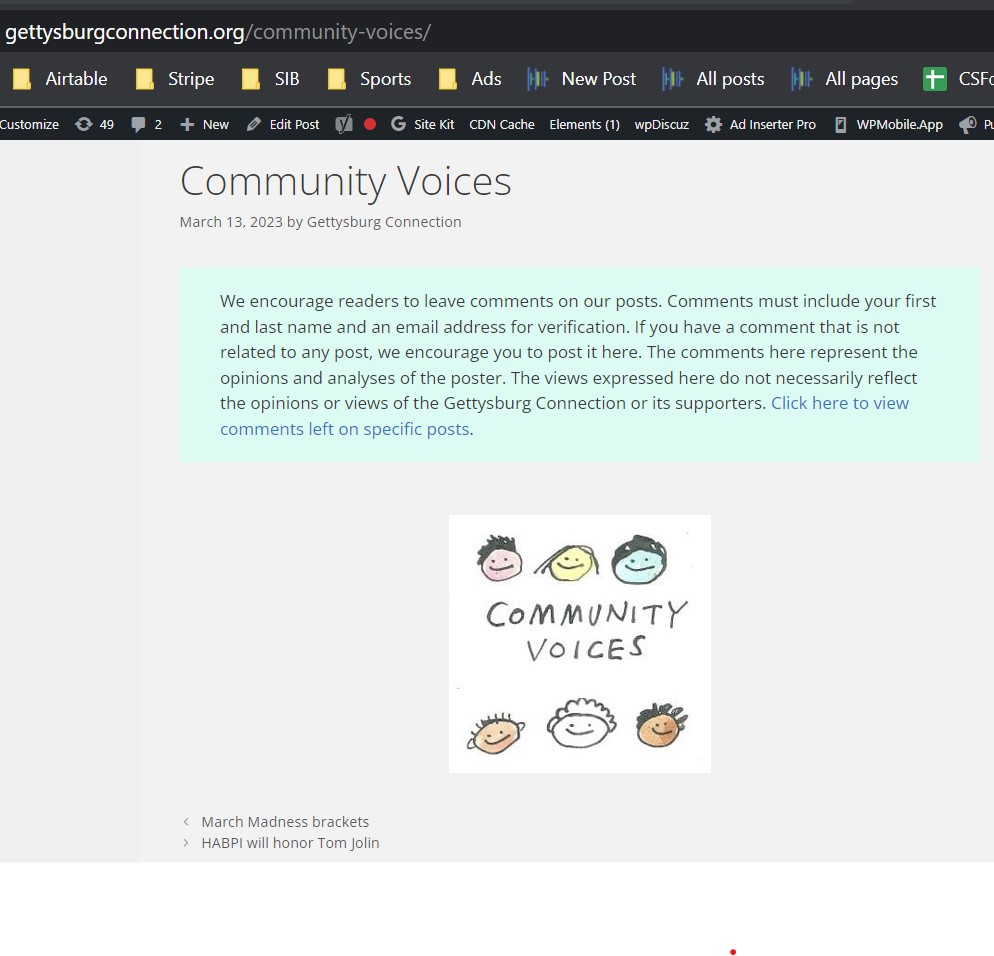
Hi Charles,
In your screenshot, I don't see breadcrumbs or a featured image, we're seeing the same as what you are seeing.
1. The theme doesn't have a breadcrumbs option.
2. The image is just an image, not the featured image added by the theme.
Hi Ying,
Well, it is a featured image. When I remove the featured image it goes away on the post.
I was confusing breadcrumbs with previous/next (.navigation.pagination). Can I turn that off on one post?
Thank you!
I was confusing breadcrumbs with previous/next (.navigation.pagination). Can I turn that off on one post?
Yes, you can turn off the post navigation by unchecking the box at customizer > layout > content > single > Display post navigation.
When I remove the featured image it goes away on the post.
Do you mean removing the featured image from the featured image panel?
https://wordpress.com/support/featured-images/
That's odd, I don't see any featured image mark up in the image showing on your post, it looks like a regular image added to the post's content area.
Any chance you can provide an admin login via the private info field so we can take a look at the backend?
Let me know!
Here you go.
Hi Charles,
For the Featured Image, you can disable it from the Post Settings. Example: https://share.getcloudapp.com/v1uPDlmo
As for the Post Navigation, you can try adding this through Appearance > Customize > Additional CSS:
.postid-60181 footer.entry-meta .post-navigation{
    display: none;
}But I've selected disable featured image and it keeps showing.
It might be added by a plugin you have.
You can try #1 here to test: https://docs.generatepress.com/article/debugging-tips/
Alternatively, you can try modifying the code above with this:
.postid-60181 footer.entry-meta .post-navigation, .postid-60181 .entry-content img.wp-post-image{
    display: none;
}Thank you! Can you determine why there is so much space between the blue paragraph and the beginning of the Disqus comments on that post?
This space?: https://share.getcloudapp.com/GGu7kL4o
You have a plugin adding spacing along with other theme spacing.
Try adding this:
div#comments {
    padding-top: 0;
    margin-top: 0;
}