Archived topic
customize list
5 replies · Started by francesco on February 5, 2023
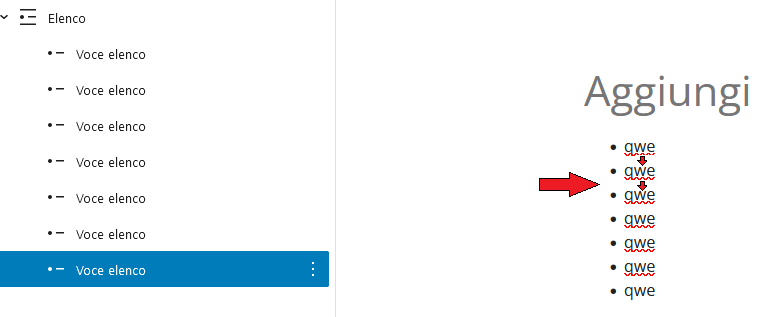
How can I custom of space the list element of the articles? for example by spacing the points more or less from the left edge and between the points themselves?
Hi there,
Any chance you can link us to the page in question?
You can use the private information field:
https://docs.generatepress.com/article/using-the-premium-support-forum/#private-information
Let me know :)
hi leo, done!
Hi there,
you can apply this CSS to style all UL lists in the page content:
#page ul li {
    margin-bottom: 1em !important;
    padding-left: 20px;
}
Or if you want to apply it to just specific lists use:
ul.custom-list li {
    margin-bottom: 1em !important;
    padding-left: 20px;
}
Then select the List Block, and in Advanced > Additional CSS Class(es) add: custom-list
hi david, margin-bottom works perfectly, but the desired effect of moving the points does not occur. I would like the list with the dots to move to the left (I would like this to happen for mobile screens mainly if possible).
This CSS for all lists:
#page ul {
    margin-left: 1.2em;
}
#page ul li {
    margin-bottom: 1em !important;
}
Or this for the specific list with the custom-list class:
ul.custom-list {
    margin-left: 1.2em;
}
ul.custom-list li {
    margin-bottom: 1em !important;
}