Archived topic
CONTENT TITLE
6 replies · Started by Carole on August 15, 2020
Hello,
I would like to:
1. Reduce the gap between the header and the Entry-header where the content title lives
2. Have a full-width background for the content title with a background colour F3F3F3 like here - https://snipboard.io/jAiEmc.jpg
3. Line the content title with the text
Snapshot - https://snipboard.io/R4loXg.jpg
Thanks
Carole
Hi there,
Any chance you can link us to the site in question?
You can edit the original topic and use the private URL field.
Let me know :)
Hello,
Can I set you as a user as my site is not live?
Carole
Hi there,
you can create a new user and send us the URL, User id and Password via the Account Issue form:
https://generatepress.com/contact/
Please also include the URL of this topic.
1. Try reducing the top content padding first:
https://docs.generatepress.com/article/content-padding/
You are also using the separate container option but maybe one container would work better?
https://docs.generatepress.com/article/content-layout/
2. Try this CSS:
h1.entry-title {
    background-color: #f3f3f3;
}
3. The screenshot isn't working. Can you double check?
Hello!
Thank you for your help! The padding issue is now sorted!
The screenshot that did not work is: https://snipboard.io/nmV8gt.jpg
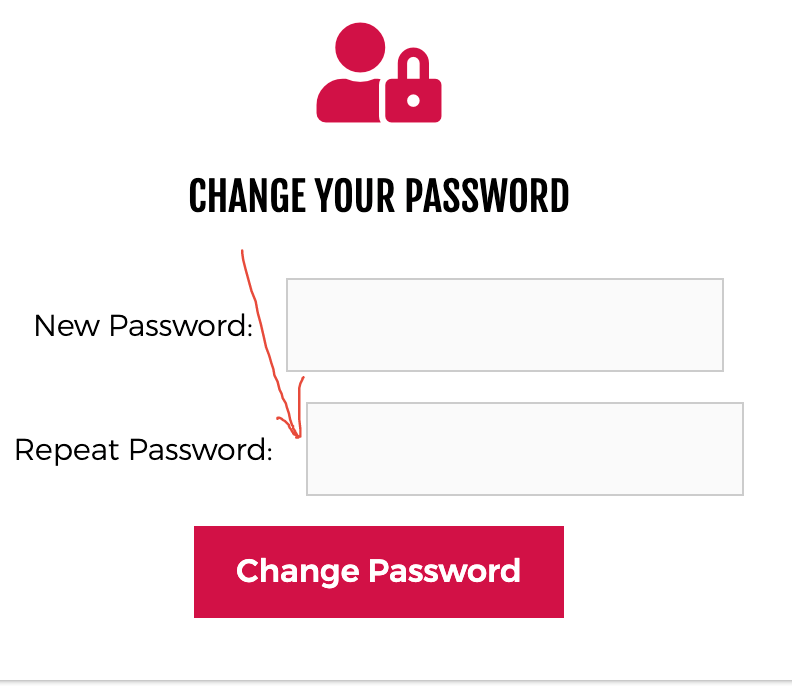
I now have another issue - I can't understand where the CSS is for it.
Anytime I have a form/boxes the second element's margin is different.
Eg - Pricing boxes - https://snipboard.io/hF7R4x.jpg
Password form - https://snipboard.io/t7oOpL.jpg
Email form - https://snipboard.io/8ovjTP.jpg
Thanks a million!
Carole
Hi there,
that looks like the form content is centred. If you can raise a new topic and share a link to your site where i can see the forms i'll see what we can do :)