Archived topic
Content Container "Full Width" not working when using Layout Element
3 replies · Started by Paul on April 7, 2023
Hello,
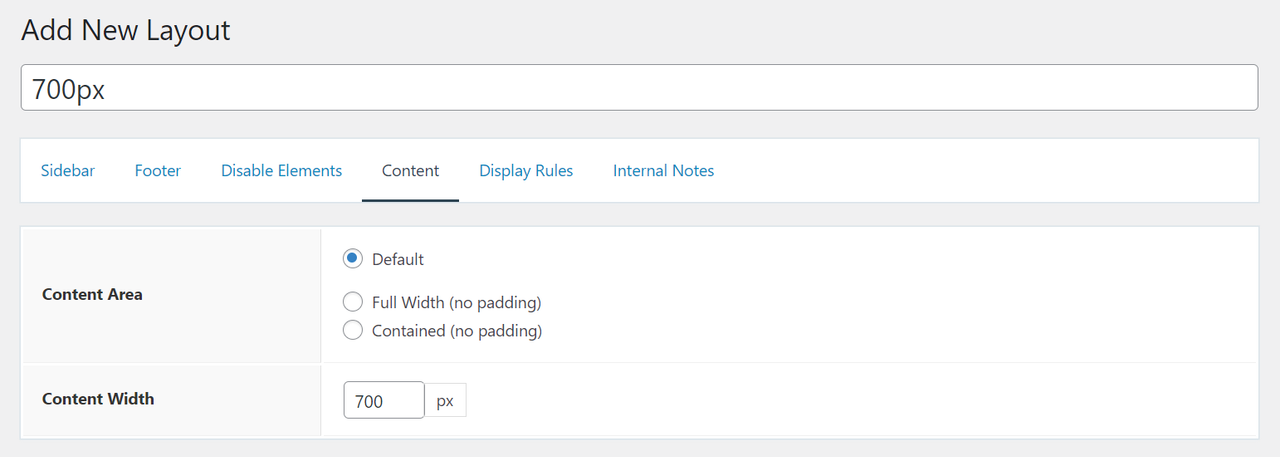
when using the option "Content Width" in a Layout Element, the setting of the Content Container of a page is ignored.
This is how the behaviour can be reproduced:
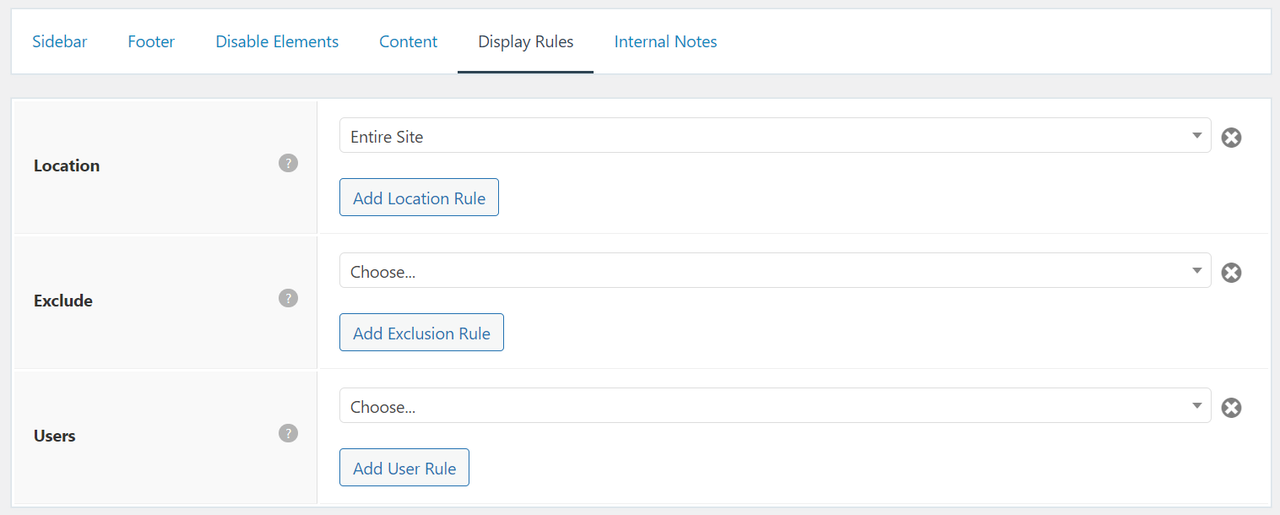
1. Create a new Layout Element and set the Content Width to e.g. 700px and the Location to "Entire Site".
2. Create a new page and set the Content Container to "Full Width".
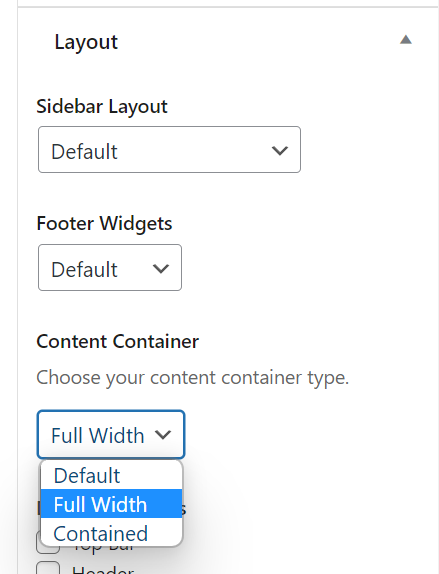
The width is limited to a maximum of 700px.
Tested with the latest WordPress, GeneratePress and GP Premium version.
Hi there,
( i think we could make this a little clearer ) the Content Container being set to 100% won't override the Content Width as that is a separate width that only affects the content within the container.
If possible limit the layout element to just where you need it.
OR if you want to force the content to be 100% then add this CSS:
.full-width-content #content {
    max-width: 100%;
}Hello David,
thank you very much for your answer.
Topic resolved. 🙂
You're welcome