Archived topic
Container, Inner container, whole width,
9 replies · Started by Roman on February 26, 2023
I have some troubles understanding the inner-container basics.
I'm struggling with

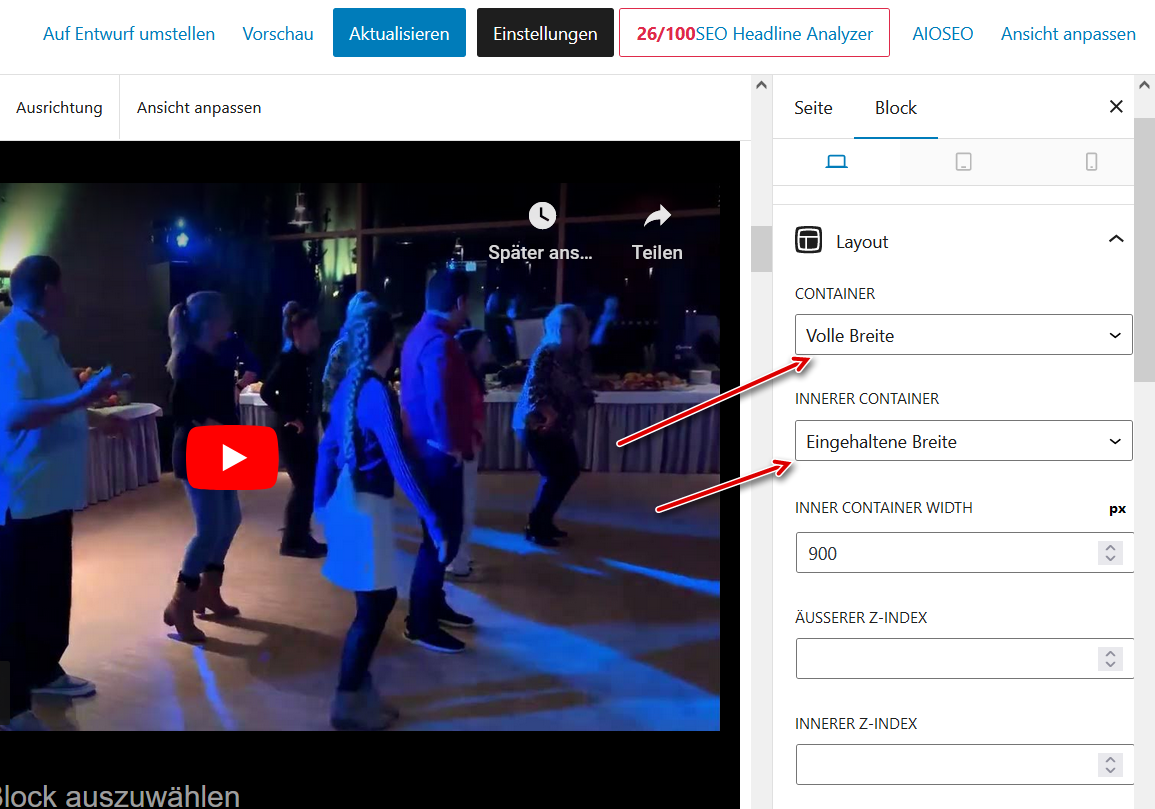
How can I distinguish the real container from the inner container, there ist only "Container" in the List on the left.
Please point me to the right place to read about it.
Hi Roman,
How can I distinguish the real container from the inner container, there ist only “Container” in the List on the left.
If you are seeing the inner container, you are using GB 1.6. Since GB 1.7, there's no inner container anymore.
Point me please to to the place, how to create inner-containers without using this word. I have some older pages with inner-container functionality but I do not know how to create new ones step by step. How should I tell the container it should be an inner container. My backround color fills only the innercontainer but not the parts on the left and right side.
see
https://dj-in-erfurt.de/vielen-dank-fuer-eure-nachricht-wir-melden-uns-zeitnah/
Hi there,
see your image here:
https://www.krakovic.de/inner1.png
You need to set the Content Container to Full Width.
Once thats done your container should fill the background.
Let me know
Hi David,
I still can't create a simple black Content Zone in the middle of the page.
Np after setting the Content Container to Full Width, the Content runs the the left and stays not whithin the 900 content zone.
What ist the Content Container controling?
Please help create a new page width 900 px content zone, everything in black. Can you enhance/correct me steps please?
************************************
create new page
+ > add new container
change container backclr to black
change container frontclr to white
create new text(paragraph)
type TEST TEST TEST
set Content Container to Full Width
publish
and it looks like this:
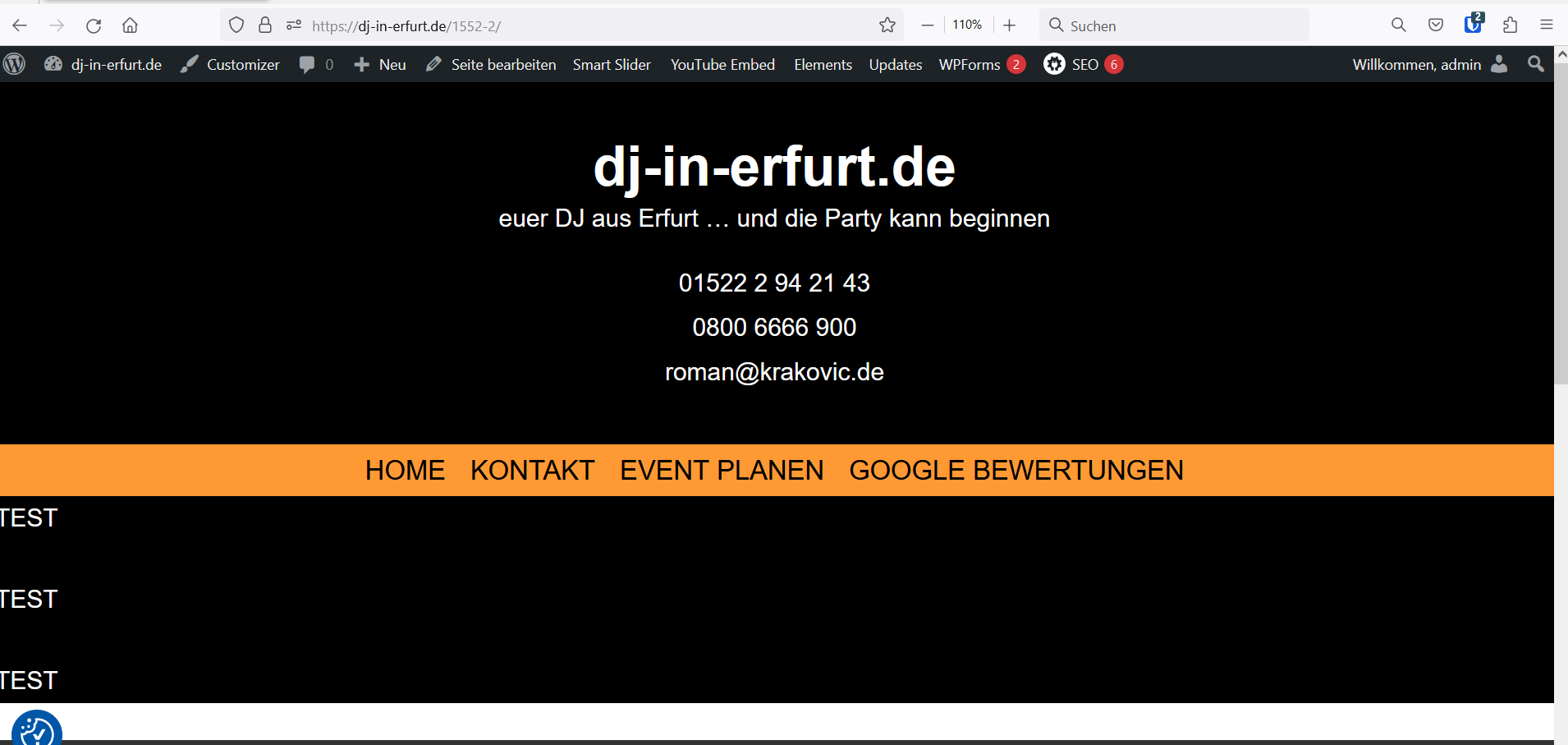
How to hold the content in the middle content zone?
I have GB 1.7
.... I tried to help me with the document base, it is still informing about container and inner-container.
Roman
David,
your answer
"If you are seeing the inner container, you are using GB 1.6. Since GB 1.7, there’s no inner container anymore."
ist not correct.
There is an inner-container with GB 1.7 too. I saw there are many many disappointed customers due to the changes in the containers.
This ist the correct to my problem:
I signed for the GB Support too.
Roman
See here:
https://www.screencast.com/t/iYzOjayz
If you follow those 3 steps, then you will have a Top Level Container and an Inner Container.
The Top Level Container you can add a Background and Padding too.
The Inner Container -> Sizing --> Max Width is set to the Global Width by default ( 1200px ). And will be centered inside the Top Level Container.
Perfect, thanks, I thing this helps other peole a lot.
Roman
Thanks for the information. I still have an issue with the mobile versions. I use the elements layout to create a full width page. But now the mobile uses full width also.
So for the new version I should remove the full width setting and then use container and inner container instead?
How do I get the first container to be full width? I only see the settings for Display and Position?
https://dust2clean.novahost.dk/butik/rengoeringsvogne/
Glad to hear that Roman.
Hi Dennis,
can you raise a new topic and i can take a closer look at your setup so i can give you the specific advise