
Archived topic
Change font size in sidebar
17 replies · Started by Dan on March 22, 2023
Hi - how can I change the font size in the right sidebar. The text appears smaller in the part that says site 'Barcelona Navigator is made possible thanks to our sponsors:':
https://barcelonanavigator.com/
thx
Hi Dan,
The font-size is actually set to 24 (without a unit) in the HTML:
https://www.screencast.com/t/V2u57CFXwnIm
This isn't something the theme does or controls.
Let me know if this helps :)
Hi - I just checked the font using whatfont and it says the font in the sidebar is 19 - that's the problem - I want it to be 24 so it matches the other text on the page.
Any suggestions as to what I can do?
I tried using html for font size with 24 and it blew the font up to some massive size.
Hi Dan,
Can you go to Appearance > Customize > Typography and add a rule for the Sidebar widget?
Example: https://share.getcloudapp.com/8Luqnoob
Set the Target element to Custom - body .sidebar .widget
I can't find it - I go to Appearance > Customize > Typography > Widgets
and I don't see the options you are referring to
Hi there,
the option Fernando refers to requires the Dynamic Typography to be active in GP:
https://docs.generatepress.com/article/dynamic-typography-overview/
Older sites have to be manually switched to the new system.
If you don't want to switch then use some CSS:
.sidebar .widget p,
.sidebar .widget a {
    font-size: 24px;
}Thanks David.
I tried adding that CSS and it almost worked, except that it did not change the font size for the final paragraph in the sidebar, you can see what I mean here:
https://barcelonanavigator.com/wp-content/uploads/2023/03/jj.png
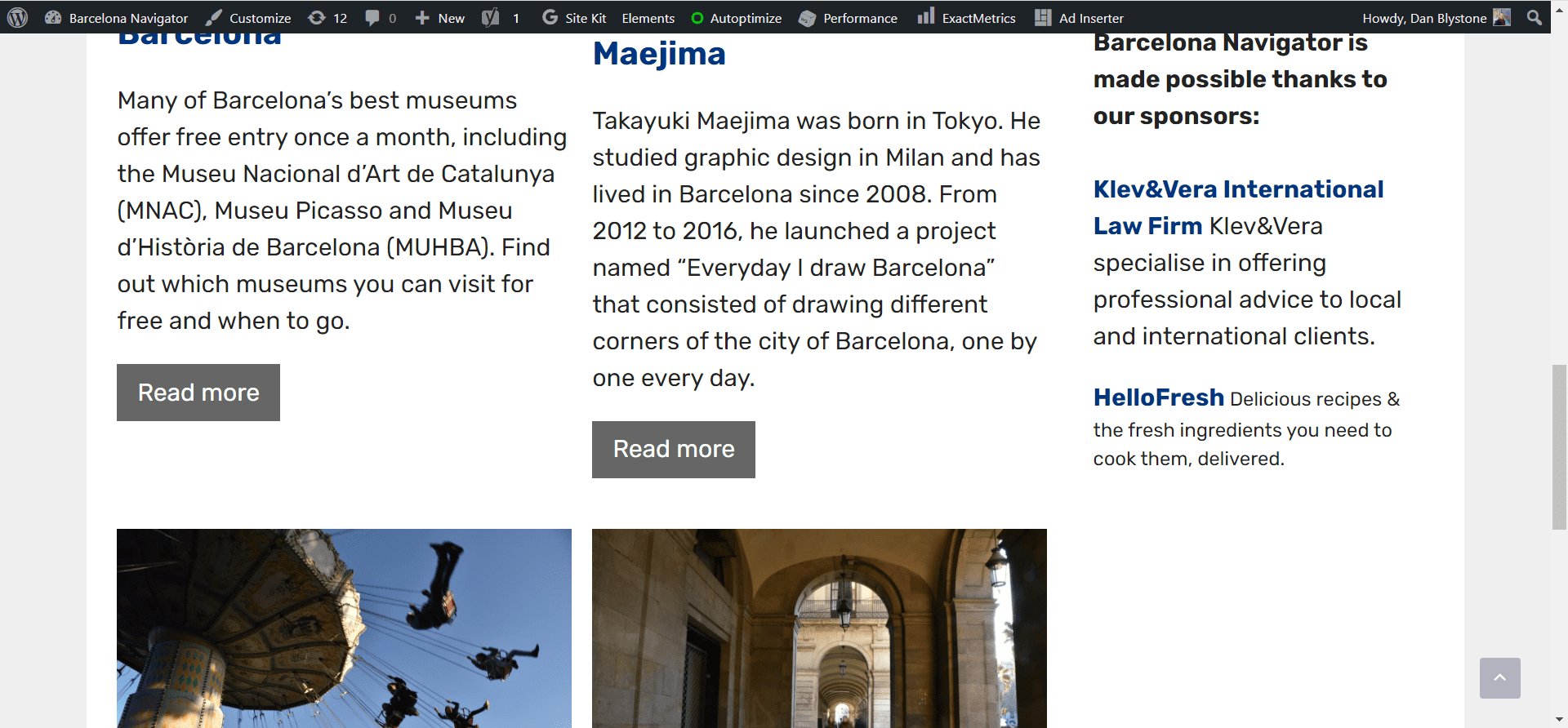
Hi Dan,
Just checked your site, the last paragraph in the sidebar has changed its font size:
https://www.screencast.com/t/yb6xohyb
Make sure you've cleared your browser cache.
Hi Ying, it looks different because I removed the CSS that David suggested
The text you are referring to is in a code block, why not add the font-size in its inline CSS along with the other styles?
https://www.screencast.com/t/RILX117zG
how do you do that?
I edited the HTML in the developer tool, it does not change any actual things on your site.
It's a code block, so you should be able to edit it as I did in appearance > widgets > right sidebar.
Let me know if you can't edit it :)
Hi Ying, when I go to appearance > widgets > right sidebar I don't see any way of editing the code as you described
It should be in the Block Settings. Can you provide admin login credentials so we can take a look?
Please use the Private Information field for this: https://docs.generatepress.com/article/using-the-premium-support-forum/#private-information
Hi Fernando - I don't see any options to edit CSS in the Block Settings
I shared my admin login credentials in the private information area
Thanks