Archived topic
Blank space above and below page title
8 replies · Started by Dan on March 11, 2021
Hi, I'm trying to improve the layout for this page, because there is a big blank space above and below the title:
https://www.traderslog.com/charts
I have tried adjusting the layout options within Generatepress, under container, container separator - which helps a bit, but it messes up the layout for my other regular posts.
Any suggestions on how I can fix this?
Thanks.
Hi Dan,
Try removing the empty paragraph inserted above the trading graph:
https://www.screencast.com/t/lTPHsUfAAU
Hi Dan,
The space comes from difference sources.
1. There's an empty paragraph in the content which needs to be removed.
https://www.screencast.com/t/RuyUui8f
2. There's a <br> element in the navigation which has 22px height but empty.
https://www.screencast.com/t/p1tzFKM3
There're other sources, but I think these 2 are the main factors that need to be removed.
how can I remove the empty paragraph? I don't see it from within the wordpress editor
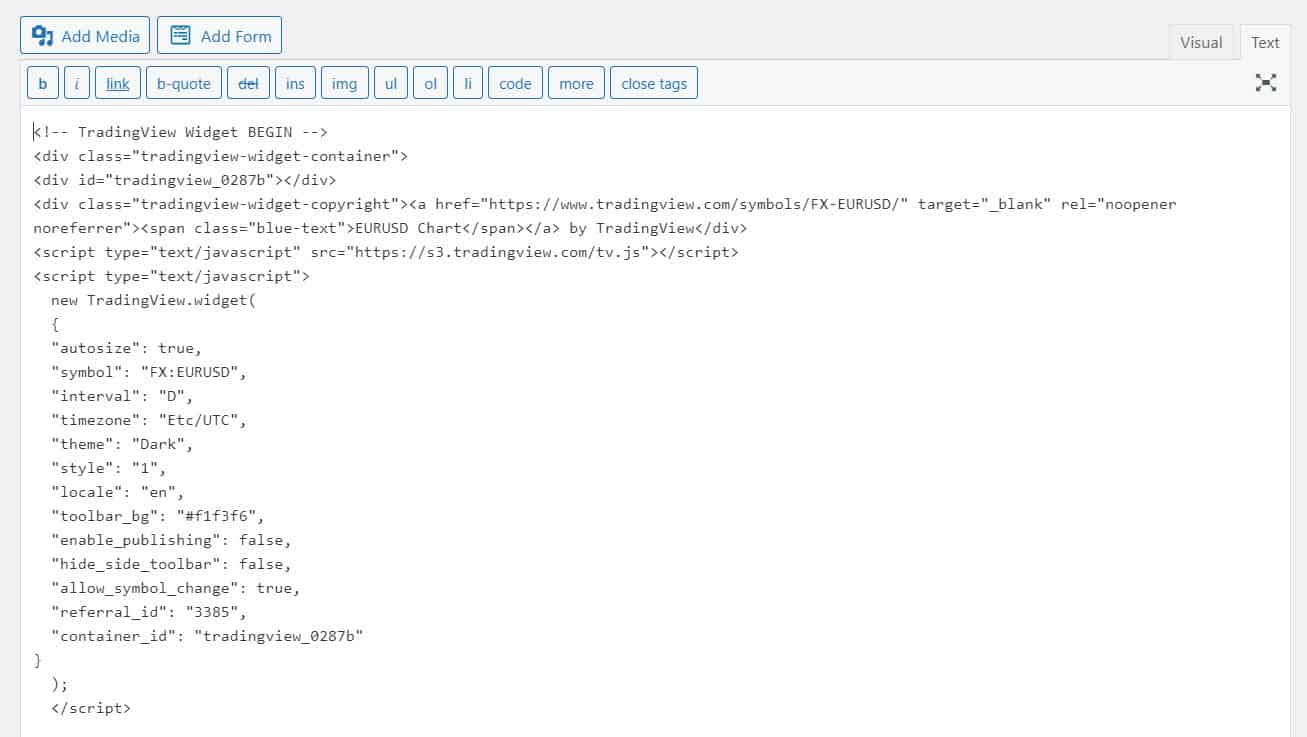
I don't see it there either and wonder if it's coming from the script/trading widget code you are using.
Do you see this spacing issue with just regular text content?
no, the spacing issue is only on the page with the widget
Where did you get the code from?
Can you check with their support team first and see if the code can be modified?
If not you can try this CSS as a patch:
.page-id-26389 p {
    display: none;
}
This would hide all the <p> on that page.
that helped, thanks
No problem :)