Archived topic
Background not appearing for page hero
18 replies · Started by William on April 8, 2021
Hi there,
Something is very strange happened to a page header of GP elements and I cannot figure out what's causing it.
On category pages I have a specific page header. You can see it in use here.
I use custom shortcodes for the portrait image and background image, where the CSS for this is included in the GP element:
.page-hero:before {
    background-image:linear-gradient(0deg, rgba(20,20,20,0.7),rgba(20,20,20,0.5)), url('[category_background_image]');
    background-size: cover;
    background-position: center center;
    content: '';
    position: absolute;
    top: 0;
    right: 0;
    bottom: 0;
    left: 0;
    filter: blur(5px);
}
It works as intended clearly and for all other categories I have a [custom_background_image] added it works. However, for this and this page, it does not even though I added images to the custom field?
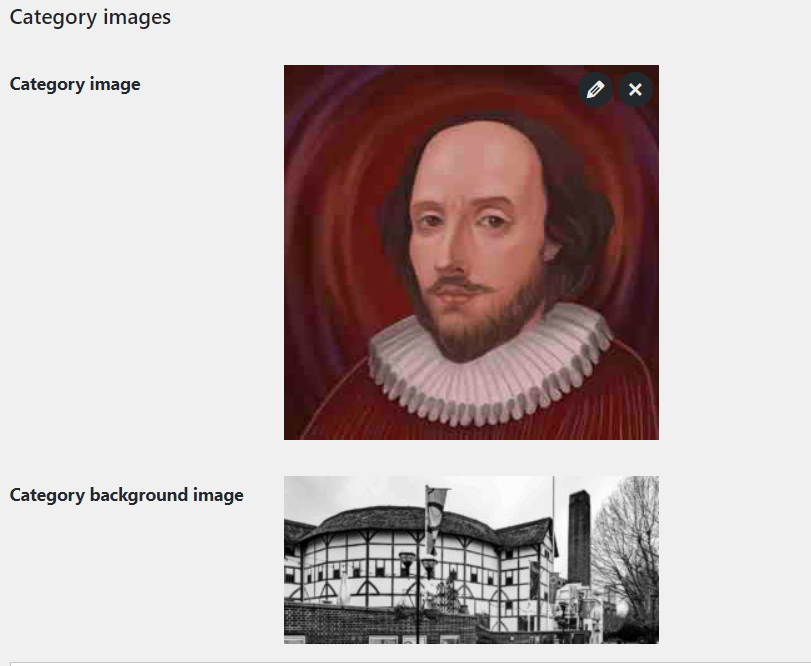
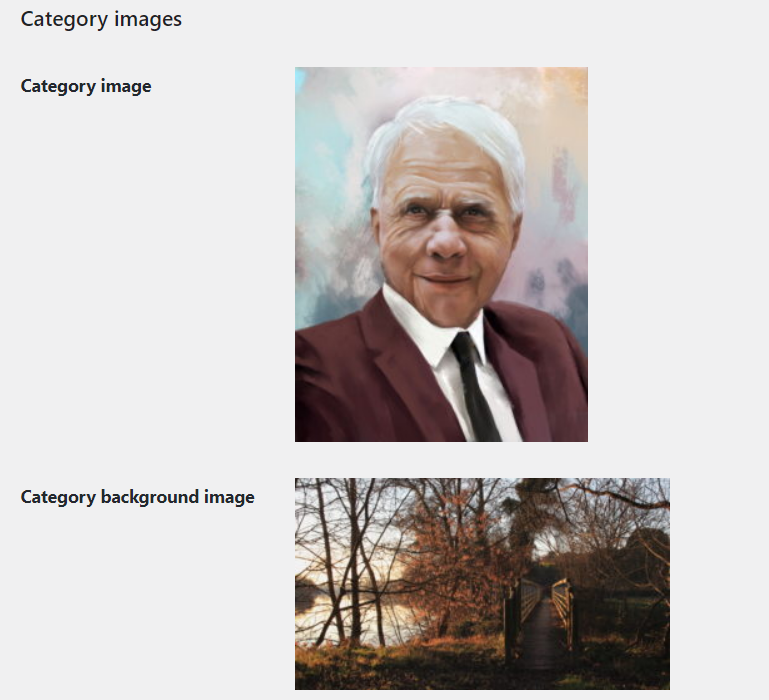
The category background images above work on any other category, just not the two above - is there a reason for this?
Hi there,
the image request is being made to a CDN - on those 2 pages there is no inward URL for the image ( just the root url for the CDN ).... do they work correctly if the CDN is disabled ?
Hi there,
I reuploaded a different image here and the CSS for the background is as follows:
.page-hero:before {
    background-image: linear-gradient(
0deg
, rgba(20,20,20,0.7),rgba(20,20,20,0.5)), url(poemanalysis.com/);
I don't see the CDN being requested but confused why the URL is wrong here?
Does it only happen with those specific images ? What if you try a different image ?
Sorry for the late reply - been trying to figure this out.
It only happens to specific category pages of mine. To add confusion, I found some tags show the image in question (but not on the category page), even without myself wanting it to - so the image seems to work, so still unsure on CDN being the issue or what the issue could be.
Hi there,
I've checked your site and the background image is not displaying on the specified page because the image path is wrong.
On your William Shakespeare page, the background image URL is pointing to the homepage instead of an image path.
Any chance you can provide us the whole code added in your Header element?
It's adding this in:
<style>
.category-image-style {
width: 160px;
height: 160px;
overflow: hidden;
border-radius: 100%;
box-shadow:  0px 0px 8px rgba(0,0,0,0.3);
margin-right: 30px;
}
.category_description {
text-shadow: 0px 0px 16px rgba(0,0,0,1);
}
.page-title {
text-shadow: 0px 0px 15px rgba(0,0,0,0.42);
}
article.post .inside-article:hover{
box-shadow: 0 0 20px 0 rgba(0, 0, 0, 0.25);
z-index: 1;
transition: 300ms;
}
.separate-containers .inside-article:hover{
box-shadow: 0 0 20px 0 rgba(0, 0, 0, 0.25);
z-index: 1;
transition: 300ms
}
.page-hero,
.page-hero .inside-page-hero {
position: relative;
overflow: hidden;
}
.page-hero:before {
background-image:linear-gradient(0deg, rgba(20,20,20,0.7),rgba(20,20,20,0.5)), url(https://poemanalysis.com/);
background-size: cover;
background-position: center center;
content: '';
position: absolute;
top: 0;
right: 0;
bottom: 0;
left: 0;
filter: blur(5px);
}
@media(min-width:768px){
.title-with-image {
display: flex;
align-items: center;
justify-content: flex-start;
flex-direction: row;
}
}
@media (max-width: 768px) {
.page-hero .page-title {
padding-top: 30px;
}
.title-with-image {
flex-direction: column;
}
.page-hero .page-title {
margin: 0 auto;
text-align: center;
}
.title-with-image {
flex-direction: column;
}
.page-hero .category-image-style, .page-hero .page-title {
margin: 0 auto;
text-align: center;
}
}
/* .entry-title a:before {
content: '';
position: absolute;
top: 0;
left: 0;
right: 0;
bottom: 0;
} */
.entry-summary {
display: none;
}
.generate-columns-container {
margin-left: 6px;
}
.page-hero a {
display: inline-block;
text-decoration: underline;
}
.page-hero a:hover {
display: inline-block;
color: #e3f2ff;
}
article.post .inside-article {
margin: 7px;
}
</style>
It seems dynamic but it may require modification to correct a few things.
Sorry to the late reply to this - is there a reason why it happens to work sometimes but not other times?
It really depends on the code being used to add the image.
In the above CSS, the background image is pointing to https://poemanalysis.com/, which isn't an image. Is there code generating that URL? If so, it's likely just not working on those specific category pages.
Sure thing. I use ACF to create a shortcode image for categories and then have a snippet to make it a shortcode:
add_shortcode( 'category_background_image', function() {

	$category_id = get_the_category(get_the_ID());
	$category = get_category($category_id[0]->term_id);

    $category_background_image = get_field( 'category_background_image', $category );
	$category_background_image_html = $category_background_image;

    return $category_background_image_html;

} );
I then include that with CSS in the GP page hero for that page:
.page-hero:before {
    background-image:linear-gradient(0deg, rgba(20,20,20,0.7),rgba(20,20,20,0.5)), url('[category_background_image]');
    background-size: cover;
    background-position: center center;
    content: '';
    position: absolute;
    top: 0;
    right: 0;
    bottom: 0;
    left: 0;
    filter: blur(5px);
} That's likely the issue. What if you add var_dump($category_background_image_html); above the return in that function? Does it output the correct URL?
Okay, I changed the function to:
add_shortcode( 'category_background_image', function() {

	$category_id = get_the_category(get_the_ID());
	$category = get_category($category_id[0]->term_id);

    $category_background_image = get_field( 'category_background_image', $category );
	$category_background_image_html = $category_background_image;

	var_dump($category_background_image_html);

    return $category_background_image_html;

} );
and it made this appear here.
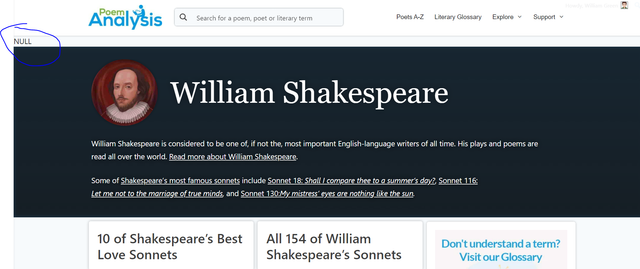
So that means this line isn't retrieving anything:
$category_background_image = get_field( 'category_background_image', $category );
Perhaps the field name is wrong?
Interesting - it seems fine from what I see? Not sure..
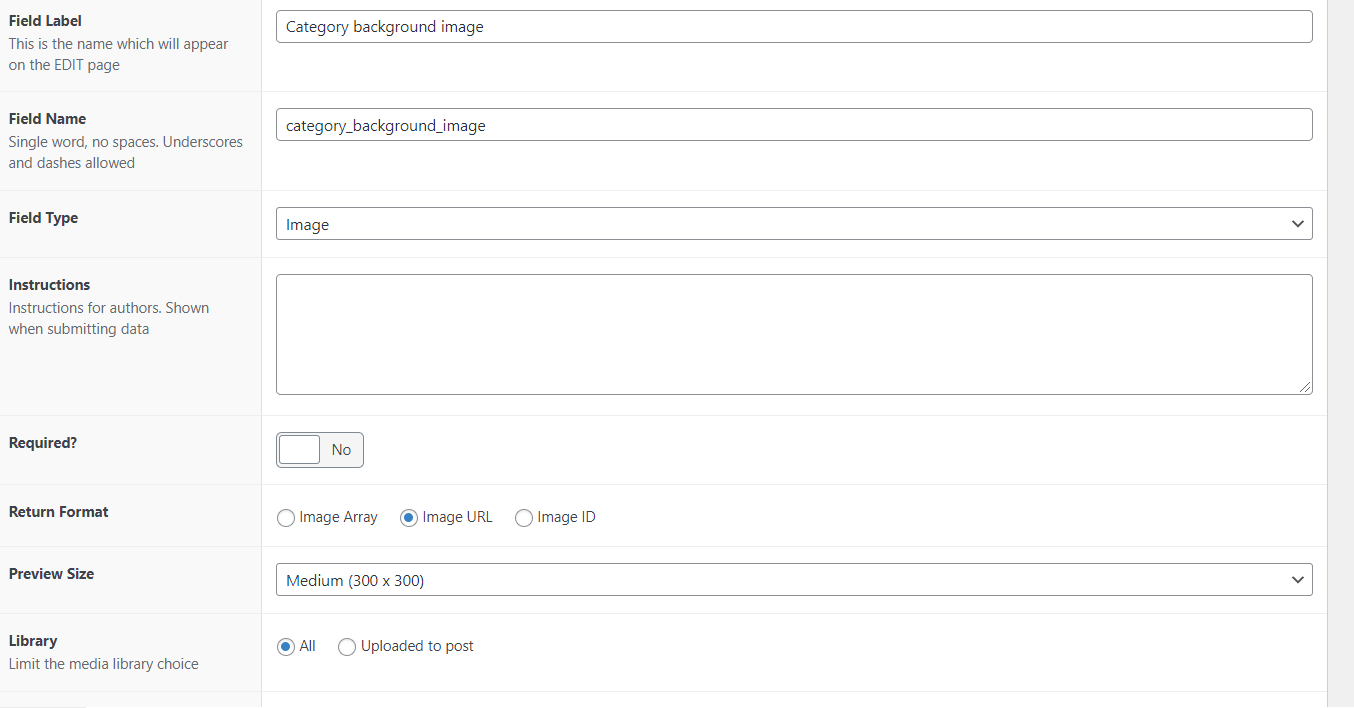
Hi William,
If it's correct, perhaps the category_background_image field for the categories that return "null" was not filled up.
Can you check and confirm if a background image is applied?
Yes, for this page, there is a category image applied to it.