
Archived topic
Async Javascript disables menu button for mobile
7 replies · Started by Norman on June 10, 2017
Hi all,
I finally got my site online: https://www.fairfieldcollege.nl. It still needs bit of tweaking though.
When I activate the plugin Async Javascript, the menu button om mobile doesn't respond anymore. Any way to make it work? I followed your speed-guide.
Also, how do I change the layout for blogposts (margin etc.)? When I add css with .post, it also affects the index of posts.
Thanks!
Hi there,
You can try to add jquery.js to the excluded scripts area:
https://generatepress.com/forums/topic/foo-box-doesnt-work/#post-293872
https://generatepress.com/wp-content/uploads/2016/07/javascript-options-1.png
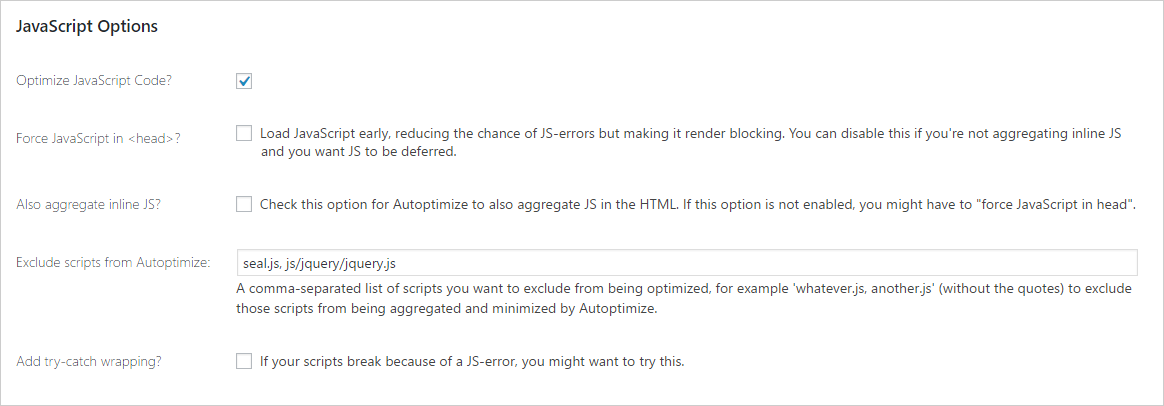
Since the blog page: https://www.fairfieldcollege.nl/blog/ is not using Elementor. You should be able to use GP's customizer option:
https://docs.generatepress.com/article/container-width/
https://docs.generatepress.com/article/content-layout/
https://docs.generatepress.com/article/separating-space/
https://docs.generatepress.com/article/blog-overview/
Let me know.
Hi Leo,
it doesn't work if I exclude jquery.js.
I'll keep the plugin active for now, maybe it helps finding the problem?
Tnx
Hmm can you try disabling the plugin? Just want to make sure it's causing by the plugin.
It's deactivated. And the button works now
EDIT: WP deferred javaScript does the same thing. I started a topic on the GP FB community about my site's speed. There seems to be some things wrong.. so maybe this has got to do anything with that.
In Autoptimize, did you make sure to check the Also aggregate inline JS option?
No I didn't. Now it works :)
Thanks!
You're welcome :)