Archived topic
Archive for author shows full post randomly?
6 replies · Started by William on March 30, 2021
Hi there,
On author archives, I notice an occurrence of the full content being displayed under two articles, but none other? By default, only the titles to the posts should display.
Why would this be happening?
Kind regards,
Will
It also appears here. It seems potentially the post issue but unsure?
Hi there,
Some posts may have a "space" in their manual excerpt field so entry-summary displays that on some posts.
https://docs.generatepress.com/article/excerpt-issues/#excerpt-not-showing
Do you want to completely remove all of them on your author archive pages?
If yes, we can do it with CSS.
Try this:
body.archive.author .entry-summary, body.archive.author .entry-content {
    display: none;
}Thanks for that - I checked and it does not seem to have a space and it is appearing for author archives as well as category archives (second link above was for a category). Is this a bug?
See I have the word count showing for excerpt to 0 in GP settings:
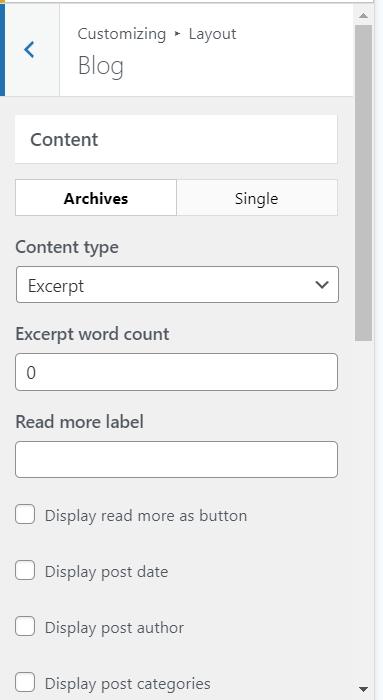
The above code only does it for author pages - but it appears the issue exists on all archive pages. I would prefer not to have CSS for this - is this something that can be fixed?
Hi William,
Customizer options only work for posts that are standard post type, the ones that show the full content are quote post type.
You could either choose to change them to standard post type or use the CSS:
.archive .post .entry-content {
    display: none;
}
Let me know :)
Ah yes someone must have clicked it accidentally to be a quote post type - reverted back, thanks!
No problem :)