Archived topic
Amazon Associate "picture" links don't work properly
7 replies · Started by Mira on May 12, 2021
Note: I am a blogger and don't have much technical knowledge / experience.
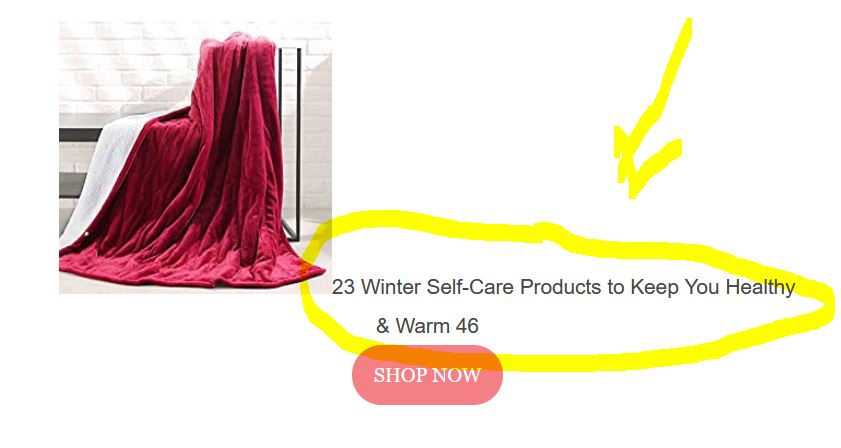
Since I installed GP Avery theme, I noticed that my Amazon Associate links don't work properly. Whenever I put HTML for an image that leads to a product I get the image + text that reflects the title of the blog post and a number. When I remove the image itself and leave the other part of the code, the text is still there. Also, it is inconsistent as some links show up as they should and others don't. An example blog post is this: https://mindoverlatte.com/23-winter-self-care-products/
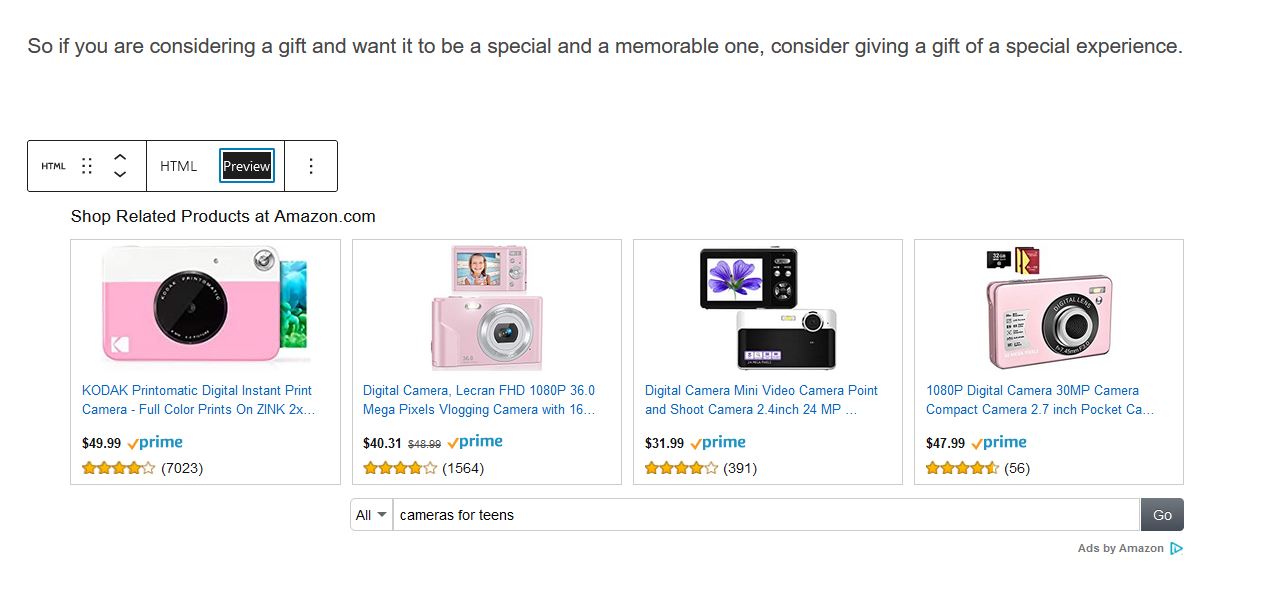
Second issue I found is that Amazon banners with "search related products" no longer show up on the bottom of my posts. The code is still there, but it soes not show up on the blog. An example of a post would be this one: https://mindoverlatte.com/experiences-better-than-things/ The Amazon code is just below the text of the blog post.
Any help would be much appreciated.
Hi there,
To understand the issue better, can you provide us any screenshots or screen recordings of the issue that occurs?
Let us know. Thanks.
Hi Elvin
Here is an example related to the first question (the extra information that shows up is circled in yellow). here is a picture
For the second example, this is what shows up on when I'm editing, but there is nothing when it goes live.
Also, the reason I believe it has something to do with GP Avery theme is that I have another blog with the main GP (paid) theme and the same plugins, and the Amazon links work fine. No issues.
Thank you so much.
Mira
disregard this comment (posted the same thing twice)
Also, the first issue only happens with US amazon links and not Canadian Amazon links.
(I posted the links to pictures above)
I've noticed multiple errors on your page.
https://share.getcloudapp.com/E0uY1Ble
Can you try disabling ALL plugins except GP premium and see if it still occurs?
Let us know.
I agree, I do have errors, but I don't know enough about this to fix them and for a hobby blog this is an expensive task.
I did what you suggested - cleared browser catch, WP Rocket catch and disabled all plugins by GP premium and it still didn't get fixed.
What platform are you using to see these errors?
Thanks
Hi there,
i am actually seeing a different error relating to this url: https://api.rlcdn.com/api/identity?pid=2&rt=envelope
Googling that its related to the Prebid.js system which i believe is one of the options with Amazon Affiliates...
You will need to check with Amazon affiliates to see why that code is failing.